
Key takeaways
- A reason-code list works when it is short, mutually exclusive, in operators' words and mapped once to the six big losses.
- Use a two-level structure: loss group, then cause. The 38 codes below follow the six big losses and the 16 major losses; adopt them as your master list.
- Capture start, end, equipment, product, code and who entered it; add free text only for new causes and review 'other' every month.
- Set the planned or unplanned flag once on each code, with changeovers and setups counted as availability losses by default, and keep the rule fixed between periods.
- MaintWiz holds the codes in a loss master set up once per equipment, and the downtime report ranks lost hours on a Pareto by unplanned, planned and performance loss.
Reason codes
What is a downtime reason code?
A downtime reason code is a label attached to a stop of the equipment, chosen from a controlled list at the time it happens or soon after. It turns 'the line was down' into 'the line was down for a changeover'. Without codes, stops are described in free text that cannot be totalled; with too many codes, operators pick the first one that fits or 'other'. Reason codes are the basis of the loss Pareto in OEE reporting and of the failure counts behind MTBF and MTTR.
The codes also decide what your OEE says. If a changeover is coded planned in one plant and unplanned in another, the two availability figures are not comparable. The mapping and the planned or unplanned rule therefore belong in the definition sheet, not in individual operators' heads.
The planned time, stop and rework definitions you write here set the availability figure that is calculated (Figure 1).
How a downtime reason code is built
Each code carries its group, loss, OEE factor and planned or unplanned flag
BD-01 Mechanical failure
- 1
Group and number
BD-01
- 2
Reason in plain words
Mechanical failure
- 3
Six big losses group
Equipment breakdowns
- 4
OEE factor
Availability
- 5
16 major losses group
Failure loss
- 6
Planned or unplanned
Unplanned
38 codes in eight groups in the library on this page
 maintwiz.comAI CMMS built for TPM
 WhatsApp us
 +91 93459 29168
 Book a demo
Downloads
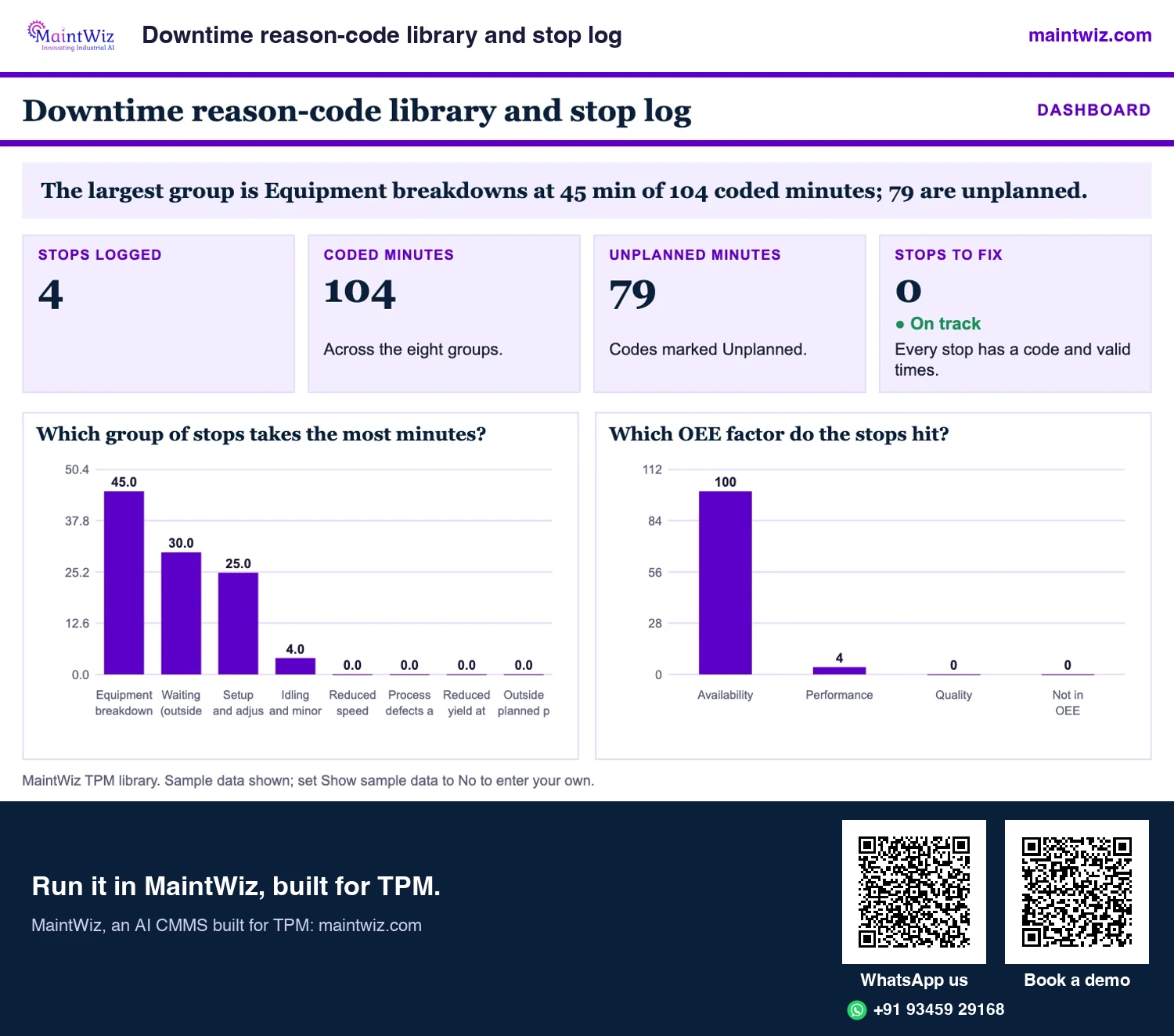
Downtime reason code library (Excel) with stop log and line status board
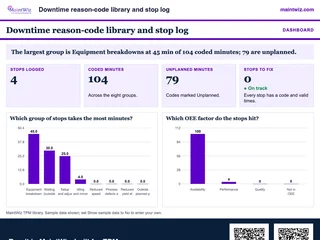 ExcelDowntime reason-code library and stop log
Start from 38 coded stop reasons with definitions, set a minor stop threshold
- Sheets
- Dashboard, Inputs, Codes, Stop log, Summary, Read me
- A4
- Version
- v1.1, 5 November 2026
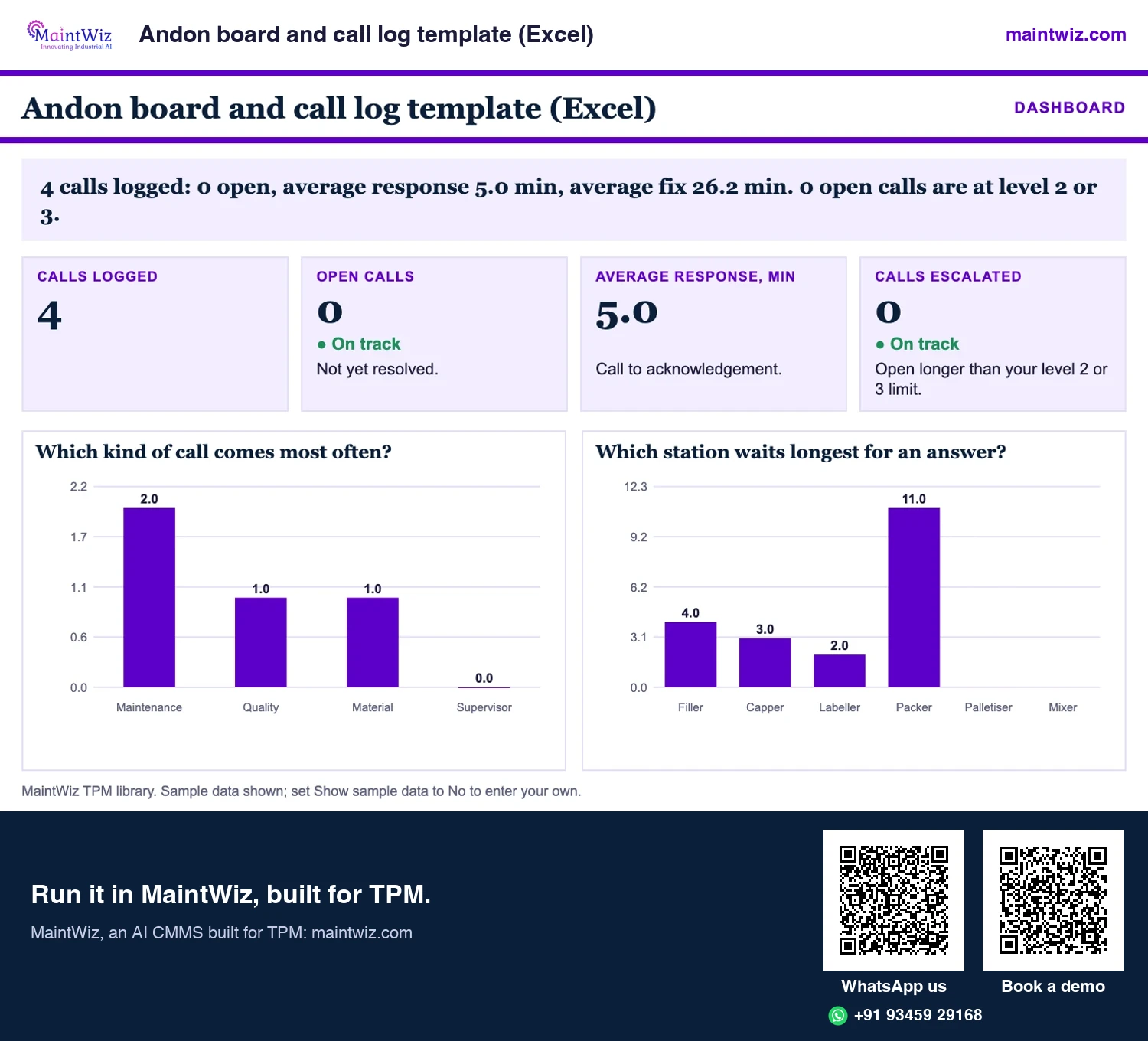
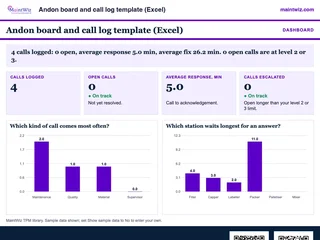 ExcelAndon board and call log template (Excel)
Run an andon line-stop call light with escalation at 10 and 20 minutes, response and fix times
- Sheets
- Dashboard, Inputs, Reason codes, Calls, Board, Board (2 x A4), Results, Read me
- A4
- Version
- v1.1, 5 November 2026
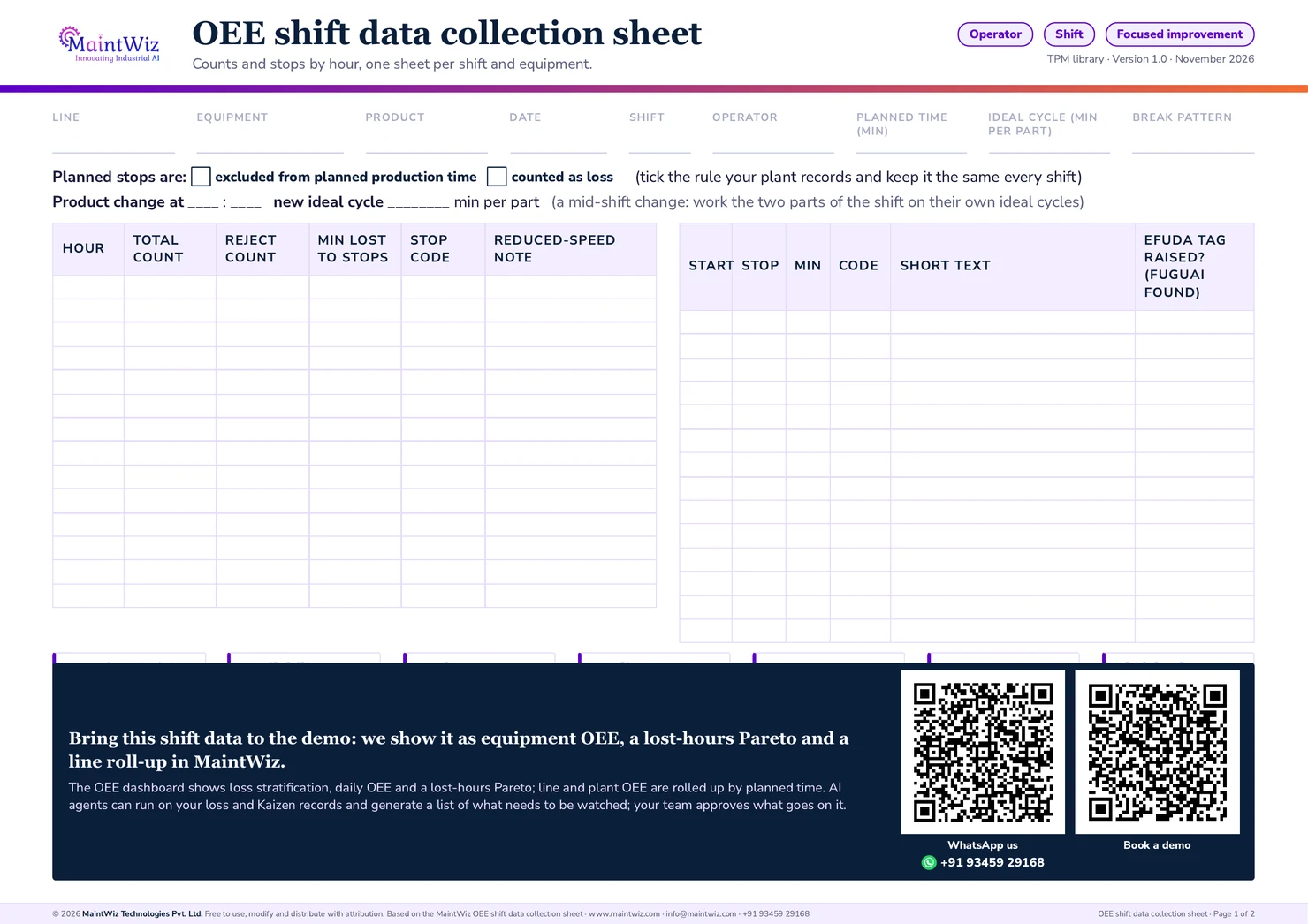
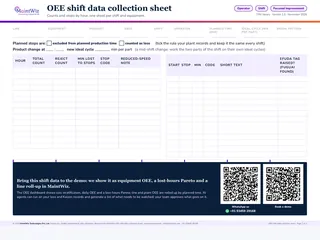 PDFOEE shift data collection sheet
Print one sheet per shift and equipment: hourly counts, a coded stop log, efuda tag column and a product change line
- Pages
- 2
- A4 landscape
- Created
- 5 November 2026
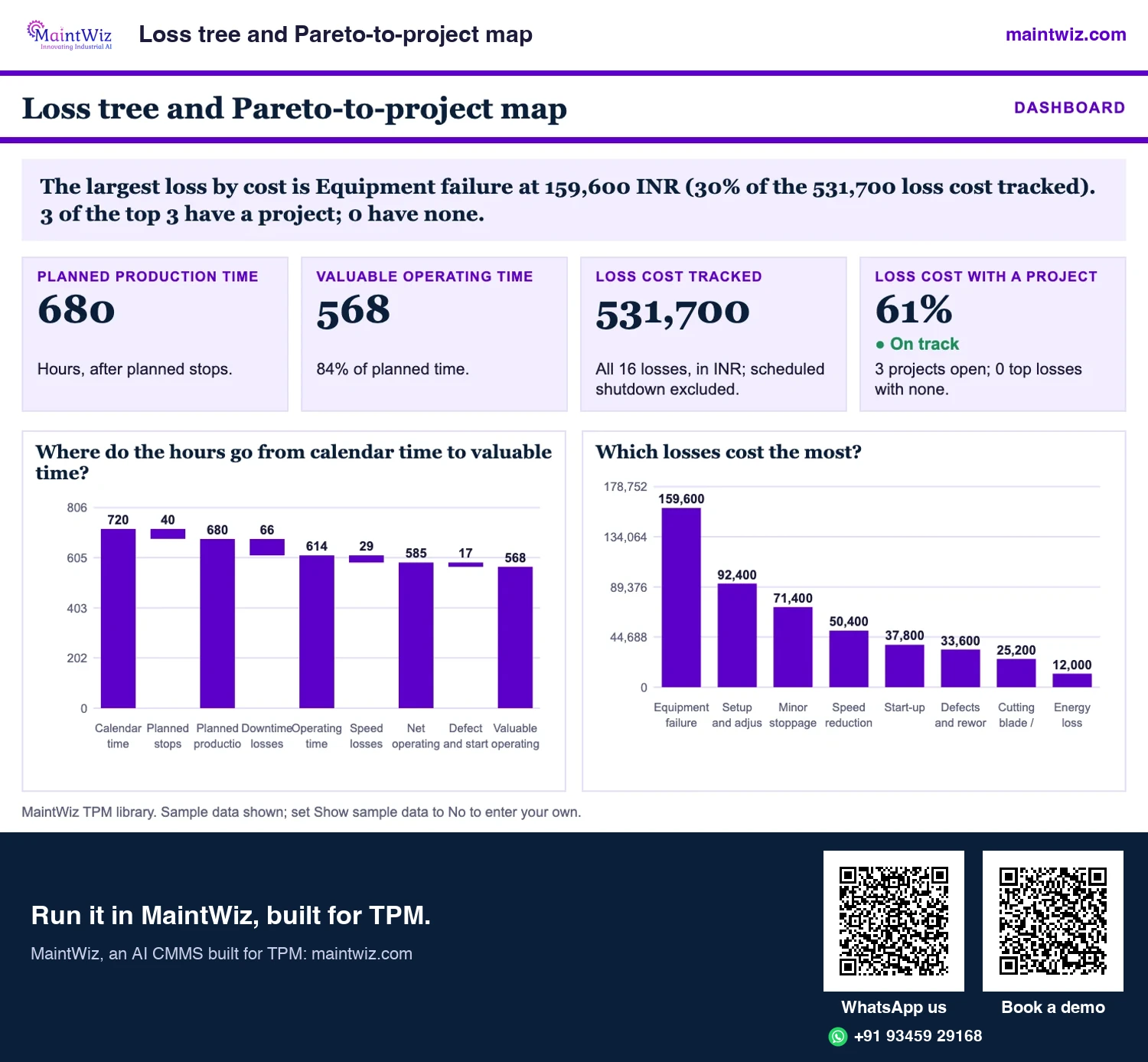
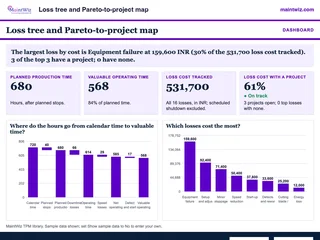 ExcelLoss tree and Pareto-to-project map
Build the loss tree from calendar time to valuable time, rank all 16 losses by cost
- Sheets
- Dashboard, Inputs, Tree, Project map, Pareto, Read me
- A4
- Version
- v1.1, 5 November 2026
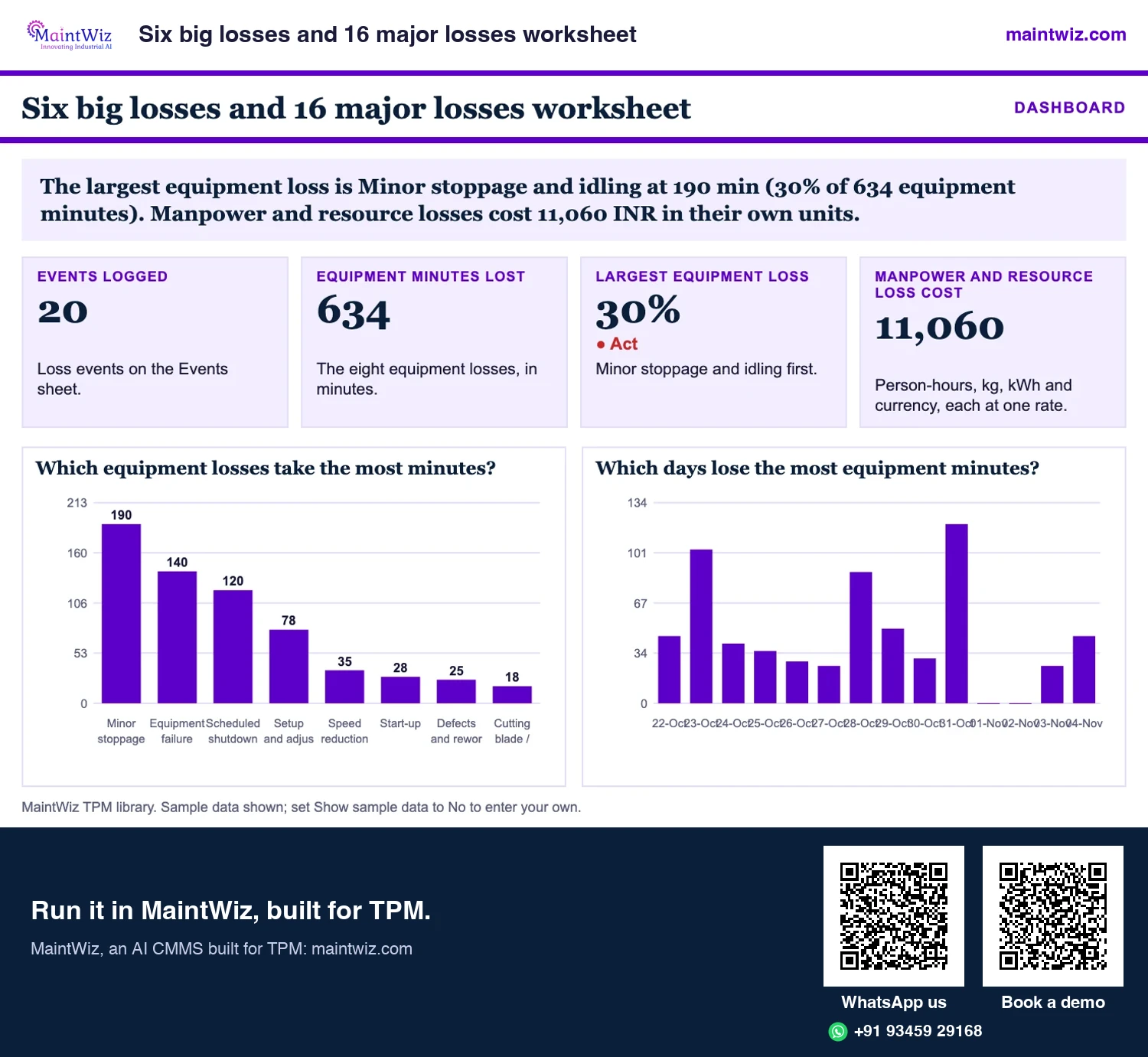
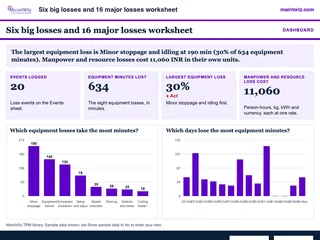 ExcelSix big losses and 16 major losses worksheet
Log loss events, rank the eight equipment losses in minutes
- Sheets
- Dashboard, Inputs, Lists, Events, Summary, Read me
- A4
- Version
- v1.2, 5 November 2026
The library
The library: 38 codes in eight groups
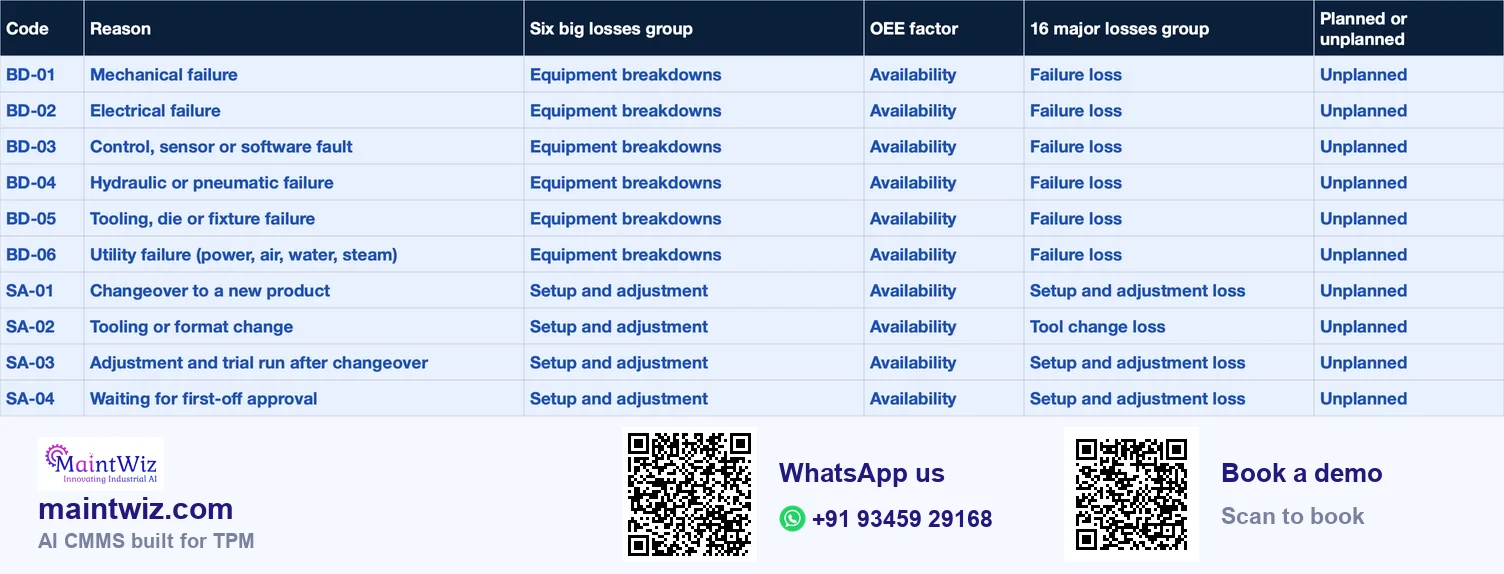
Each code has a group prefix and a number. Of the 38 codes, 29 sit inside the six big losses, 4 are waiting codes and 5 fall outside planned production time. The six-loss group says which of the six big losses it rolls into; the 16-loss column gives its group in the JIPM 16 major losses. 'Decide by plant' marks the six codes where plants differ. The default is to count them as unplanned availability losses, because setup and changeover are losses to reduce; mark a code planned only where your definition says so.
| Code | Reason | Six big losses group | OEE factor | 16 major losses group | Planned or unplanned |
|---|---|---|---|---|---|
| BD-01 | Mechanical failure | Equipment breakdowns | Availability | Failure loss | Unplanned |
| BD-02 | Electrical failure | Equipment breakdowns | Availability | Failure loss | Unplanned |
| BD-03 | Control, sensor or software fault | Equipment breakdowns | Availability | Failure loss | Unplanned |
| BD-04 | Hydraulic or pneumatic failure | Equipment breakdowns | Availability | Failure loss | Unplanned |
| BD-05 | Tooling, die or fixture failure | Equipment breakdowns | Availability | Failure loss | Unplanned |
| BD-06 | Utility failure (power, air, water, steam) | Equipment breakdowns | Availability | Failure loss | Unplanned |
| SA-01 | Changeover to a new product | Setup and adjustment | Availability | Setup and adjustment loss | Decide by plant |
| SA-02 | Tooling or format change | Setup and adjustment | Availability | Tool change loss | Decide by plant |
| SA-03 | Adjustment and trial run after changeover | Setup and adjustment | Availability | Setup and adjustment loss | Decide by plant |
| SA-04 | Waiting for first-off approval | Setup and adjustment | Availability | Setup and adjustment loss | Decide by plant |
| SA-05 | Cleaning between products or batches | Setup and adjustment | Availability | Setup and adjustment loss | Decide by plant |
| WT-01 | Waiting for material | Waiting (outside the six; management or logistic loss) | Availability | Management loss | Unplanned |
| WT-02 | Waiting for operator or crew | Waiting (outside the six; management or logistic loss) | Availability | Management loss | Unplanned |
| WT-03 | Waiting for maintenance or technician | Waiting (outside the six; management or logistic loss) | Availability | Management loss | Unplanned |
| WT-04 | Waiting for quality release or inspection | Waiting (outside the six; management or logistic loss) | Availability | Management loss | Unplanned |
| WT-05 | Upstream or downstream line stopped | Idling and minor stops | Performance | Minor stoppage and idling loss | Unplanned |
| MS-01 | Jam or blockage cleared by operator | Idling and minor stops | Performance | Minor stoppage and idling loss | Unplanned |
| MS-02 | Sensor misread or false trip | Idling and minor stops | Performance | Minor stoppage and idling loss | Unplanned |
| MS-03 | Misfeed or mis-position of material | Idling and minor stops | Performance | Minor stoppage and idling loss | Unplanned |
| Code | Reason | Six big losses group | OEE factor | 16 major losses group | Planned or unplanned |
|---|---|---|---|---|---|
| MS-04 | Build-up or contamination cleared | Idling and minor stops | Performance | Minor stoppage and idling loss | Unplanned |
| MS-05 | Short operator intervention | Idling and minor stops | Performance | Operating motion loss | Unplanned |
| RS-01 | Run below ideal rate by instruction | Reduced speed | Performance | Speed loss | Unplanned |
| RS-02 | Worn or degraded equipment limits speed | Reduced speed | Performance | Speed loss | Unplanned |
| RS-03 | Material variation limits speed | Reduced speed | Performance | Speed loss | Unplanned |
| RS-04 | Operator caution or skill limits speed | Reduced speed | Performance | Speed loss | Unplanned |
| DR-01 | Dimensional or weight defect | Process defects and rework | Quality | Defect and rework loss | Unplanned |
| DR-02 | Surface or appearance defect | Process defects and rework | Quality | Defect and rework loss | Unplanned |
| DR-03 | Contamination defect | Process defects and rework | Quality | Defect and rework loss | Unplanned |
| DR-04 | Reworked pieces | Process defects and rework | Quality | Defect and rework loss | Unplanned |
| DR-05 | Wrong setting or recipe | Process defects and rework | Quality | Defect and rework loss | Unplanned |
| SY-01 | Warm-up or stabilisation rejects | Reduced yield at start-up | Quality | Start-up loss | Unplanned |
| SY-02 | Rejects after restart | Reduced yield at start-up | Quality | Start-up loss | Unplanned |
| SY-03 | Trial or purge pieces | Reduced yield at start-up | Quality | Start-up loss | Decide by plant |
| PL-01 | Planned maintenance | Outside planned production time | Not in OEE | Scheduled shutdown loss | Planned |
| PL-02 | Breaks and meal times | Outside planned production time | Not in OEE | Not an equipment loss | Planned |
| PL-03 | Meetings, training, 5S time | Outside planned production time | Not in OEE | Not an equipment loss | Planned |
| PL-04 | No demand or no order | Outside planned production time | Not in OEE | Not an equipment loss | Planned |
| PL-05 | Scheduled shutdown | Outside planned production time | Not in OEE | Scheduled shutdown loss | Planned |
Use the library
The same list is in a free workbook with a stop log and a loss summary, so a plant can adapt it in a spreadsheet before moving it into a system. A coded list is central to what OEE software is: every stop is ranked by its code, so a clean list on day one gives a usable loss Pareto from the first week. Waiting codes (WT-01 to WT-04) point at management, logistics or staffing rather than at the equipment, so the library gives them their own group; WT-05, a line stopped upstream or downstream, is a starved or blocked stop and rolls into idling and minor stops; they still reduce availability when they fall inside planned production time. The library keeps waiting as its own group so management and logistics losses stay visible. The 16-loss names follow the JIPM list of 16 major losses (Figure 2).
Load this library into MaintWiz
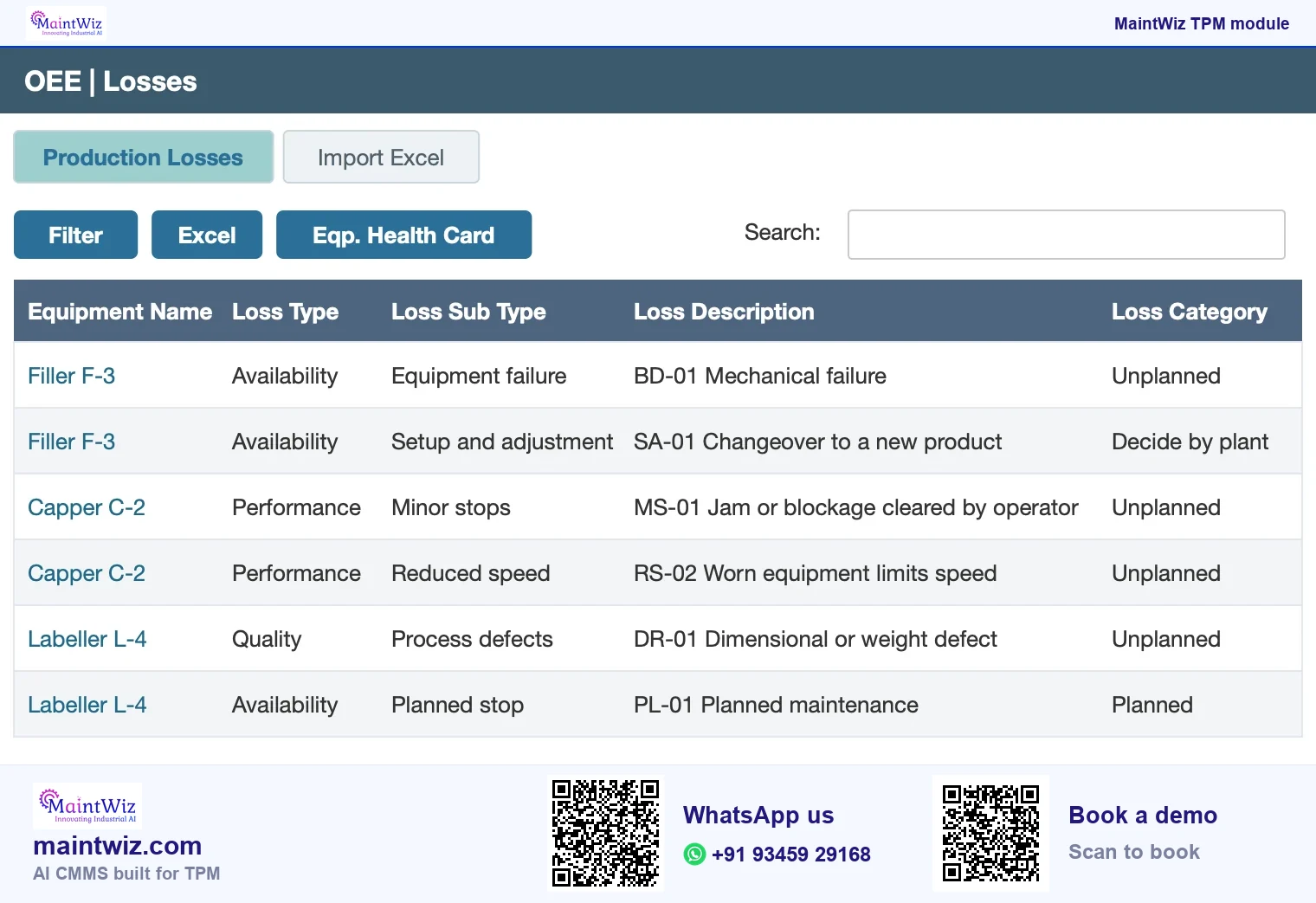
MaintWiz, an AI CMMS built for TPM, holds loss codes as a loss master set up once per equipment, with type, sub type, description and category. Load the codes from the free workbook with an Excel upload, and operators pick the code at the machine on a mobile device or at a terminal. The OEE downtime report ranks lost hours by type and category, the loss cost matrix turns them into cost, and IoT signals can trigger work orders automatically. Book a demo to load this library on your own equipment.
Your own list
Rules for writing your own list
- Start with 25 to 40 codes for a plant, not hundreds; add a code only when 'other' keeps collecting the same cause.
- Make codes mutually exclusive: one stop, one primary code. Use a second field if you need a contributing cause.
- Use operators' words in the label, and keep a one-line definition that says what the code is not.
- Give every code exactly one parent: a six-big-loss group, the waiting group or the outside-planned-time group, so the roll-up is automatic.
- Mark planned or unplanned on the code, not on each event. In MaintWiz the loss type (unplanned, planned or performance) sits on the loss master, so the rule is set once.
- Allow free text on 'other' only, and review it monthly to promote repeated entries into codes.
- Version the list with a date, and never reuse a retired code for a new meaning.
What to capture with each stop
| Field | Why it matters | Rule |
|---|---|---|
| Equipment | Roll-up and ranking by machine | Chosen from the asset register, not typed |
| Start and end time | Duration and minimum stop length | Entered or taken from the machine signal; edited with a reason |
| Product or SKU | Ideal rate and changeover pairs | Chosen from the product list |
| Reason code | Grouping and Pareto | Required; the list above or your own |
| Free text | New causes and detail | Optional; mandatory for 'other' |
| Entered by and confirmed by | Trust in the data | Operator enters; supervisor confirms within the shift |
| Work order reference | Stop and repair read together | The repair work order for breakdown codes |
A stop shorter than your minimum stop length is not logged as downtime; its time shows up in performance as a minor stop. Write the minimum length in the definition so the three factors add up (Figure 3).
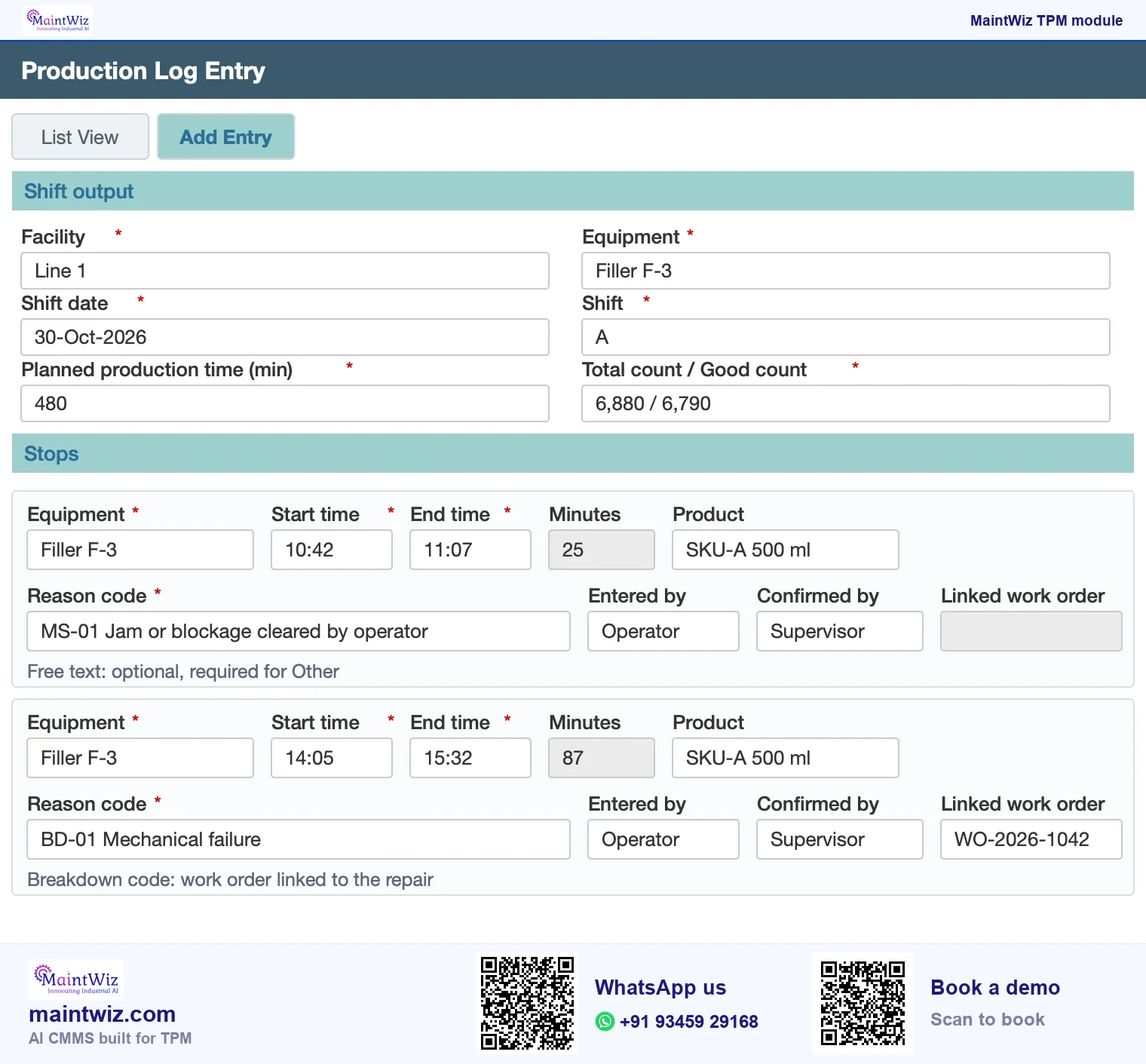
How codes feed OEE
How the codes feed OEE, MTBF and the loss Pareto
Availability is planned production time minus the stops coded as losses. Performance is affected by minor-stop and speed codes. Quality uses reject codes. A Pareto of lost time by code shows which cause to work first, and a Pareto by six-loss group shows which pillar should lead the OEE improvement. For breakdown codes, work-order start and end times give the failures and repair time for MTBF and MTTR (Figure 5).
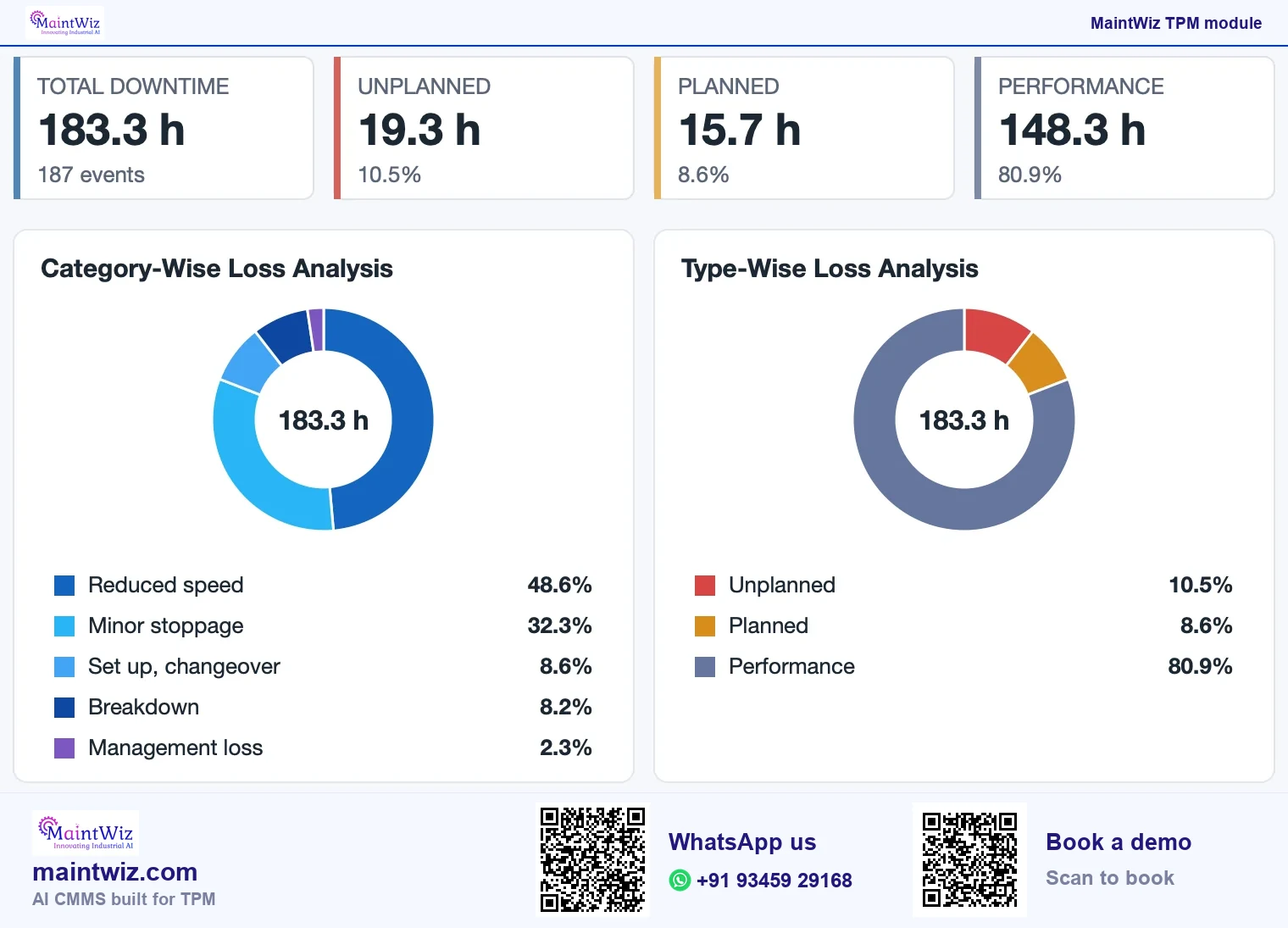
In MaintWiz the code list sits next to the equipment hierarchy and the roll-up is a stored mapping, so the OEE software views, the Pareto and the downtime report read the same codes.
Common mistakes with reason codes
- A list so long that 'other' wins.
- Codes that name symptoms and causes in one list, such as 'jam' beside 'worn guide'.
- Letting each shift add codes, so the same cause has three labels.
- Mixing planned and unplanned meanings under one code.
- Using codes to assign blame; operators then pick the safest one.
- Never reviewing: a list that is not revised drifts away from the equipment's real stops.
ISO 22400-2:2014 defines the KPI formulas that sit on top of stop data, so the planned time, stop and rework definitions written here set the availability figure that is calculated.
Ownership
Who owns the list
One owner, usually the TPM lead with production and maintenance, controls changes. A change log records what was added, renamed or retired and when, so older data can be read correctly. Review the list quarterly with the loss Pareto in front of you, and use the metric dictionary to record the planned or unplanned rule and the minimum stop length.
FAQ
Frequently asked questions
What are downtime reason codes?
Downtime reason codes are a controlled list of causes an operator selects when equipment stops, so stops can be grouped, ranked and rolled up into losses such as the six big losses. They replace free text that cannot be totalled.
How many reason codes should a plant have?
Start with 25 to 40, grouped by the six big losses, and add a code only when 'other' keeps collecting the same cause. Long lists make operators pick the first fit or 'other', which damages the data.
How do reason codes map to the six big losses?
Each code has one parent group: one of the six big losses (breakdowns, setup and adjustment, idling and minor stops, reduced speed, process defects and rework, reduced yield at start-up), the waiting group or the outside-planned-time group. Mapping once means the roll-up and Pareto need no manual sorting.
Should changeover be coded as planned or unplanned?
Count it as an unplanned stop in availability by default, because a changeover is a loss to reduce. Mark it planned only where your OEE definition says so, set the flag once on the code and keep it fixed between periods.
What fields should be captured with each stop?
Equipment, start and end time, product, reason code, free text for new causes, who entered it and who confirmed it, and the repair work order reference for breakdowns. Together these support OEE, MTBF and MTTR.
Can we load this library into MaintWiz?
Yes. Upload the 38 codes from the free workbook into the MaintWiz loss master with an Excel upload, rename them in operators' words and set each one up once per equipment with type, sub type and category; the downtime report then ranks lost hours by code.
Sources
Sources
- JIPM, About TPM https://www.jipmglobal.com/about/tpm/
- ISO 22400-2:2014, Automation systems and integration: Key performance indicators (KPIs) for manufacturing operations management, Part 2: Definitions and descriptions https://www.iso.org/standard/54497.html