
Key takeaways
- The red tag in TPM is the autonomous maintenance abnormality tag: it marks an abnormality on equipment and is tracked in a register. 5S has its own sort-step tagging for items that may not be needed.
- Red means maintenance or engineering support is needed, white means operators can fix it and yellow is set by the site.
- A tag without an owner, a target date and a closure is clutter; review the register at a fixed cadence and report the age of open tags.
- MaintWiz is an AI CMMS built for TPM: tags are registered against the equipment, tracked to closure and converted to work orders when maintenance is needed. It runs all eight pillars with 5S, OEE, Kaizen and one point lessons, mobile capture, IoT-triggered work orders and ePTW, and rolls out in 6 to 8 weeks.
Red tags
What is a red tag in TPM and 5S?
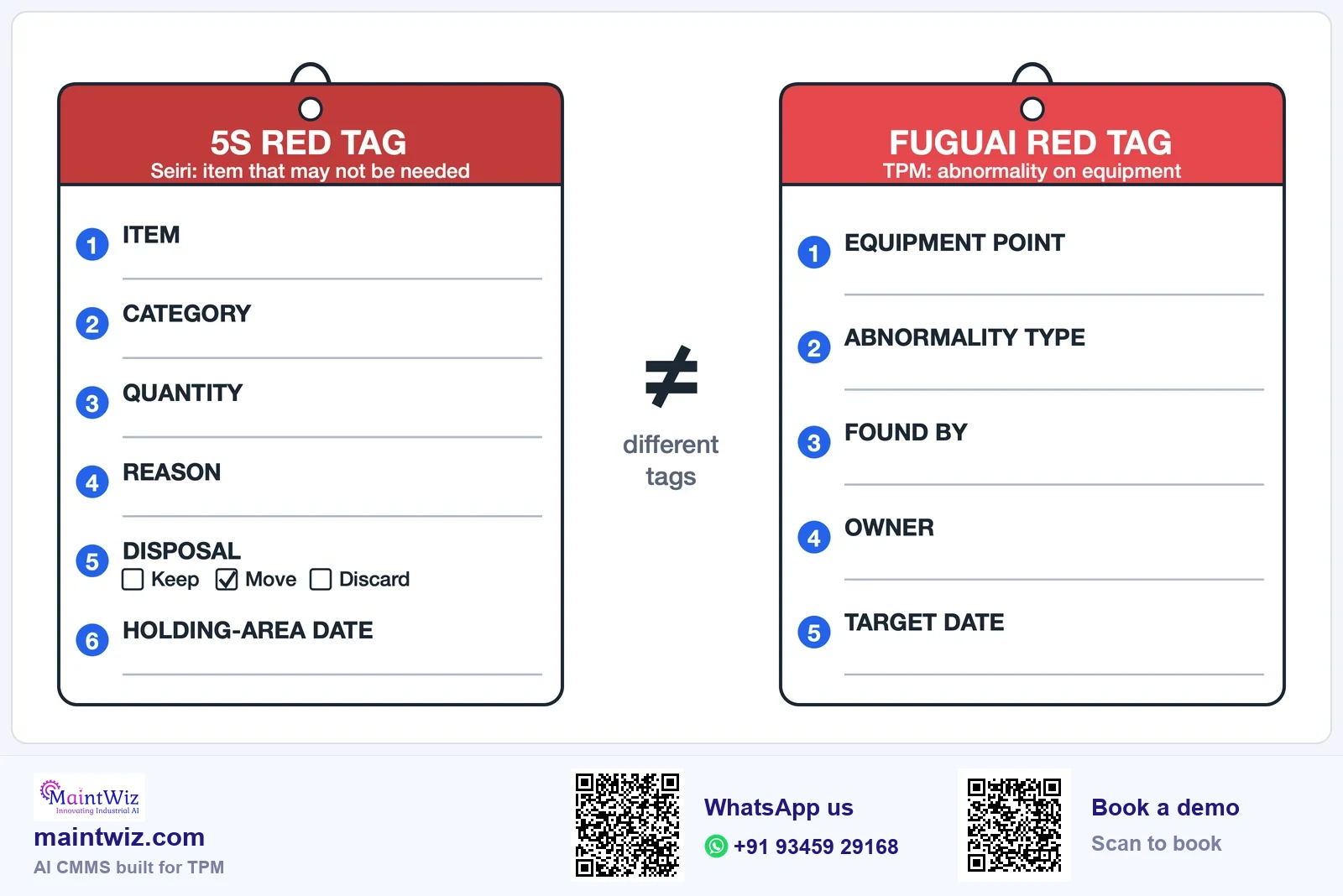
The term covers two related practices. In TPM autonomous maintenance, operators who clean and inspect their equipment attach a tag at the spot where they find an abnormality: a leak, a loose fastener, a contamination source, damage, an unusual noise or a hard-to-reach point. This is often called a fuguai tag; 'fuguai' is a Japanese word for a defect or something not right. In 5S, the sort step has its own tagging, the red tag strategy: items found in the work area that may not be needed are tagged, reviewed in a holding area and either kept, relocated or removed. That is a different record from an equipment abnormality, so the free tag register carries it as its own category, 'Unneeded item (5S sort)'. Plants also call it an F-tag (F for fuguai) or a TPM tag, and it is the first record of the autonomous maintenance pillar JIPM defines.
The two practices share a principle: make the problem visible, give it an owner and close it. They differ in what is tagged and who decides. Sites often use red for both, which is why the meaning must be written down.
Fuguai tags (efuda): red, white and yellow
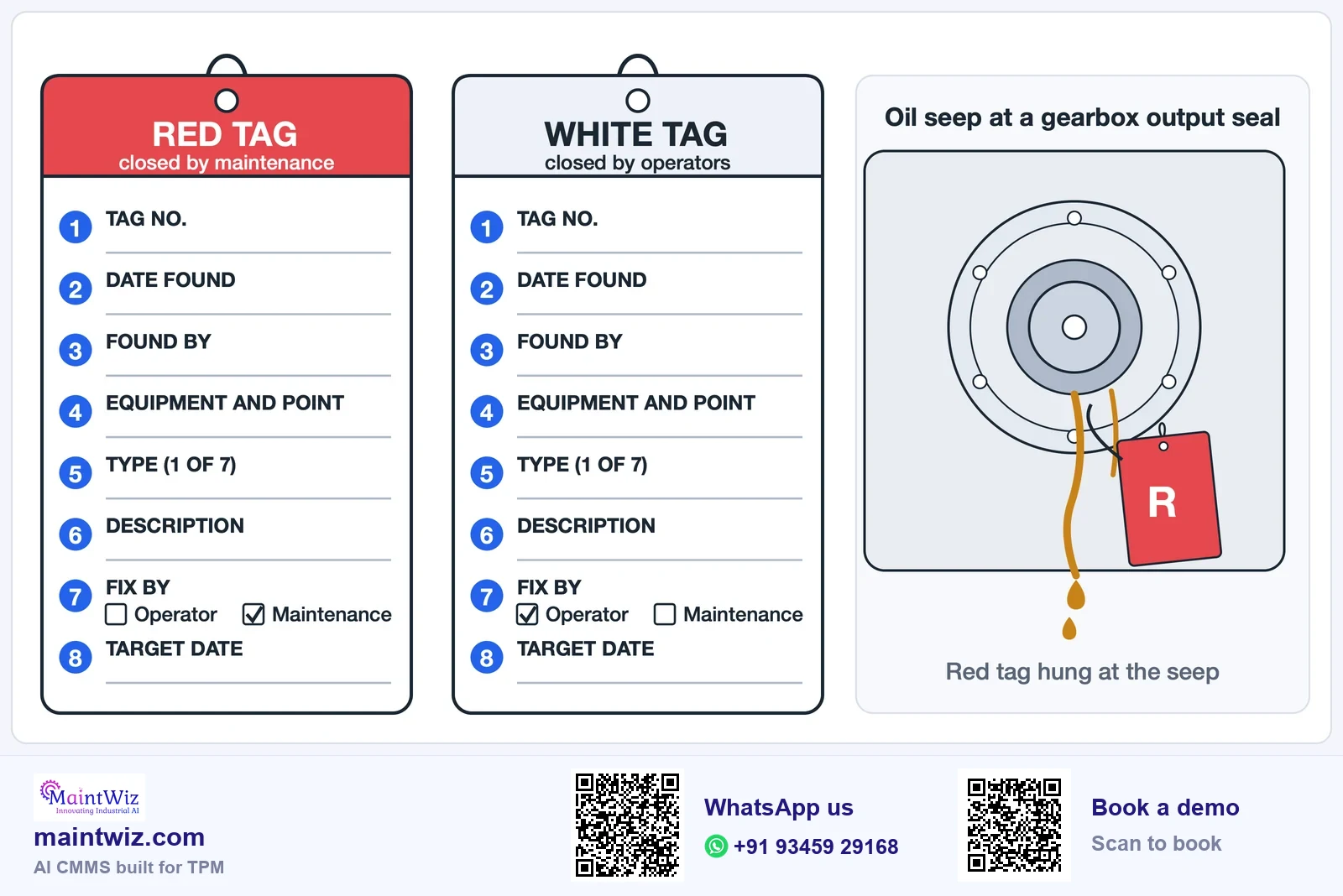
What each tag colour means and who closes it
- RED
Red tag
Abnormality needing maintenance or engineering support
Closed by maintenance or engineering
- WHITE
White tag
Abnormality the operating team can fix itself
Closed by operators
- YELLOW
Yellow tag
Site-defined, for example safety-related or hard to access
Closed as the site defines
fuguai = abnormality, efuda = tag. Write the legend on the register and on a poster in the area
 maintwiz.comAI CMMS built for TPM
 WhatsApp us
 +91 93459 29168
 Book a demo
What do red, white and yellow tags mean?
| Colour | Meaning | Who normally closes it |
|---|---|---|
| Red | An abnormality that needs maintenance or engineering support | Maintenance or engineering |
| White | An abnormality the operating team can fix itself | Operators |
| Yellow | Site-defined: for example safety-related, or a hard-to-access place | As defined by the site |
Write the legend on the register and on a poster in the area, and change it only through the pillar owner.
Downloads
Red tag register (Excel), tag card print pack and shadow board labels
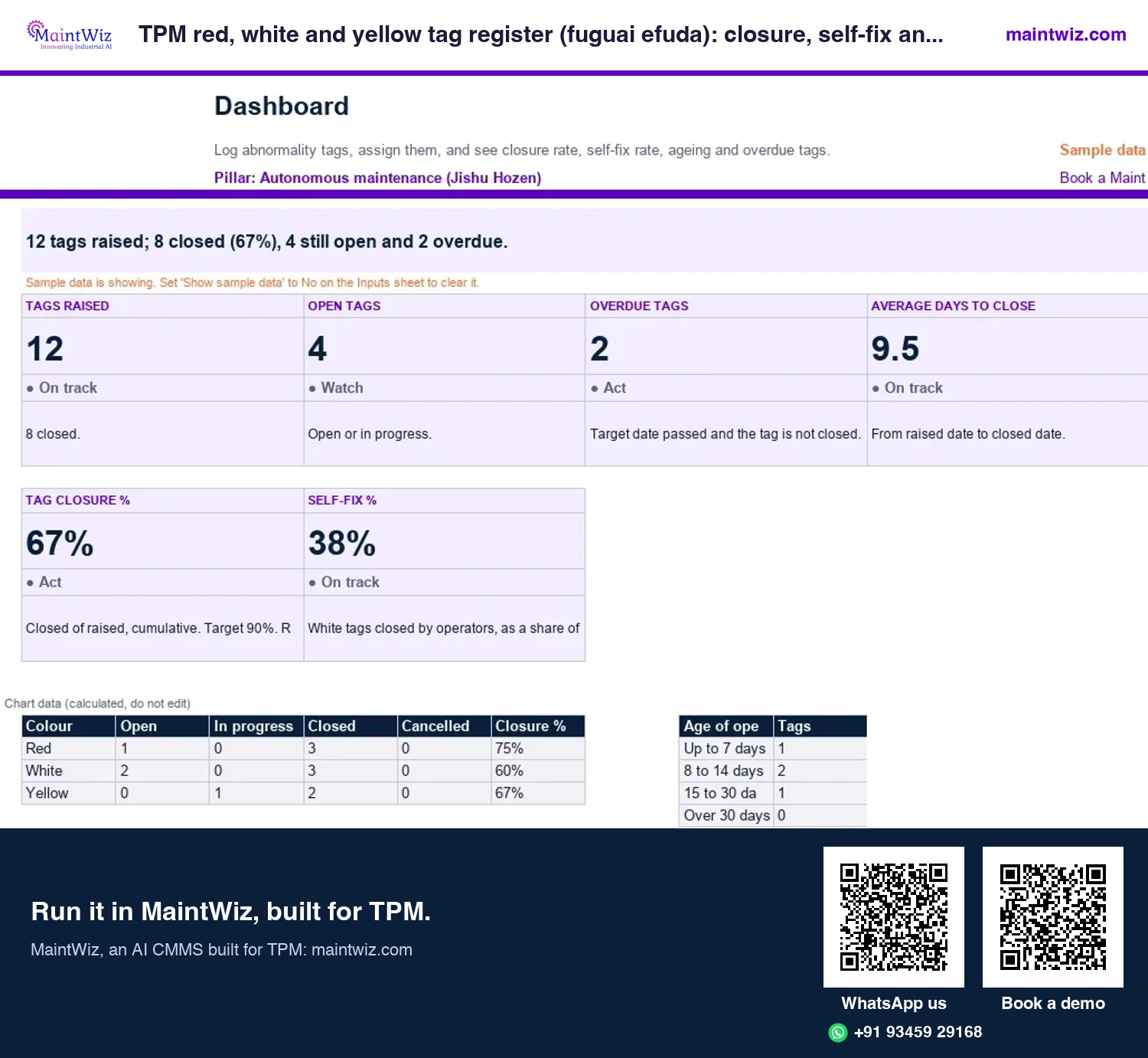
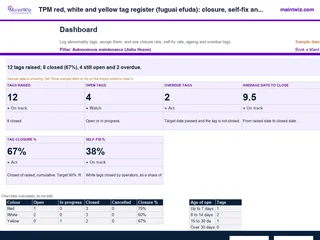 ExcelTPM red, white and yellow tag register (fuguai efuda): closure, self-fix and ageing
Log every abnormality tag, see closure rate and self-fix rate by colour, and find overdue tags before an audit does
- Sheets
- Dashboard, Inputs, Register, Read me
- A4
- Version
- v1.0, 2 November 2026
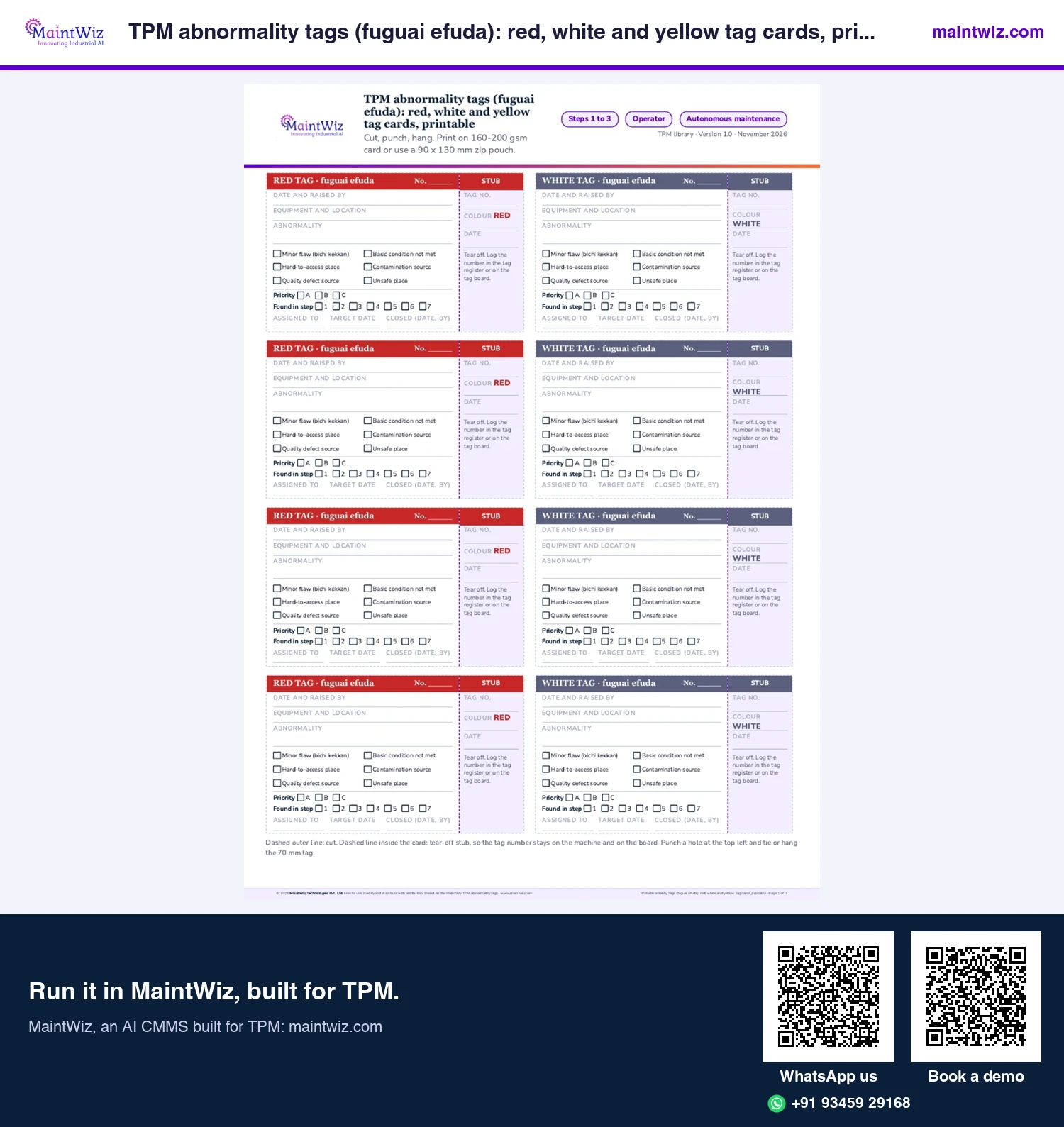
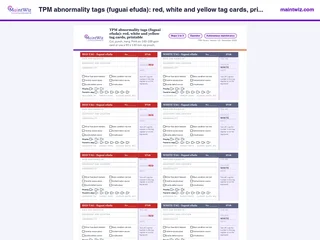 PDFTPM abnormality tags (fuguai efuda): red, white and yellow tag cards, printable
Print two-part red, white and yellow tags with a tear-off stub, priority and step boxes, eight per A4
- Pages
- 3
- A4
- Created
- 5 November 2026
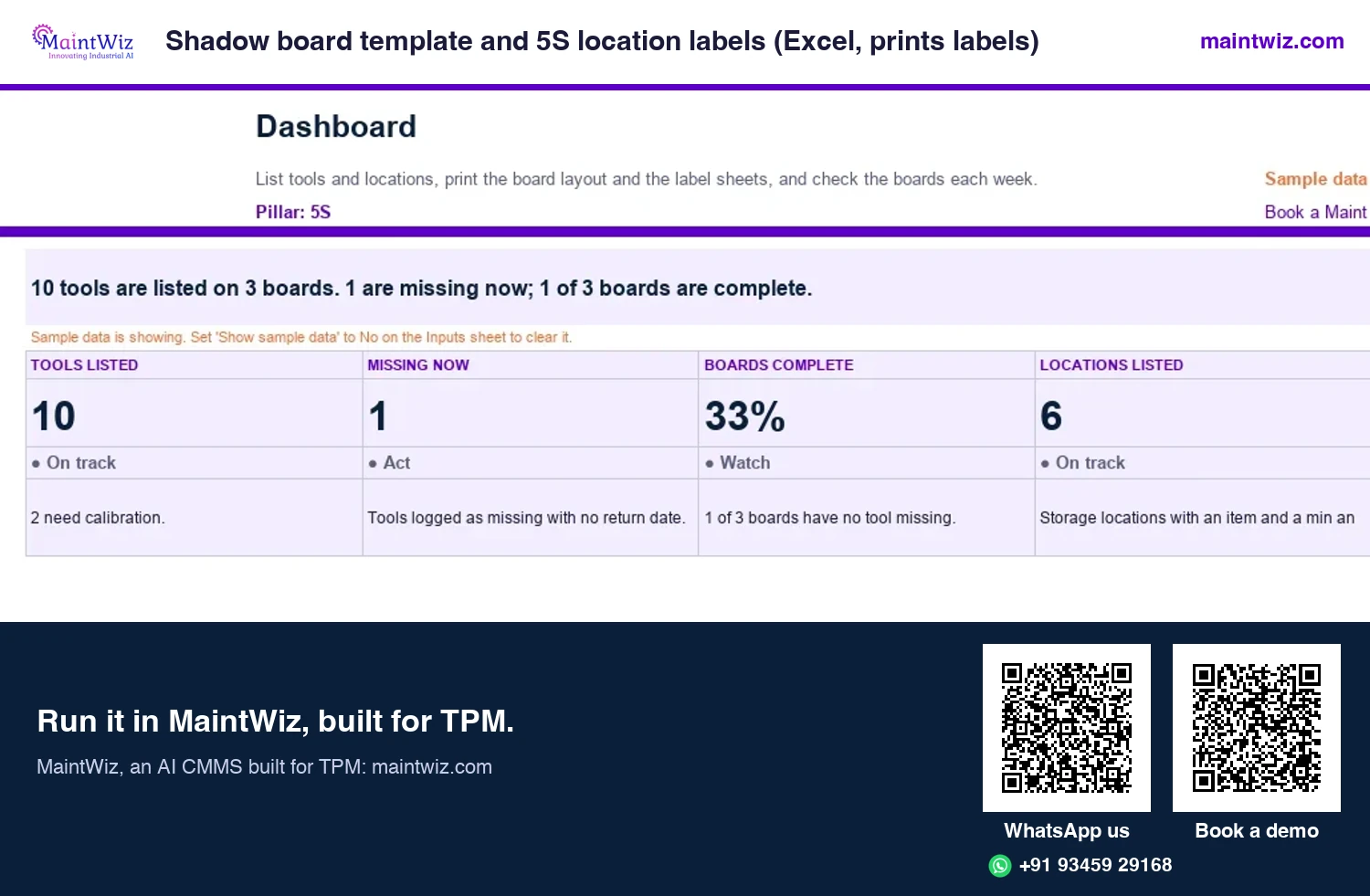
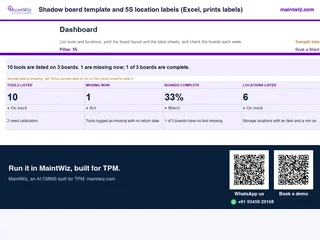 ExcelShadow board template and 5S location labels (Excel, prints labels)
List tools and locations, print the shadow board layout and label sheets
- Sheets
- Dashboard, Inputs, Tool list, Locations, Missing tools, Boards, Weekly check, Board layout, Labels, Read me
- A4
- Version
- v1.0, 2 November 2026
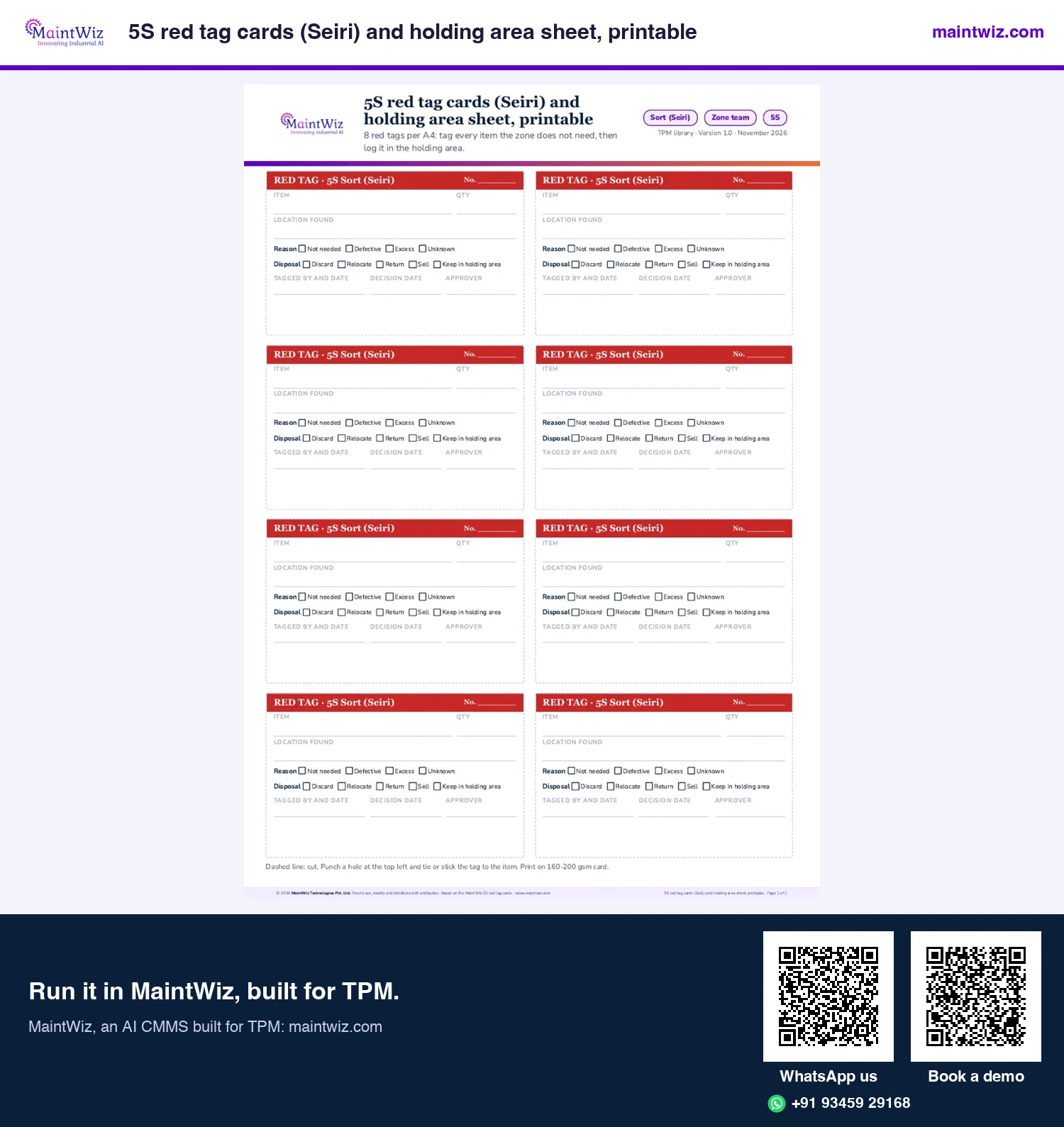
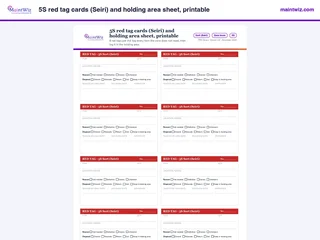 PDF5S red tag cards (Seiri) and holding area sheet, printable
Print eight 5S red tags per A4 with reason, disposal, decision date and approver, plus a holding area sheet that follows each item.
Inside: Eight red tags per A4, headed RED TAG 5S Sort (Seiri) · Reason: not needed, defective, excess or unknown · Disposal: discard, relocate, return, sell or keep in holding area · Tagged-by, decision date and approver boxes · Holding area sheet, one row per tagged item
- Pages
- 2
- A4
- Created
- 5 November 2026
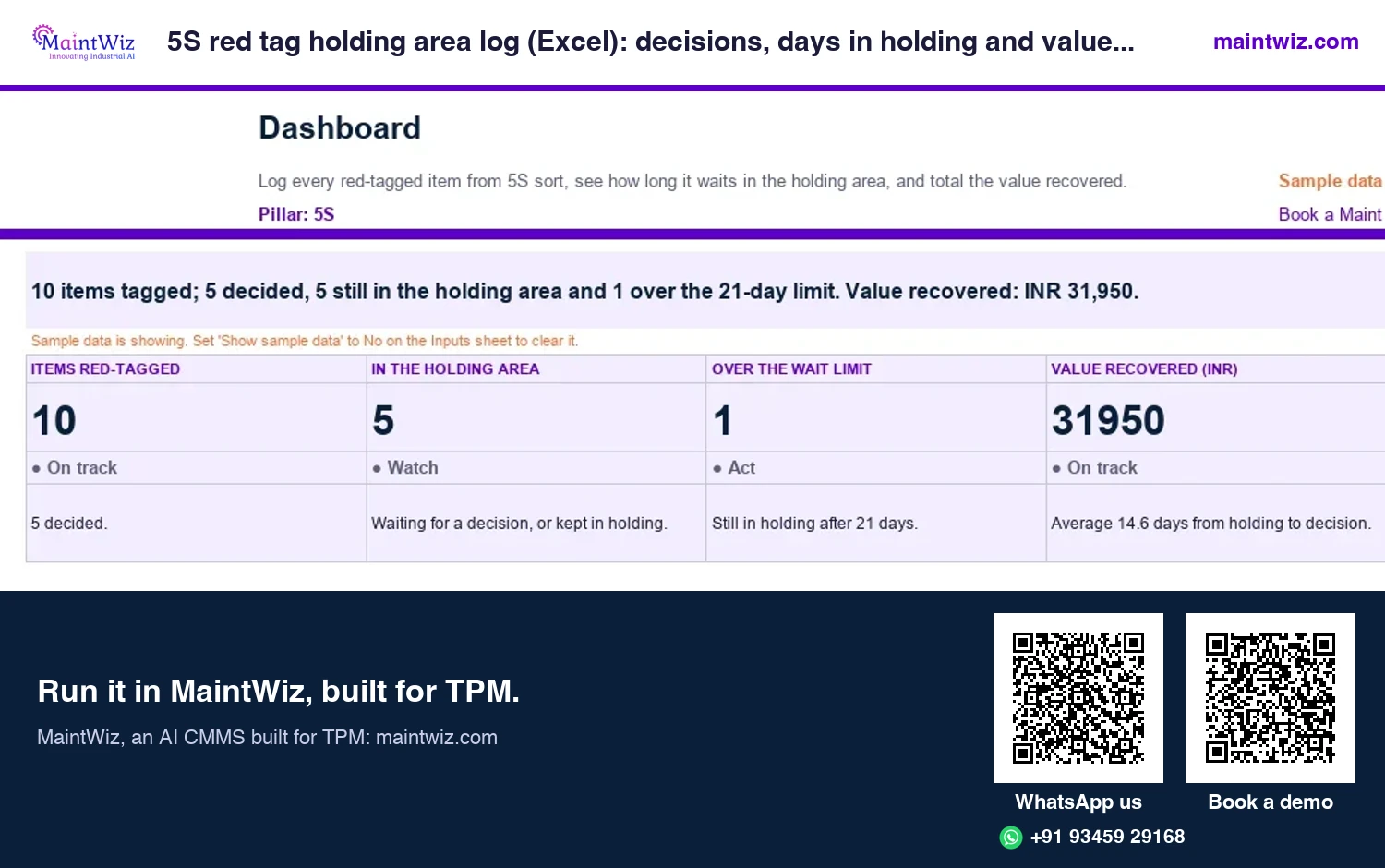
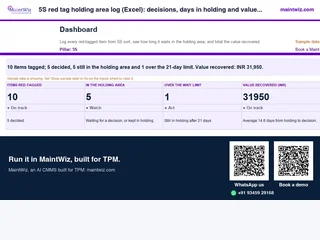 Excel5S red tag holding area log (Excel): decisions, days in holding and value recovered
Log every red-tagged item from 5S sort, see how long it waits in the holding area for a decision, and total the value recovered.
Inside: Holding log: tag number, item, quantity, where found, reason and approver · Decision (discard, relocate, return, sell or keep) with its date · Days in holding against your longest allowed wait · Value recovered in rupees on the Dashboard
- Sheets
- Dashboard, Inputs, Holding log, Read me
- A4
- Version
- v1.0, 2 November 2026
Tag life cycle
The tag life cycle
Find, tag, register, assign, fix, verify and close. The operator raises the tag at the equipment and records it; the tag owner decides the countermeasure and a target date; the work is done; the raiser or the supervisor checks it; the tag is removed and the register updated.
From finding an abnormality to closing it
Find, tag, register, assign, fix, close and review
1 Find
while cleaning
2 Tag
at the equipment
3 Register
equipment, category
4 Assign
owner and date
5 Fix
and verify it
6 Close and review
ageing, repeats
maintwiz.comAI CMMS built for TPMWhatsApp us+91 93459 29168Book a demoA tag stays on the equipment until it is verified closed. That visible tag is the reminder; the register is the record.
Most tags are first raised during autonomous maintenance steps 0 and 1 (initial cleaning), and step 2 works on the sources that keep producing them.
Red tag register: what goes on the tag and in the register
| Field | Why it matters |
|---|---|
| Tag number, date raised | Identity and age |
| Raised by, area, equipment | Where it is and who found it |
| Colour | Who can close it |
| Abnormality and category | What it is, grouped for analysis (leak, loose fastener, contamination, noise, damage, access) |
| Assigned to, target date | Owner and deadline |
| Status, closed date, countermeasure | Closure and what fixed it |
| Photo or document | Evidence of the before and after |
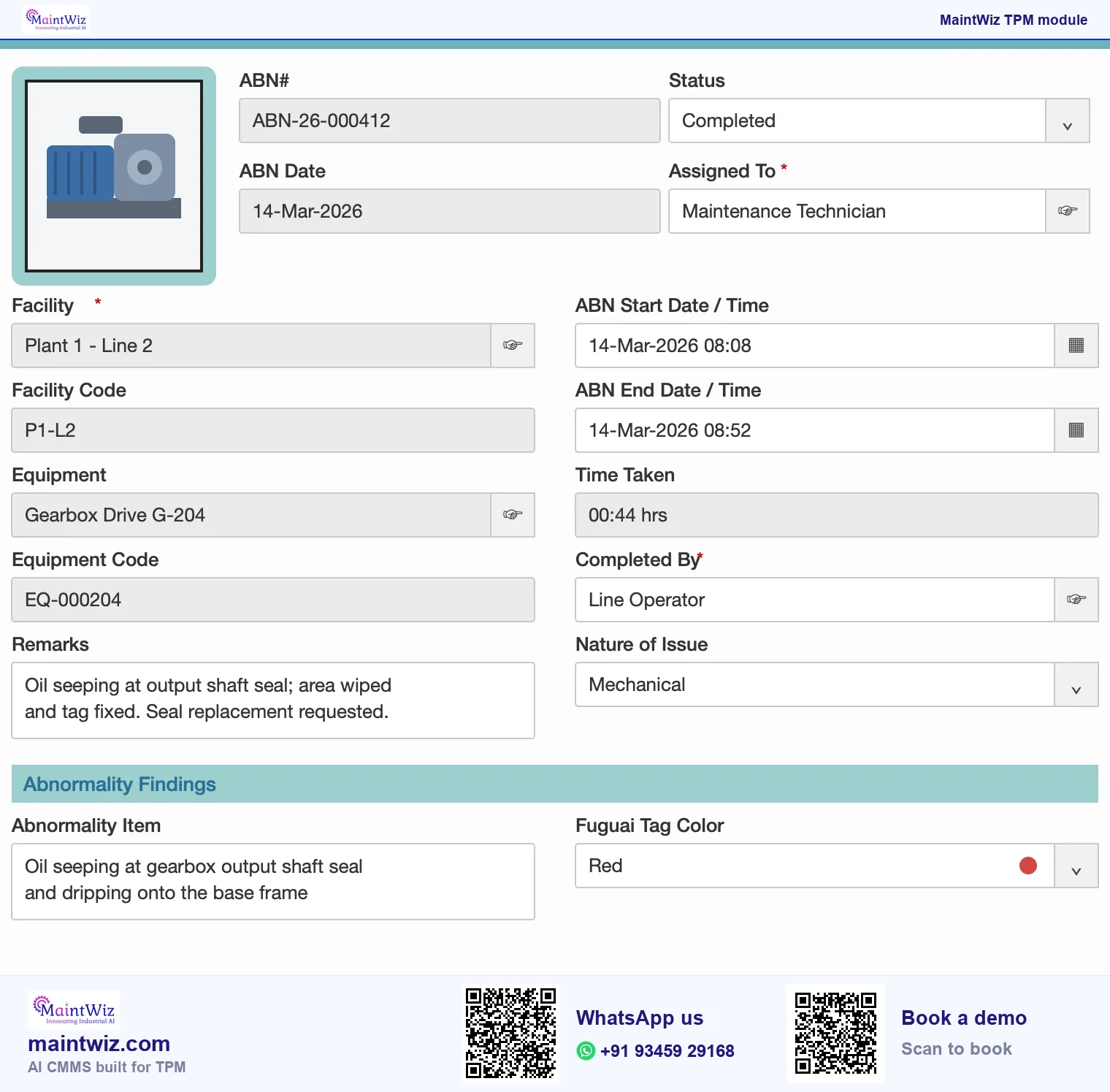
The free red tag register has these columns with ageing and overdue flags, and MaintWiz holds the same fields in its abnormality management software, with an owner, a target date and an overdue alert on every tag.
Red tag strategy
The 5S red tag strategy
In 5S the red tag campaign takes place in the sort step. A team walks the area and tags items that appear unnecessary: tools, materials, spares, documents. Tagged items go to a red tag holding area, where their owners review them within an agreed time and decide to keep, relocate, store or dispose. The record shows what was tagged, why and what was decided.
- Agree the criteria for 'necessary' in the area before tagging.
- Photograph the area before and after.
- Set a holding period and a decision owner.
- Do not tag items that affect safety or that belong to other areas without agreement.
- Repeat on a schedule: clutter returns.
How do you keep tags from piling up?
- Every tag has an owner and a target date when it is registered.
- Review open tags at a short, regular meeting; report age, not only count.
- Raise the response bar: white tags closed by operators within the shift or week; red tags triaged by maintenance within a set time.
- Close the loop to the person who raised it, so reporting is rewarded.
- Look for repeats: several tags on the same equipment or cause point to a focused improvement project.
- Cut the sources: contamination tags should lead to a source countermeasure, not repeated cleaning.
Measures
What measures show the tag system is working?
| Measure | What it tells you |
|---|---|
| Tags raised per period | Whether operators are looking and reporting; a fall can mean cleanliness or loss of interest |
| Tags closed on time | Whether owners respond |
| Average age of open tags | How long problems stay |
| Share by colour and category | What kinds of abnormalities dominate |
| Repeat tags per equipment | Where a project is needed |
| Tags by source of contamination | Where to stop dirt at source |
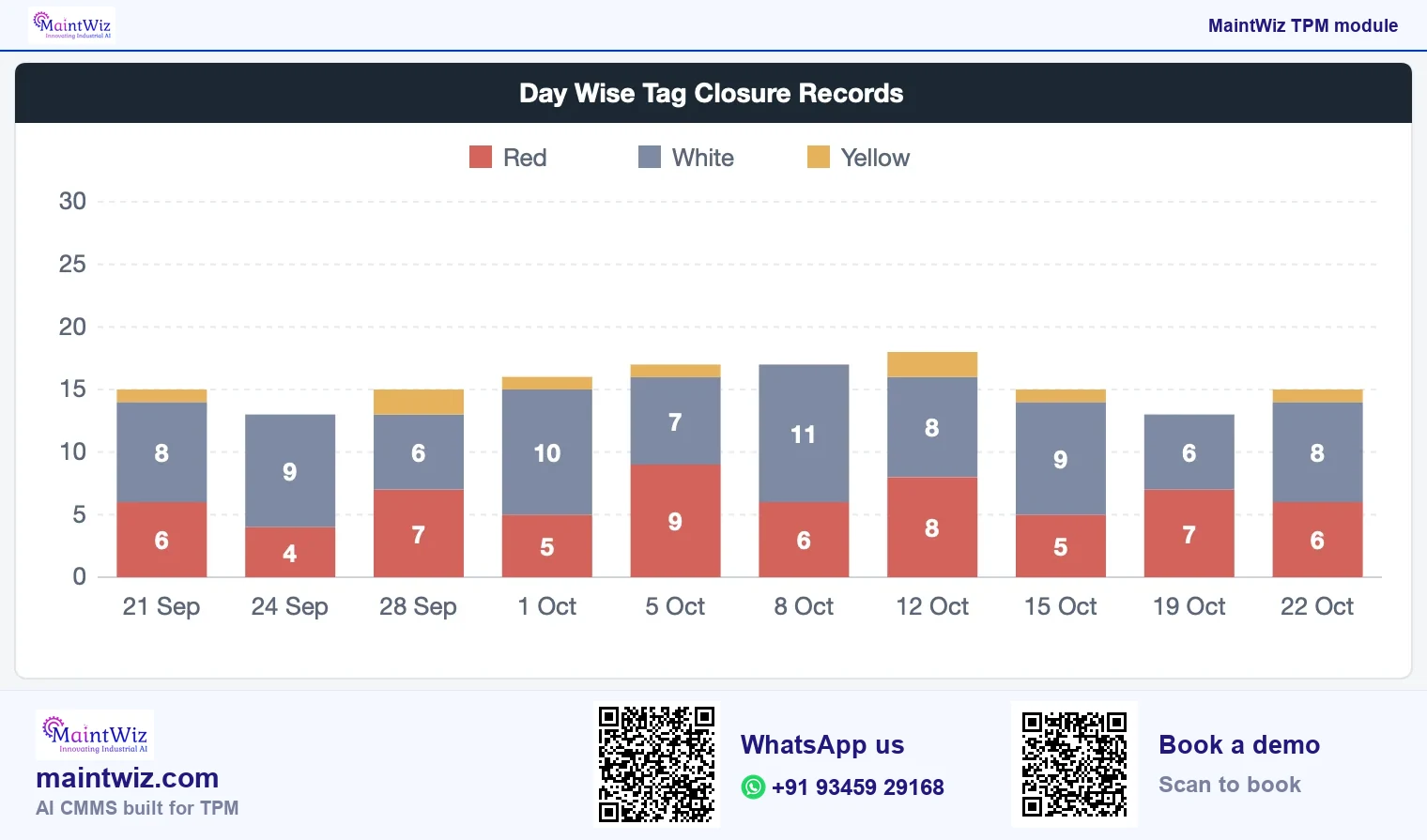
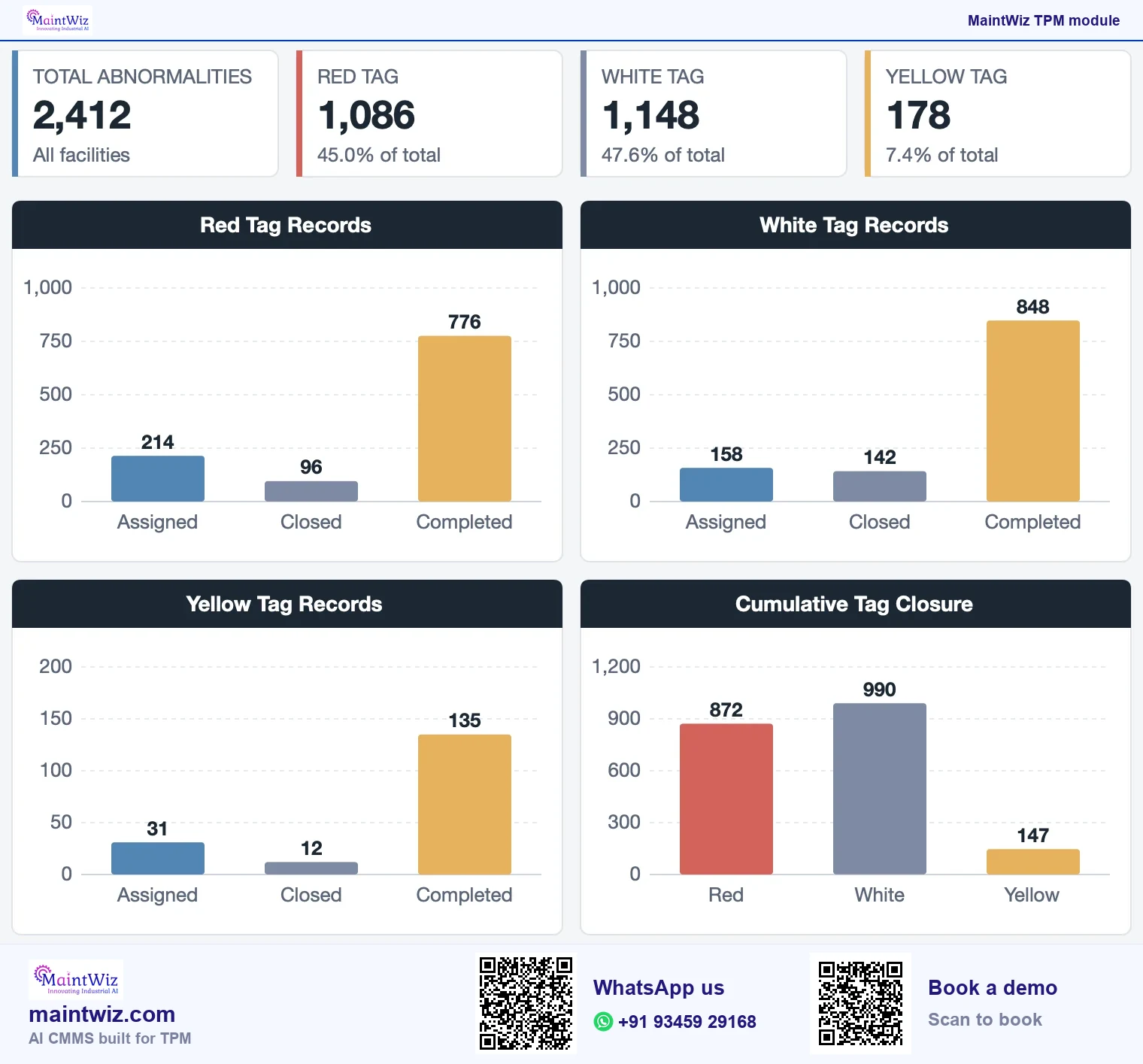
Reading these measures from a register? Book a demo to see red and white tag records by status, assigned and completed, on the Jishu Hozen dashboard.
What goes wrong with tags?
- No legend, so colours mean different things on different lines.
- Tags raised and never closed, which teaches operators that reporting is pointless.
- Tagging everything as red so maintenance is overwhelmed.
- Using tags to blame instead of to fix.
- Closing a tag with no verification.
- Mixing the 5S red tag area and the equipment tags in one register without a category.
The method is the first layer of autonomous maintenance. Tag handling is criterion 2 of the step 1 audit: a step never passes while tags go unlogged.
Roles
Who does what with a tag?
| Role | Responsibility |
|---|---|
| Raiser | Finds the abnormality, attaches the tag, records it with a photo where useful |
| Tag owner | Decides the countermeasure and a target date; does the work or arranges it |
| Supervisor | Checks that tags in the area are being closed; clears blockers |
| Verifier | Confirms the fix, usually the raiser or the supervisor; removes the tag |
| Pillar owner | Reviews ageing and repeat tags; runs the register rules |
Examples of abnormality categories
Categories let the team group tags to see patterns. Plants define their own; common ones include leaks and contamination sources, loose or missing fasteners, damage or wear, abnormal noise, vibration or heat, hard-to-access points for cleaning, inspection or lubrication, and unsafe conditions. Keep the list short enough that people pick one without thinking, and review it when many tags land in 'other'.
| Category | Typical follow-up |
|---|---|
| Leak or contamination source | Fix the source; add a guard or drip tray; add to CIL standard |
| Loose or missing fastener | Tighten or replace; mark with a torque stripe; check for vibration |
| Damage or wear | Maintenance repair or planned replacement |
| Abnormal noise, heat or vibration | Maintenance diagnosis; consider condition monitoring |
| Hard to access | Redesign access; extend lubrication line; update standard |
| Unsafe condition | Make safe first; escalate to the safety lead |
A simple set of rules for the 5S holding area
- Items go to the area with a tag stating what, where from and why.
- Owners have an agreed number of days to decide; undecided items are escalated.
- The decision is recorded: keep, relocate, store or dispose.
- Disposal follows the plant's rules for assets, hazardous items and records.
- The area itself is audited, so it does not become a new clutter store.
MaintWiz 5S audit software scores each area, and an audit finding goes to the abnormality register with an owner and a date. See 5S in TPM for the method.
Software needs
What should red tag software do?
A red tag only works while every tag has an owner, a date and a closure. MaintWiz keeps that record against the equipment, without paper.
- One register with equipment, tag colour (red, white or yellow, meanings set by your plant), category, cause and countermeasure.
- Operators raise a tag on a phone at the equipment, with a photo or document attached.
- Owner and target date on each tag, with overdue alerts for what has passed its target date.
- Every tag stays visible as open, closed, completed or cancelled, with audit findings and non-conformances in the same register.
- A tag converted to a work order when maintenance work is needed.
- A dashboard of tag counts by colour, with assigned, closed and completed records.
- A 5S audit finding raised in the same abnormality register, with an owner and a date.
- Records in any script: MaintWiz supports Unicode, so operators write tags and notes in Hindi, Tamil or any other script; the menus are in English.
MaintWiz registers each tag against the equipment, tracks it to closure and converts it to a work order when maintenance is needed. See the TPM software buyer's guide, pricing or a demo.
FAQ
Frequently asked questions
What is a red tag in TPM?
The autonomous maintenance abnormality tag: a tag fixed to equipment at the spot where an operator finds an abnormality, with an entry in a register that tracks it to closure. Red means the fix needs maintenance support.
What is a fuguai tag?
Fuguai is a Japanese term for something wrong or defective. A fuguai tag marks an abnormality found during cleaning and inspection. Plants also call it an F-tag. MaintWiz holds red, white and yellow tags, with the meaning of each colour set for your plant.
What is the difference between red and white tags?
A red tag marks an abnormality that needs maintenance or engineering support, a white tag one the operating team can fix itself, and yellow a case the site defines. In MaintWiz the plant sets the meaning of each colour, and the legend goes on the register and in the area.
What is red tagging in 5S?
A tag put on an item found in the work area during the sort step because it may not be needed. It is separate from the equipment abnormality tag. Tagged items go to a holding area where their owner decides to keep, relocate, store or dispose of them.
Who closes a tag?
The owner named in the register, often maintenance for red tags and operators for white ones. The raiser or supervisor should verify the fix before the tag is removed.
What should a tag register include?
Tag number, date raised, raiser, area and equipment, colour, abnormality and category, owner, target date, status, closure date and countermeasure, with a photo or document where useful. Ageing and overdue flags make it self-checking.
Can tags be raised and tracked in MaintWiz?
Yes. Each tag is registered against the equipment with a colour, category, owner and target date, tracked through open, closed and completed tabs and shown on the Jishu Hozen dashboard by colour. A tag can be converted to a work order when maintenance work is needed.
How do I run a 5S red tag campaign?
Agree what counts as necessary in the area, then walk it and tag items that appear unnecessary, photographing before and after. Move tagged items to a holding area with a decision owner and a set holding period. Owners keep, relocate, store or dispose, the record shows what was decided, and the campaign repeats on a schedule.
Is an F-tag the same as a red tag?
An F-tag is a fuguai tag in any colour: F stands for fuguai, the Japanese word for an abnormality. The red F-tag goes to maintenance and the white one to operators; in MaintWiz the tag colour is recorded on every register entry.