
Key takeaways
- Decide what the software must hold before comparing products: tags, planned work, losses, audits, training and safety reports on one equipment list.
- Weight twelve criteria with your own team, set knockouts, and score only what a vendor demonstrated on your scenario.
- Software pays from the first pilot area: every tag carries an owner and a date, overdue items show, and the same records scale to every area and site.
- MaintWiz, an AI CMMS built for TPM, answers the twelve criteria on your own records, and the entire TPM rolls out in 6 to 8 weeks.
What it must hold
How do you decide what your TPM software must hold?
How to choose TPM software
Weigh, test, compare, record
Write requirements by pillar
Weight the criteria
Run the same scenarios with each vendor
Pilot with operators
Compare three-year cost
Record the decision
 maintwiz.comAI CMMS built for TPM
 WhatsApp us
 +91 93459 29168
 Book a demo
Start from the records, not the feature list: tags to closure, planned work, losses, audits, training, quality and safety on one equipment list (what TPM software holds by pillar). MaintWiz is an AI CMMS built for TPM, with a module for each pillar as the Japan Institute of Plant Maintenance (JIPM) describes TPM.
A shortlist should test that operator routines, audits, training and quality and safety records run on the same equipment list as work orders and OEE.
Reviews of digital maintenance and TPM (the Aibi review of 57 articles and a LACCEI 2026 review of 70 studies) name the recurring barriers: data that is not standardised, scarce failure data, skills gaps and resistance to change.
Downloads
TPM software buying files: scorecard, cost planner and business case
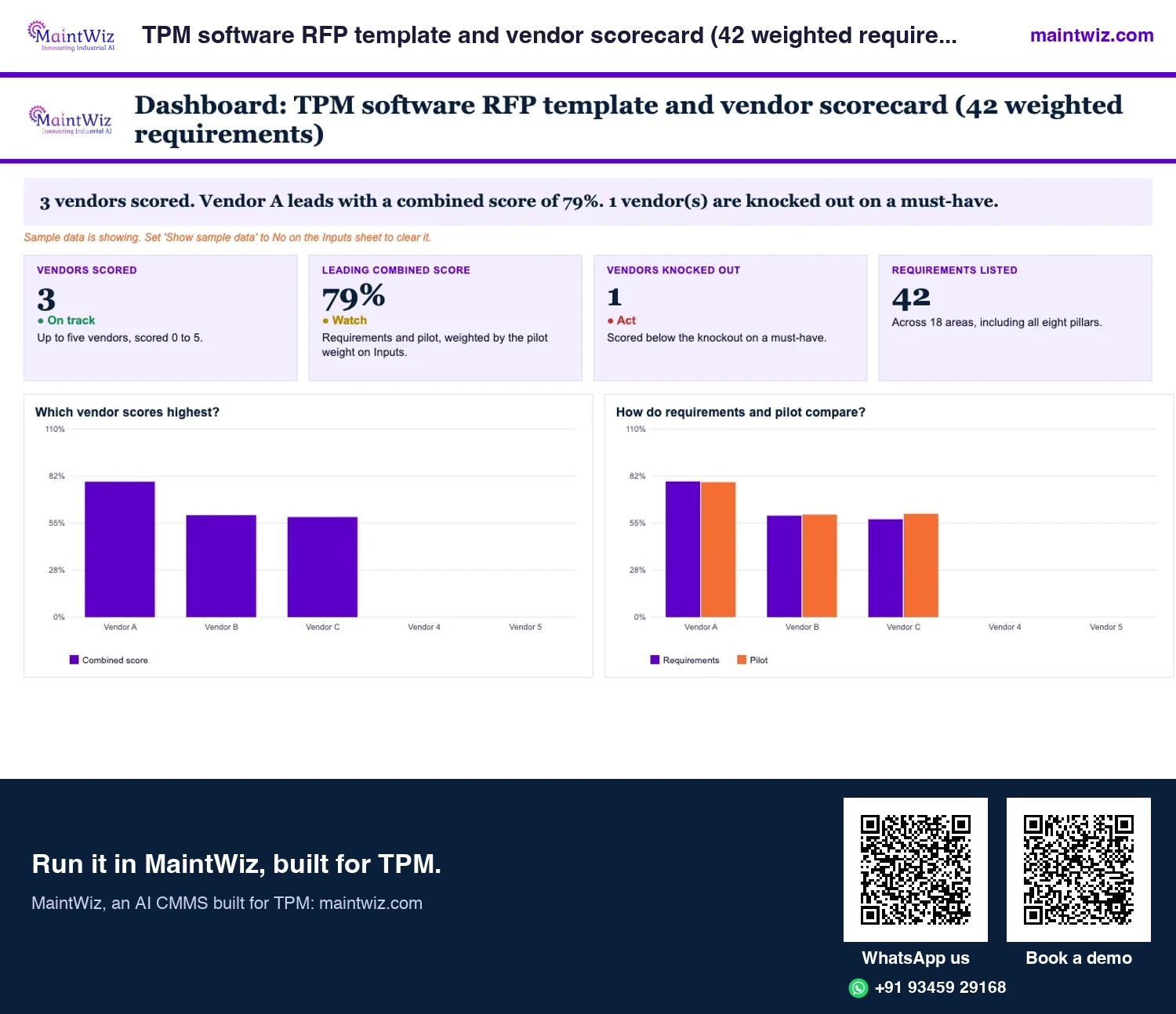
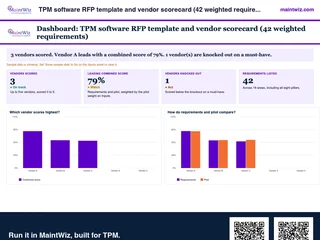 ExcelTPM software RFP template and vendor scorecard (42 weighted requirements)
Weight 42 requirements, score up to five vendors, run a proof of concept on your own equipment list and read a ranked
- Sheets
- Dashboard, Inputs, Scorecard, Pilot scoring, Questions, Proof of concept, Read me
- A4
- Version
- v1.1, 4 November 2026
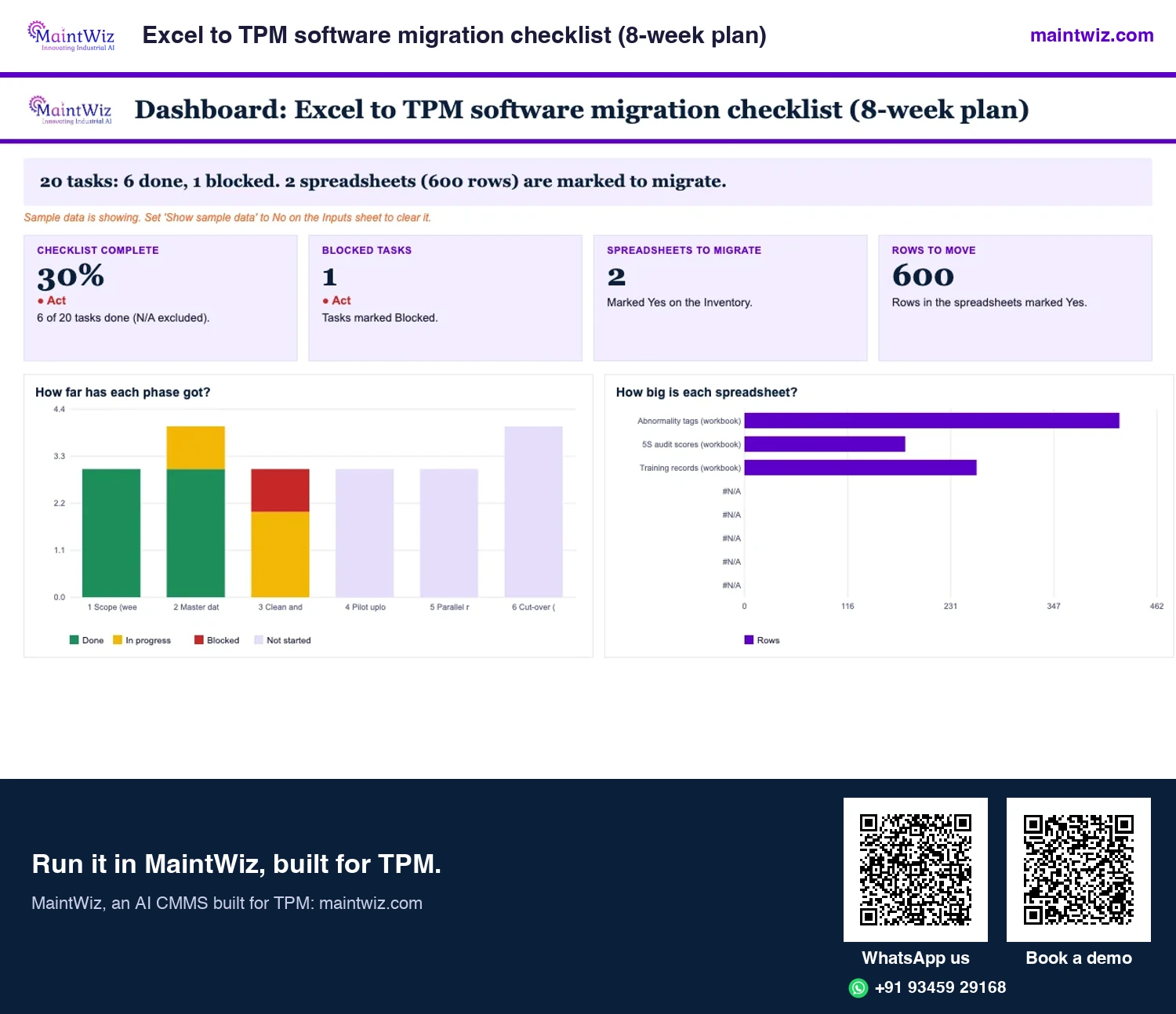
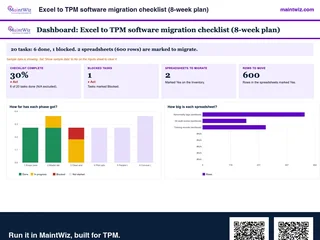 ExcelExcel to TPM software migration checklist (8-week plan)
Plan the move from Excel to TPM software in eight weeks, from scope and master data to the parallel run and cut-over
- Sheets
- Dashboard, Inputs, Inventory, Mapping, Checklist, Read me
- A4
- Version
- v1.1, 4 November 2026
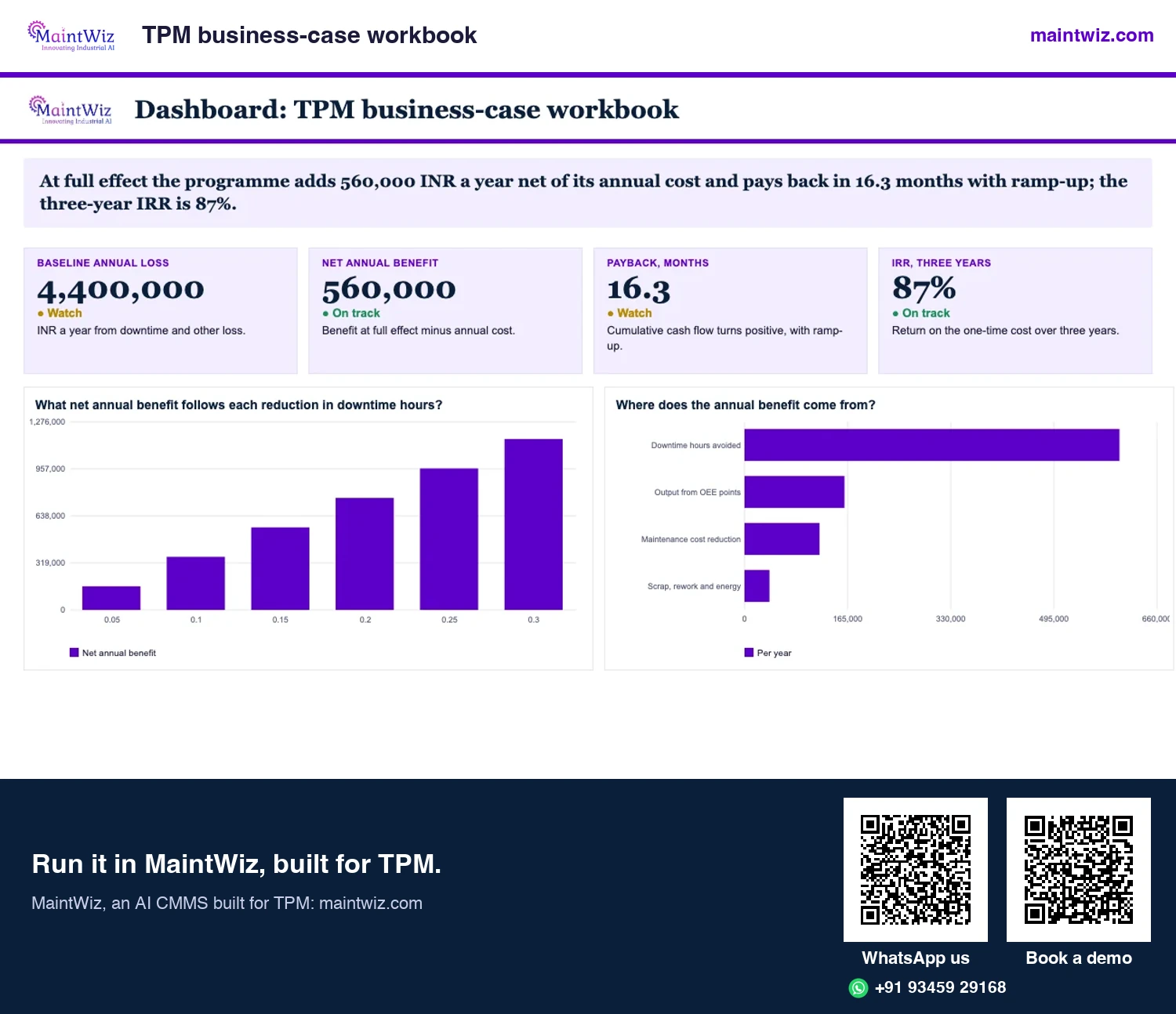
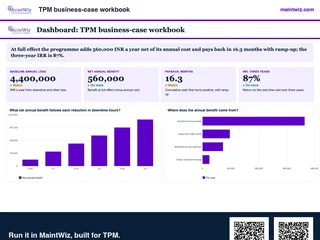 ExcelTPM business-case workbook
Turn downtime, output, maintenance cost and scrap into payback, IRR and a one-page board summary from your own figures
- Sheets
- Dashboard, Inputs, Case, Board summary, Read me
- A4
- Version
- v1.2, 4 November 2026
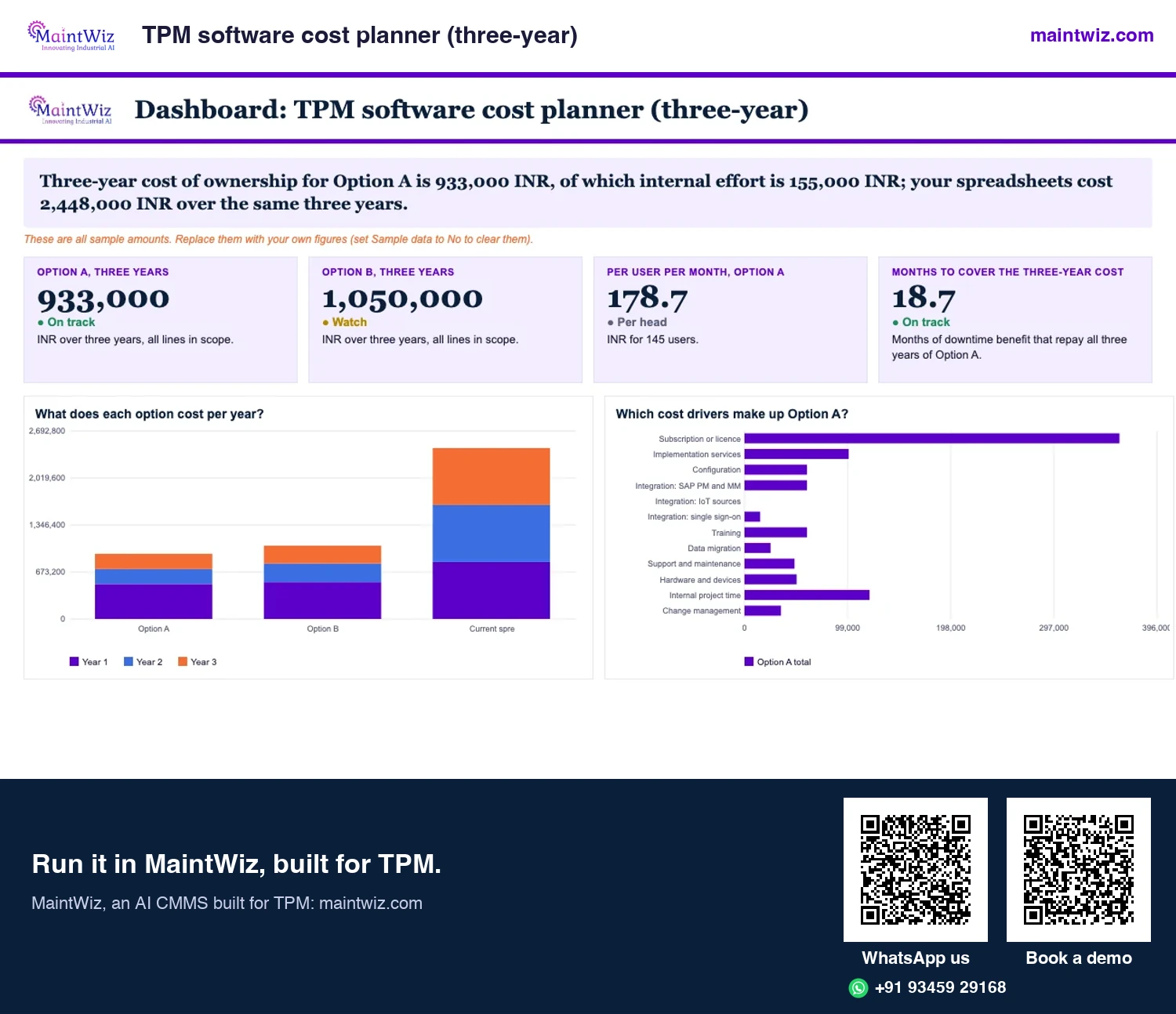
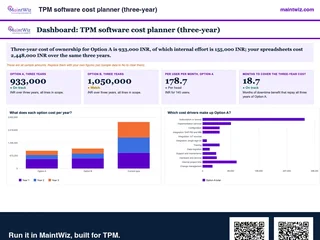 ExcelTPM software cost planner (three-year)
Compare the three-year cost of TPM software on your users, plants and services
- Sheets
- Dashboard, Inputs, Costs, Results, Read me
- A4
- Version
- v1.2, 4 November 2026
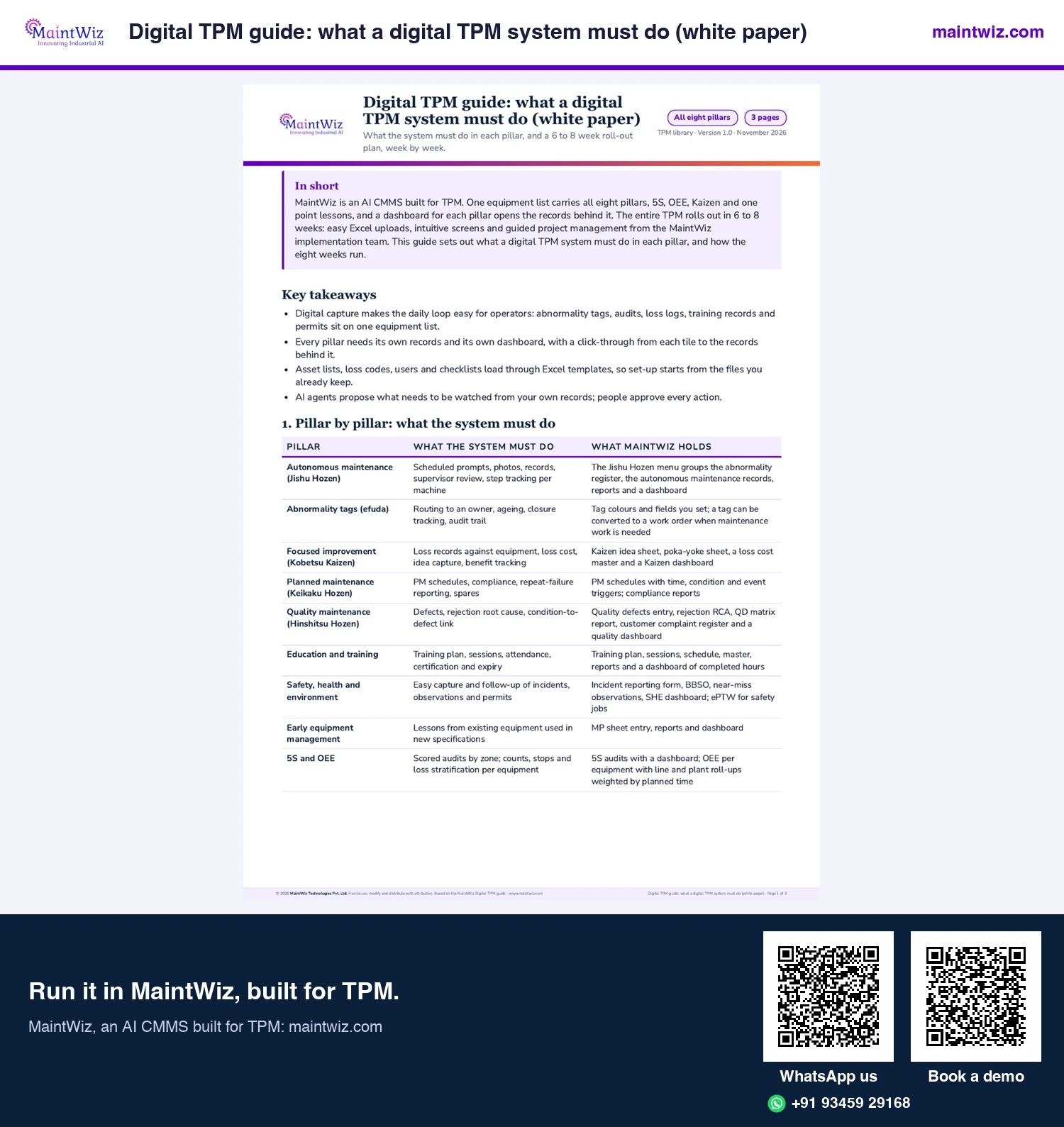
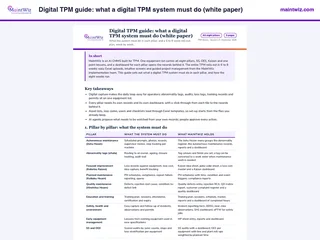 PDFDigital TPM guide: what a digital TPM system must do (white paper)
What a CMMS must hold for each TPM pillar, and how MaintWiz rolls it out in 6 to 8 weeks
- Pages
- 3
- A4
- Created
- 5 November 2026
Bring your scorecard to the demo: we score MaintWiz live against your criteria.
Options
What are the options for running TPM routines?
Plants run TPM on five kinds of tool, often in combination. The useful question is which records each can hold and how well the people who create them can use it.
| Option | What to test for TPM | In MaintWiz |
|---|---|---|
| Paper and spreadsheets | Ageing and overdue tags, roll-up, one definition across lines | Excel lists load through uploads; every tag carries an owner, a date and an overdue alert |
| A general CMMS | Whether operator tags, step status, audits and loss capture are set up in it | Work orders, planned maintenance and history on the same equipment list as the pillar records |
| A CMMS that runs all eight pillars (MaintWiz) | Each pillar's routine on your own records | A module for each pillar, with a dashboard each, on one equipment list |
| An OEE system | Link to maintenance work and operator abnormality follow-up | OEE module at equipment, line and plant, on the same list as tags and work orders |
| EAM suites | Usability for operators and the TPM routines | SAP PM and MM connect through web services; the TPM records run in MaintWiz |
Of the six tools scored on twelve TPM areas from their public pages (read 2 November 2026), MaintWiz is the only one that states all twelve (TPM software comparison).
A CMMS holds the work and the pillar records, an MES the counts and machine states, an EAM the asset's cost and procurement (which system holds which record).
What should TPM software do? Twelve criteria
Each criterion below has a reason rooted in a TPM routine and a test you can run in a demo. Your team sets the weight; the list is not ranked (Figure 2).
| Criterion | Why TPM needs it | Test to run in a demo | How MaintWiz answers |
|---|---|---|---|
| 1 Operator capture | Operators find most abnormalities; if entry is slow they will not report | An operator raises a tag; count the steps and the time | Operators capture records, including tags, on mobile devices. |
| 2 Abnormality to closure | A tag without an owner and date is clutter | Raise, assign, fix and close a tag; show what is overdue | The abnormality register tracks open, closed, completed, auditee work completed, cancelled and non-conformance tags; overdue alerts show what has passed its target date. |
| 3 Planned maintenance and work orders | Tags and losses lead to scheduled work | Create next month's schedule; report compliance and backlog | Planned maintenance and work orders sit in the same AI CMMS as the pillar records, and a tag can become a work order. |
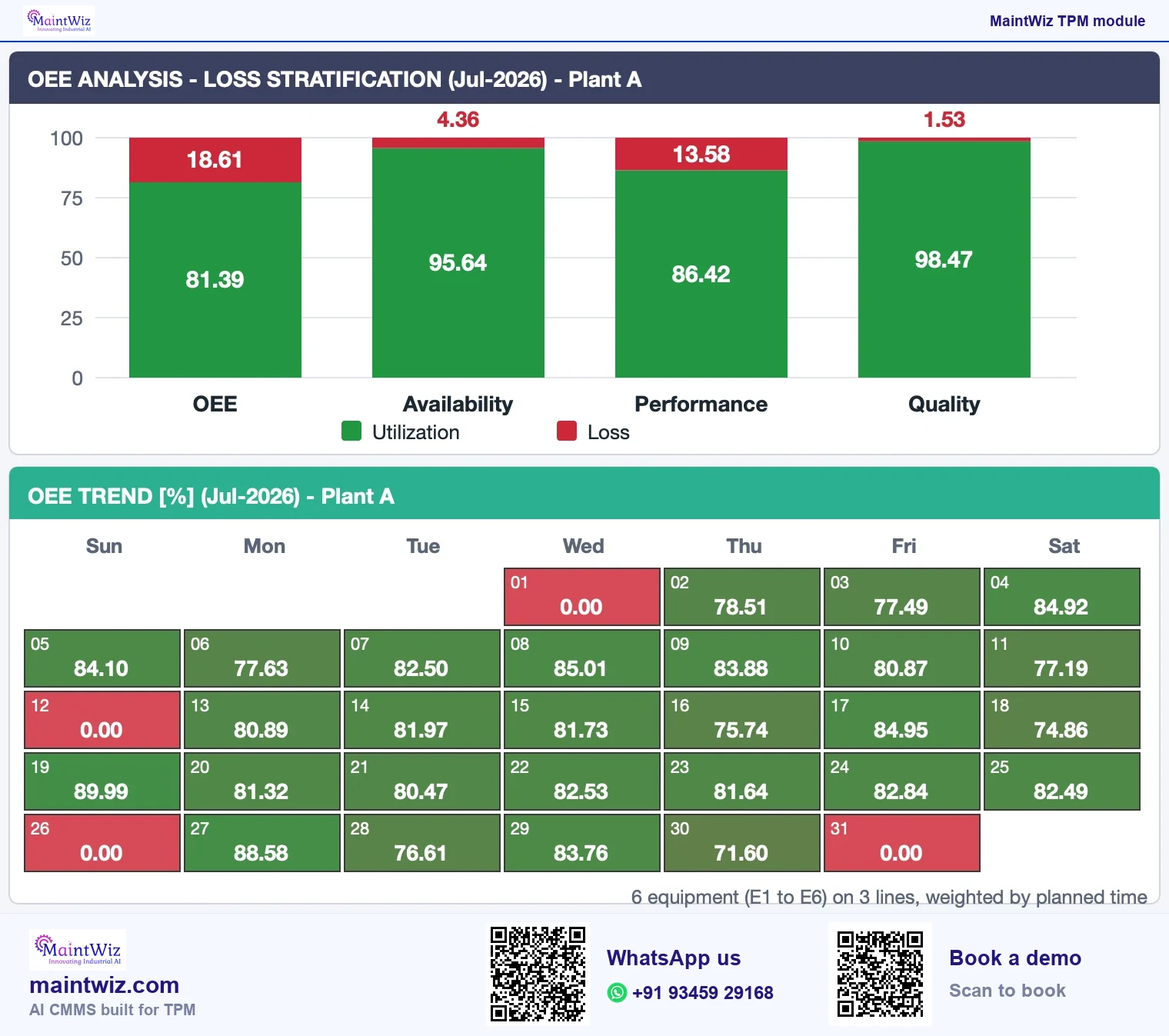
| 4 Loss and OEE capture | Focused improvement works from ranked losses | Record a stop with a reason; reproduce a worked OEE on your numbers; check the roll-up adds times | OEE rolls up at equipment, line and plant level, with an OEE downtime report. |
| 5 Audits (5S, step audits) | Audits keep standards alive | Run an audit, score it, assign an action, see the trend | A 5S audit module; a 5S finding goes to the abnormality register. |
| 6 Training and one point lessons | Pillars fail when skills lag | Plan a session; show who is trained on what | Training and one point lesson modules, with TPM Central holding the plan, sessions, goals, events and documents. |
| 7 Quality and safety records | Defects and near misses tie to equipment conditions | Record a defect and a near miss against equipment; show the dashboards | A quality module for defects and rejection RCA; incident reporting, BBSO, near miss observations and electronic permit to work for safety. |
| 8 Dashboards by pillar | Leaders need what is open, closed and where losses fall | Show a pillar dashboard built from your records, not a prepared tenant | A clickable dashboard for each pillar. |
| 9 Set-up for your plant | Tags, categories, roles and reports differ between plants | Show tag colours, roles and reports set for your plant | Menus, roles and entitlements are configured for each customer; line and plant views are configurable. |
| 10 Data ownership and export | Records outlive any contract | Export your data and definitions; ask what happens on exit | Excel template upload; export to XLS and PDF. |
| 11 Integration where systems exist | ERP, MES and machine data may feed or receive records | Ask what is exchanged, how often and who maintains it | SAP PM and MM through web services; IoT, MES, SCADA, PLC and DCS sources; single sign-on. |
| 12 Support and adoption | Routines fail without training and a pilot | Ask who configures and who trains | Guided project management from the MaintWiz implementation team: project plan, milestones, set-up of the modules and training. |
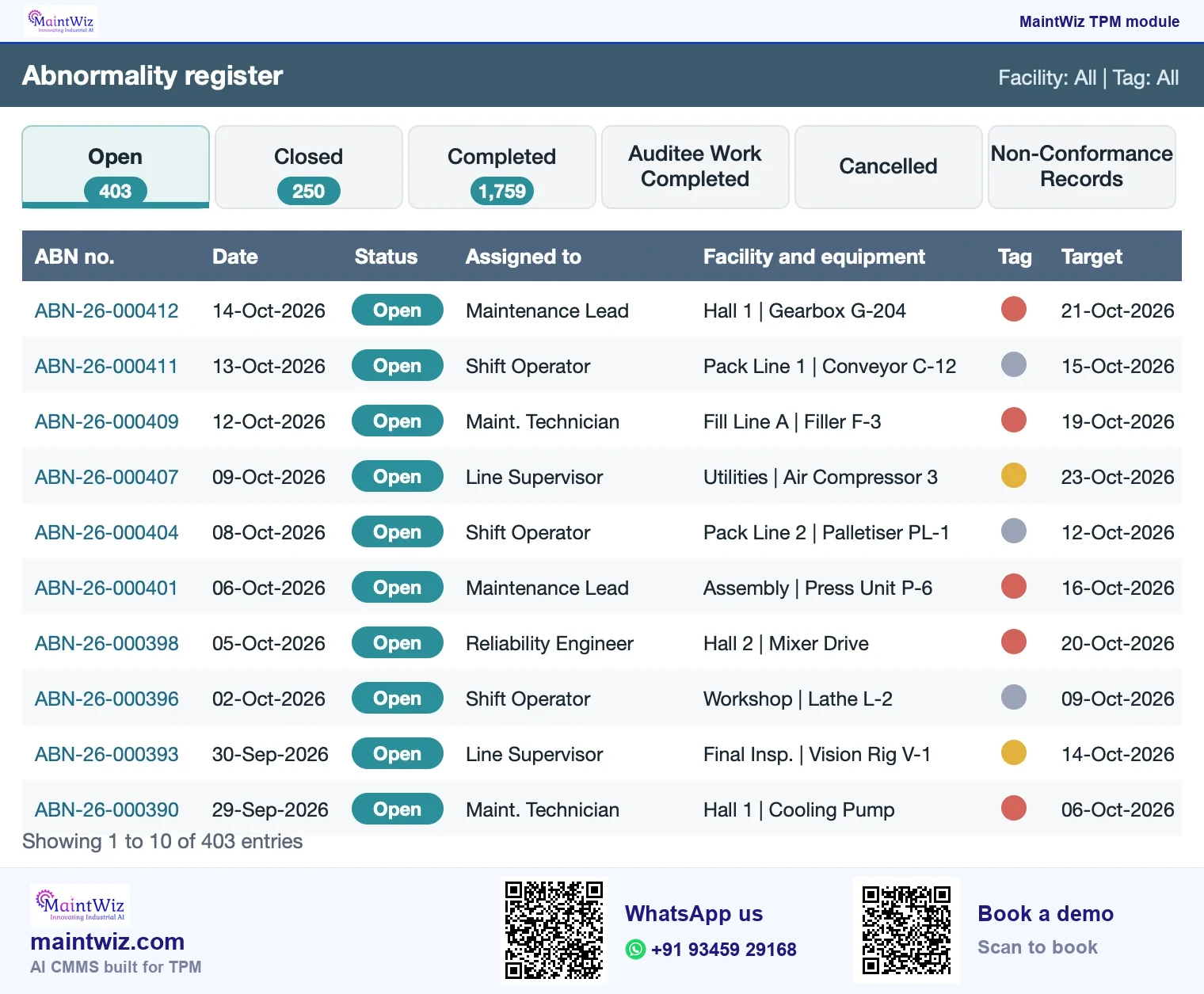
Working shown
maintwiz.comAI CMMS built for TPMWhatsApp us+91 93459 29168Book a demoMaintWiz carries all eight pillars across plants, and your spreadsheets load into it through Excel uploads.
Scoring vendors
How do you weight and score vendors fairly?
- Weight each criterion from 1 (nice to have) to 5 (essential) with operations, maintenance and engineering in the room, before seeing any vendor.
- Mark knockouts: a criterion that eliminates a vendor when failed, such as data export or an operator tag.
- Score 0 (not shown), 1 (partly), 2 (shown with effort) or 3 (shown well on your scenario). Score only what was demonstrated.
- Weighted score = sum of (weight x score) divided by the sum of (weight x 3). A criterion with weight 5 and score 2 contributes 10 of a possible 15.
- Have two people score independently, then compare.
Weighted score for two vendors
ILLUSTRATION: weight x score for five criteria; weighted score = total / (sum of weights x 3)
| Criterion | Weight (1 to 5) | Vendor A score (0 to 3) | A: weight x score | Vendor B score (0 to 3) | B: weight x score |
|---|---|---|---|---|---|
| Operator capture | 5 | 3 | 15 | 2 | 10 |
| Abnormality to closure | 5 | 2 | 10 | 3 | 15 |
| Planned maintenance and work orders | 4 | 3 | 12 | 2 | 8 |
| Loss and OEE capture | 4 | 2 | 8 | 1 | 4 |
| Data ownership and export | 3 | 3 | 9 | 2 | 6 |
| Total of weight x score | 54 of 63 | 43 of 63 | |||
| Weighted score | 86% | 68% |
Vendor A 54 of 63 = 86%; vendor B 43 of 63 = 68%
maintwiz.comAI CMMS built for TPMWhatsApp us+91 93459 29168Book a demoThe scorecard workbook holds the arithmetic and a knockout column.
Spreadsheets or a CMMS that runs all eight pillars: how to decide
| Situation | Suggested approach |
|---|---|
| One pilot area, a few tags a week | Start the pilot area in MaintWiz with your Excel lists uploaded |
| Tags overdue unseen across several areas | Move tags and checklists to a system |
| OEE reported by hand; lines disagree on definitions | Capture stops and counts once, on one definition |
| Audits scored on paper and filed | Score in a system to see trends and actions |
| Management wants one view of all pillars | A system whose modules share one equipment list |
| Maintenance records are in a CMMS and operator routines are on paper | Move the operator routines into the CMMS, on the same equipment list as the work orders |
Already on spreadsheets? MaintWiz loads them through Excel uploads, so the routines move without retyping (migration checklist).
A spreadsheet breaks when several people keep copies, overdue tags need an alert, or lines and sites must roll up on one definition. MaintWiz loads your existing Excel lists, so the move keeps your work, and the demo shows the same records with owners, dates and ageing. See how MaintWiz runs all eight pillars, compared with paper and Excel record by record.
Questions to ask in your MaintWiz demo
- Show me an operator raising a tag, and the owner closing it, on equipment structured like ours.
- Which of these twelve criteria are standard, which optional and which custom, in writing?
- Who configured the demo, and how long did it take?
- How are tag colours, categories, roles and reports changed, and by whom?
- What is exported, in what format, if we leave?
- How is OEE rolled up from equipment to line and plant: by adding times or averaging percentages?
- What does a pilot involve from our side, in weeks and people?
- What does the three-year cost include: users, sites, modules, services, integrations, support, migration?
Take this list into a MaintWiz demo: book a demo and bring your equipment list and your own scenarios.
Running a pilot
How to run a pilot that tests the right things
Bring three scenarios from your plant to the MaintWiz demo: raise and close a tag; schedule and report PM compliance; record a stop and roll up OEE. Test with two operators who are not on the project team. Measure a baseline of tags, stops and counts first, so the result can be compared with your own earlier figures.
What drives the three-year cost?
Pricing is quoted on request and tailored to the modules and users you need. The factors that decide the total: number and type of users, number of sites and equipment, modules (planned maintenance, OEE, audits, training, safety), configuration and implementation services, integrations, training, support level, data migration and any hardware such as tablets or screens. Ask for a three-year total with each itemised, and for the price of the first extra module and the first extra user. Build the business case on your own baseline of lost time and maintenance effort.
How MaintWiz gets TPM live
The practical prerequisites are an asset register you trust, agreed loss and OEE definitions, an owner for each tag, time for training and a pilot area with a sponsor. The MaintWiz implementation team works through them with you as part of its guided project management.
MaintWiz addresses these barriers with Excel uploads of your asset list and guided project management from the MaintWiz implementation team: the entire TPM rolls out in 6 to 8 weeks.
MaintWiz
Where does MaintWiz fit?
MaintWiz is an AI CMMS built for TPM, with modules that follow the pillars (Jishu Hozen, abnormality register, 5S, one point lessons, quality, safety, early equipment management, Kaizen, training, OEE and a TPM dashboard). Score it on the twelve criteria above, on your own records: book a demo and bring your own scenarios.
How MaintWiz answers the system questions
MaintWiz is delivered as public software as a service; on-premises deployment is available on request. MaintWiz integrates with SAP through the PM and MM modules using web services, can connect IoT, MES, SCADA, PLC and DCS sources, and supports enterprise single sign-on, each in use in live enterprise implementations. Records can be written in any script (Unicode); menus and labels are in English. Data can be exported to XLS and PDF. Operators capture records, including tags, on mobile devices.
The entire TPM can be rolled out in 6 to 8 weeks, with guided project management from the MaintWiz implementation team. Data loads from Excel templates and the screens are intuitive, so teams adopt them quickly; see it on your own records in a demo. Pricing is quoted on request and tailored to the modules and users you need; contact MaintWiz for a quote.
FAQ
Frequently asked questions
How do you choose TPM software?
List the TPM routines the software must hold, weight twelve criteria with operations and maintenance, set knockouts, run the same scenarios with each vendor, test with operators, score only what was demonstrated and compare three-year cost.
What features should TPM software have?
Operator tag capture with owners and closure tracking, planned maintenance and work orders, loss and OEE capture with line and plant roll-up, audits, training records, quality and safety records, dashboards by pillar, set-up for your plant and data export.
What should a TPM software RFP include?
The twelve criteria with your weights, knockouts such as data export and operator tags, three scenarios from your plant, the pilot area and weeks, integrations such as SAP PM and MM, hosting, and a request for an itemised three-year cost.
Is an Excel TPM dashboard enough, or do I need TPM software?
TPM software pays from the first area: every tag gets an owner, a date and an overdue alert, and the same records roll up across lines and sites. MaintWiz loads your Excel lists through easy Excel uploads, so the move keeps your work.
When should a plant move from spreadsheets to TPM software?
When several areas keep separate copies, tags go overdue unseen, OEE definitions differ between lines, audits are scored on paper, or management wants one view across the plant.
What do you get from TPM software?
One equipment list, an owner and a date on every tag, and a dashboard for each pillar that shows what is open and overdue. MaintWiz, an AI CMMS built for TPM, keeps tags, audits, training and OEE records together so the routines can be followed up and reviewed.
How long should a TPM software pilot run?
Long enough to compare with a baseline: measure tags raised and closed and OEE over several shifts before and after go-live. With MaintWiz the pilot area goes live as part of the guided roll-out of the entire TPM, with Excel uploads and project management from the implementation team.
Who should score TPM software vendors?
Operations, maintenance and engineering set the weights before any demo; two people score each vendor independently on what was shown; operators outside the project team test tag capture. MaintWiz demos run on your own records, so the scores reflect your plant.
Sources
Sources
- JIPM, About TPM https://www.jipmglobal.com/about/tpm/
- Aibi review of Industry 4.0 tools in maintenance and OEE (57 articles) https://revistas.udes.edu.co/aibi/article/download/4541/3652/48339
- LACCEI 2026, review of 70 studies on digital maintenance https://laccei.org/LACCEI2026-Chile/meta/FP1877.html