
Key takeaways
- In MaintWiz, early equipment management is handled through MP sheets: entry, reports and a dashboard.
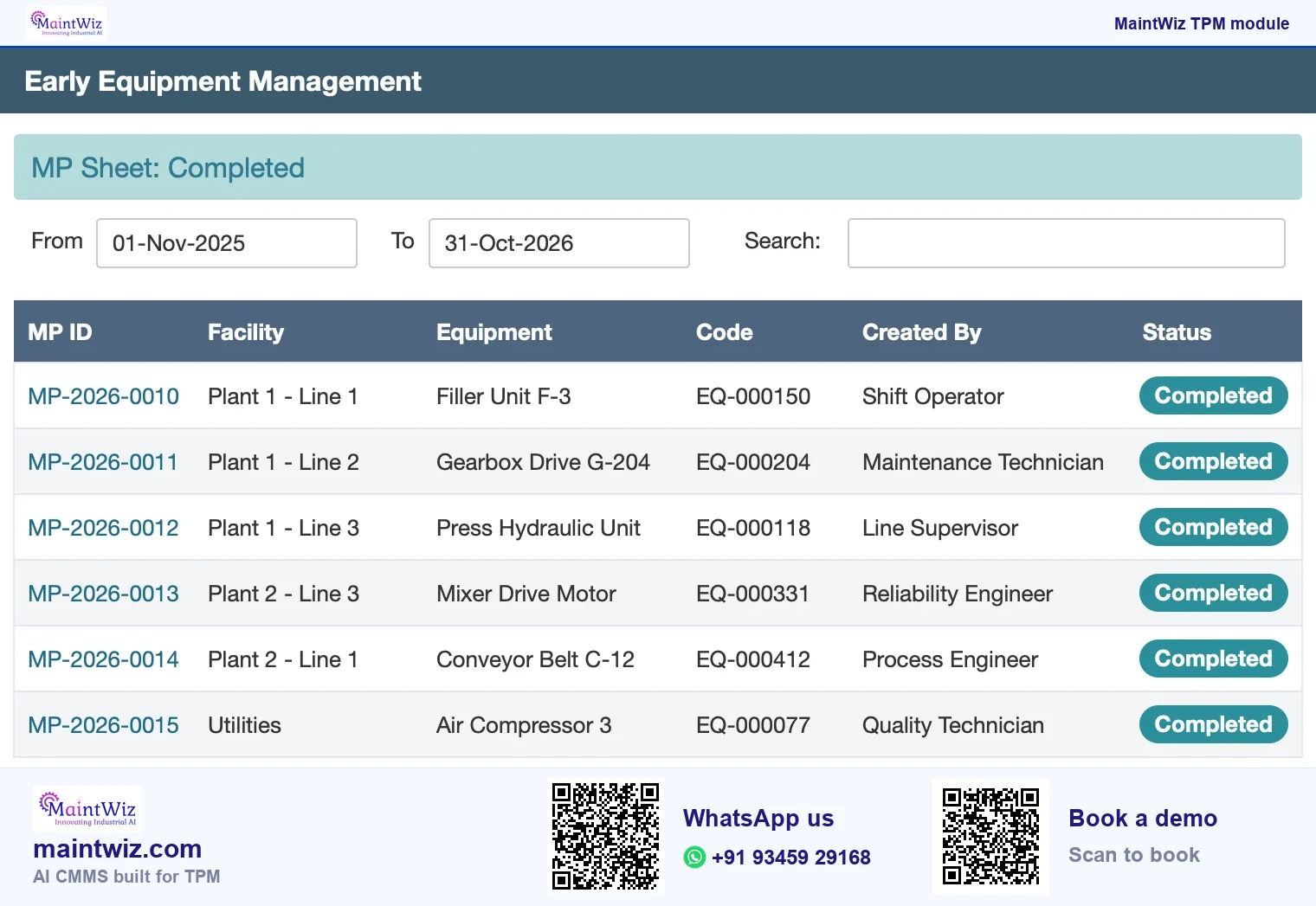
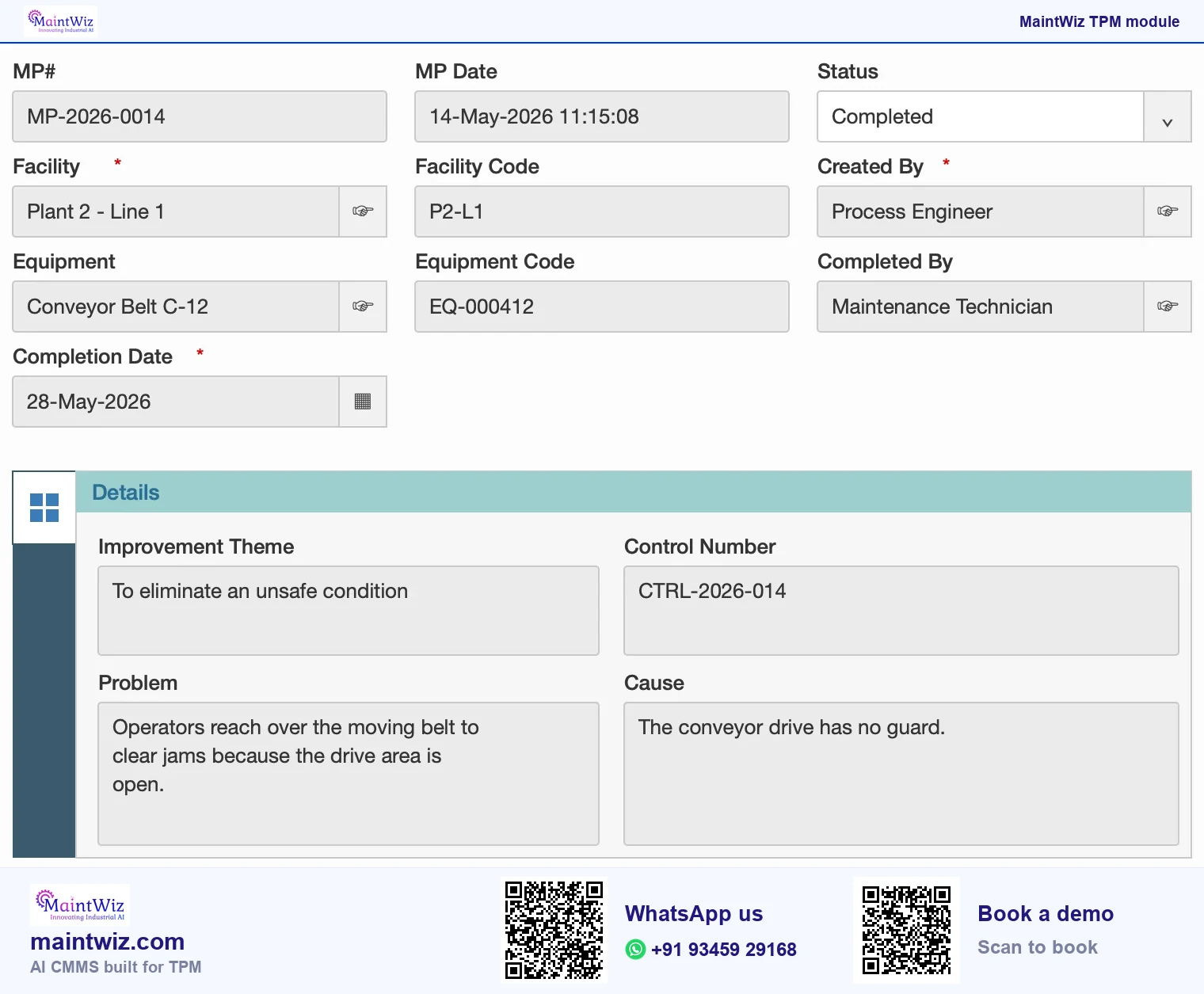
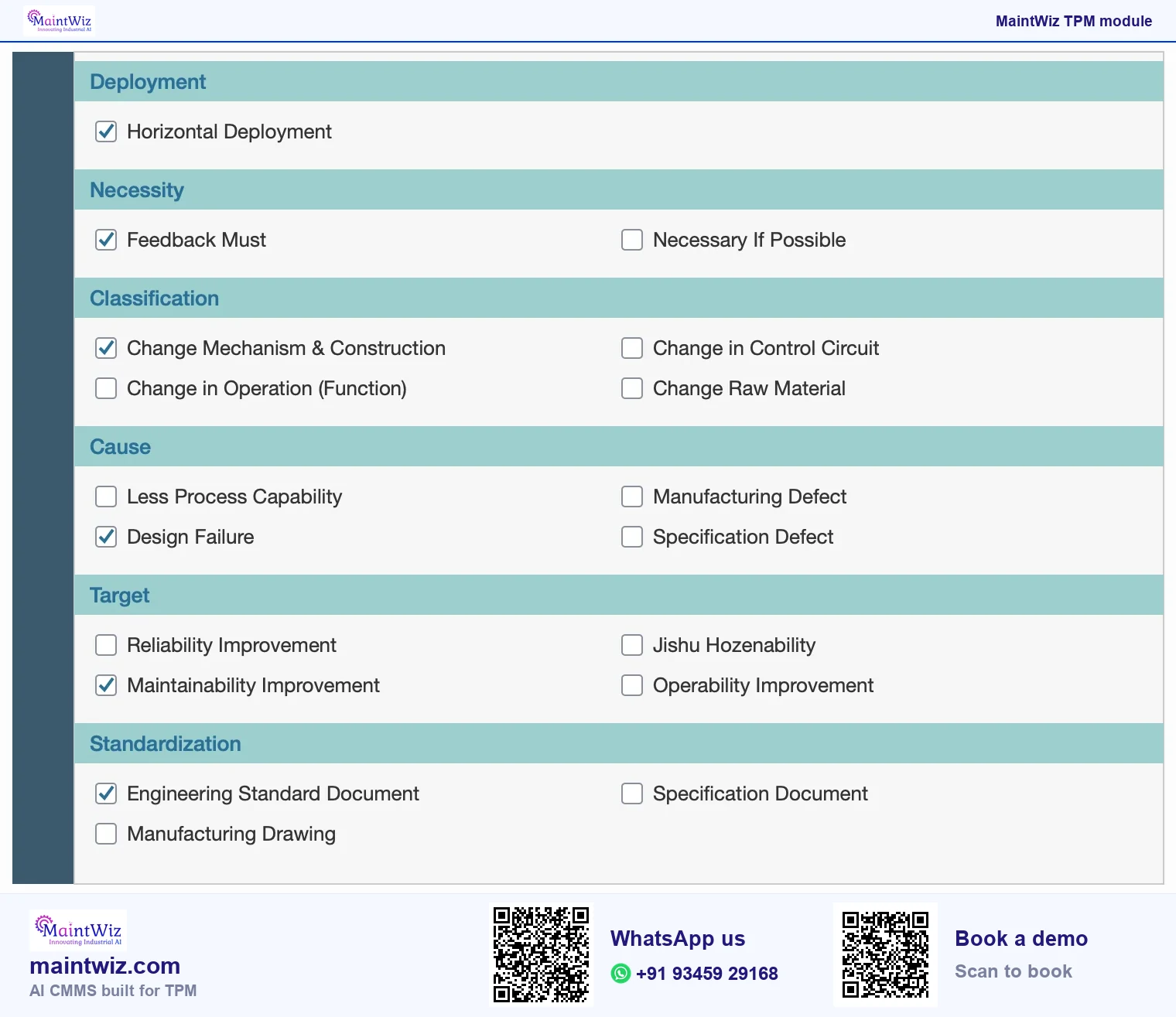
- The MP sheet list shows MP id, facility, equipment, status and creator; the form captures theme, control number, problem, cause, necessity, classification, cause category, target, standardisation and horizontal deployment.
- Sheets can be exported as PDF.
- MaintWiz is an AI CMMS built for TPM: all eight pillars, 5S, OEE, Kaizen and one point lessons, a clickable dashboard per pillar, mobile capture, tags that convert to work orders and ePTW for safety, rolled out in 6 to 8 weeks.
The problem
What problem does an MP sheet solve?
Plants keep re-buying the same weaknesses. A bearing housing that traps contamination, a guard that blocks cleaning, a lubrication point nobody can reach: each is known to the people who run the equipment and invisible to the people who specify the next machine. An MP (maintenance prevention) sheet records the lesson in a form the design team can use. The idea behind the pillar is that preventing maintenance by design is worth more than doing it well later (Figure 2).
From a lesson to a new design
How MP sheets reach new equipment
Lesson from running equipment
MP sheet: problem, cause, necessity
Review and classify
Standardise into specifications
Horizontal deployment
Use in design review
 maintwiz.comAI CMMS built for TPM
 WhatsApp us
 +91 93459 29168
 Book a demo
What does an MP sheet capture?
| Field | What it records |
|---|---|
| Theme and control number | What the lesson is about and its reference |
| Problem and cause | What went wrong on existing equipment and why |
| Necessity | Why the change matters |
| Classification and cause category | How the plant groups the lesson |
| Target | What the change should achieve |
| Standardisation | Where the lesson is written into standards or specifications |
| Horizontal deployment | Where else the lesson applies |
| Before and after, benefits | What changed and what it gave |
Book a demo: we load your top five maintenance lessons as MP sheets and show them to a designer.
How do lessons reach new equipment design?
Each lesson is traceable from the MP sheet to the standard it changed. A lesson is written as an MP sheet from existing equipment; it is reviewed and classified; it is written into standards or specifications through the standardisation field; and the horizontal deployment field says where else it applies. Designers and project engineers open the MP sheet list for the equipment family when drafting a specification or reviewing a design (Figure 5).
Early equipment management: phases
Five phases from specification to stable operation
Specify and design
Build and test
Install and commission
Initial flow control
Stable operation
Lessons recorded as MP sheets
feed the next specification and design review
maintwiz.comAI CMMS built for TPMWhatsApp us+91 93459 29168Book a demoJIPM, the Japan Institute of Plant Maintenance, names the pillar Early Management for Product and Equipment Development.
Downloads
Start on paper, run it in MaintWiz: MP sheet log and design review
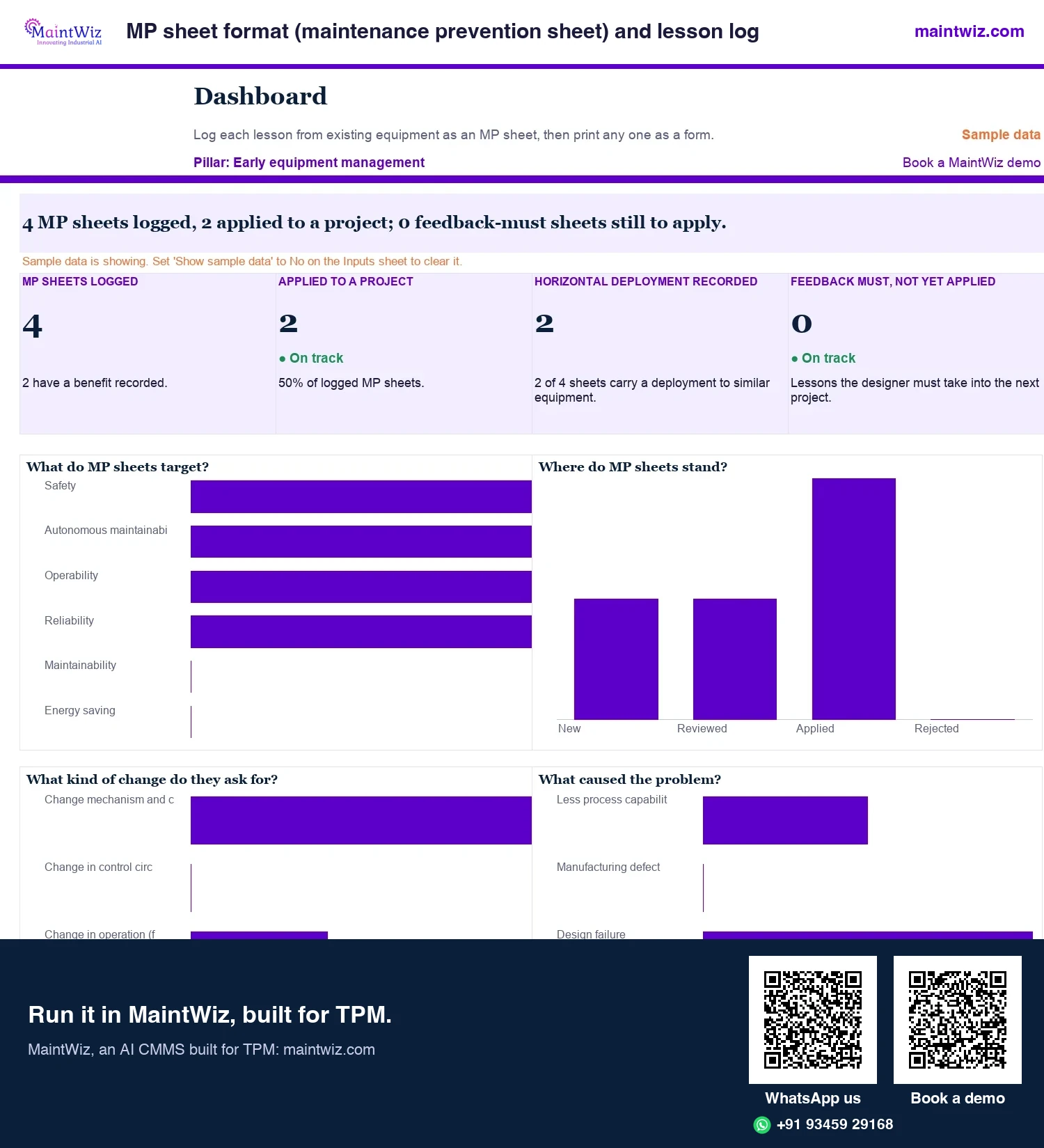
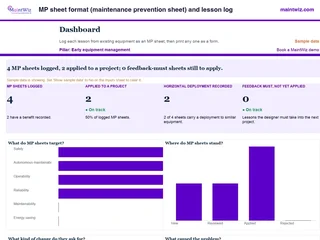 ExcelMP sheet format (maintenance prevention sheet) and lesson log
Log lessons from running equipment as MP sheets, print any as a form with before and after sketches, and feed early equipment management designers.
Inside: MP sheet log: source equipment, problem seen, necessity, classification, cause and target · Printable MP sheet form with before and after sketch areas · Horizontal deployment and applied-to-project tracking · Feedback-must sheets still to apply
- Sheets
- Dashboard, Inputs, MP sheets, MP sheet, Read me
- A4
- Version
- v1.1, 4 November 2026
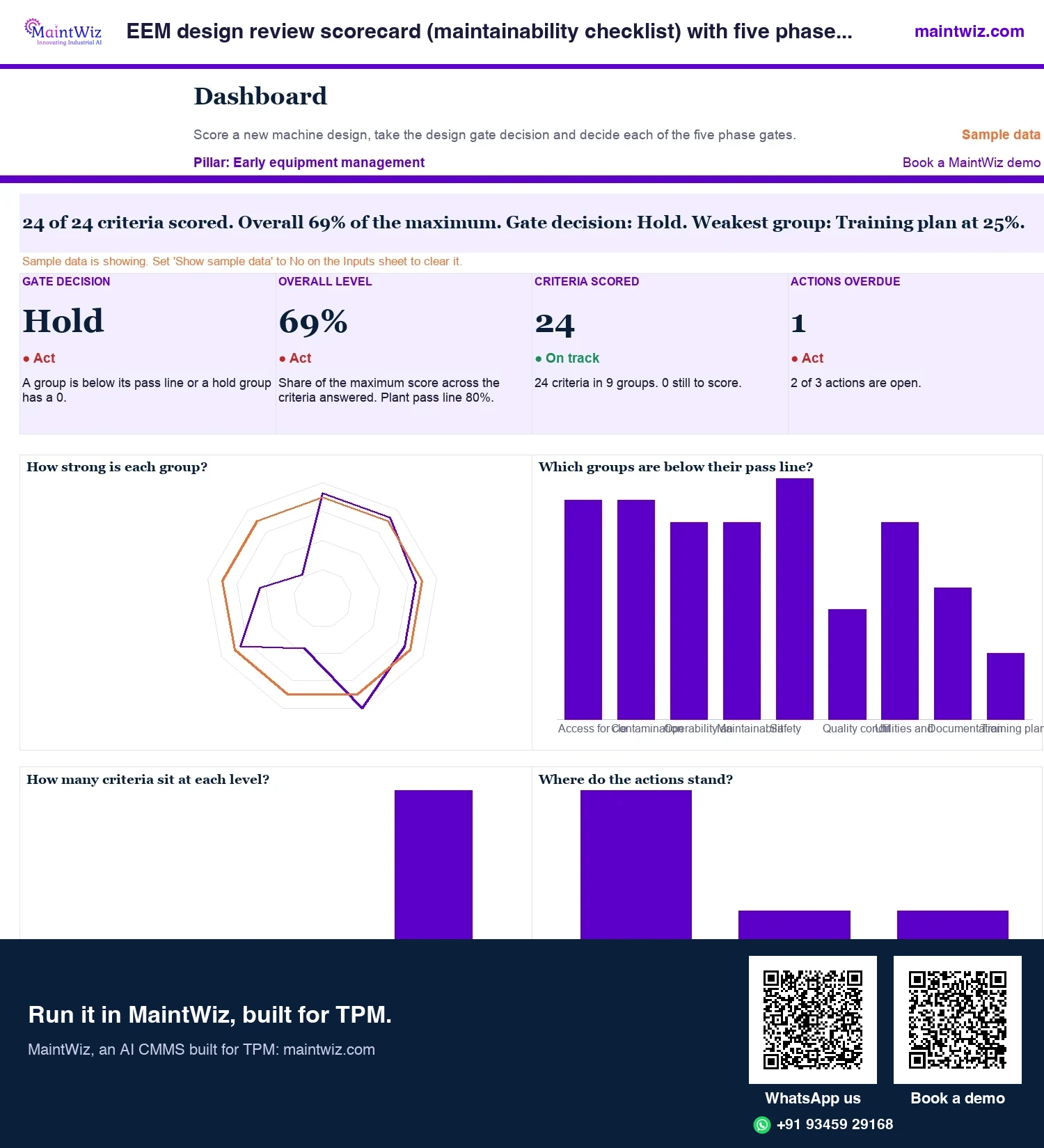
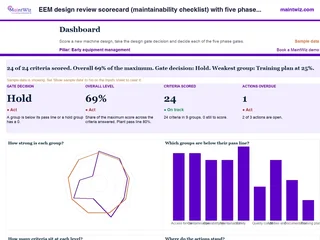 ExcelEEM design review scorecard (maintainability checklist) with five phase gates
Score a new machine design on 24 criteria, back findings with MP sheets, and take a Go or Hold decision for each phase
In MaintWiz: MP sheets and reports, with analytics by facility.
- Sheets
- Dashboard, Inputs, Review, Gate, Actions, Phase checklist, Phase gates, Read me
- A4
- Version
- v1.1, 4 November 2026
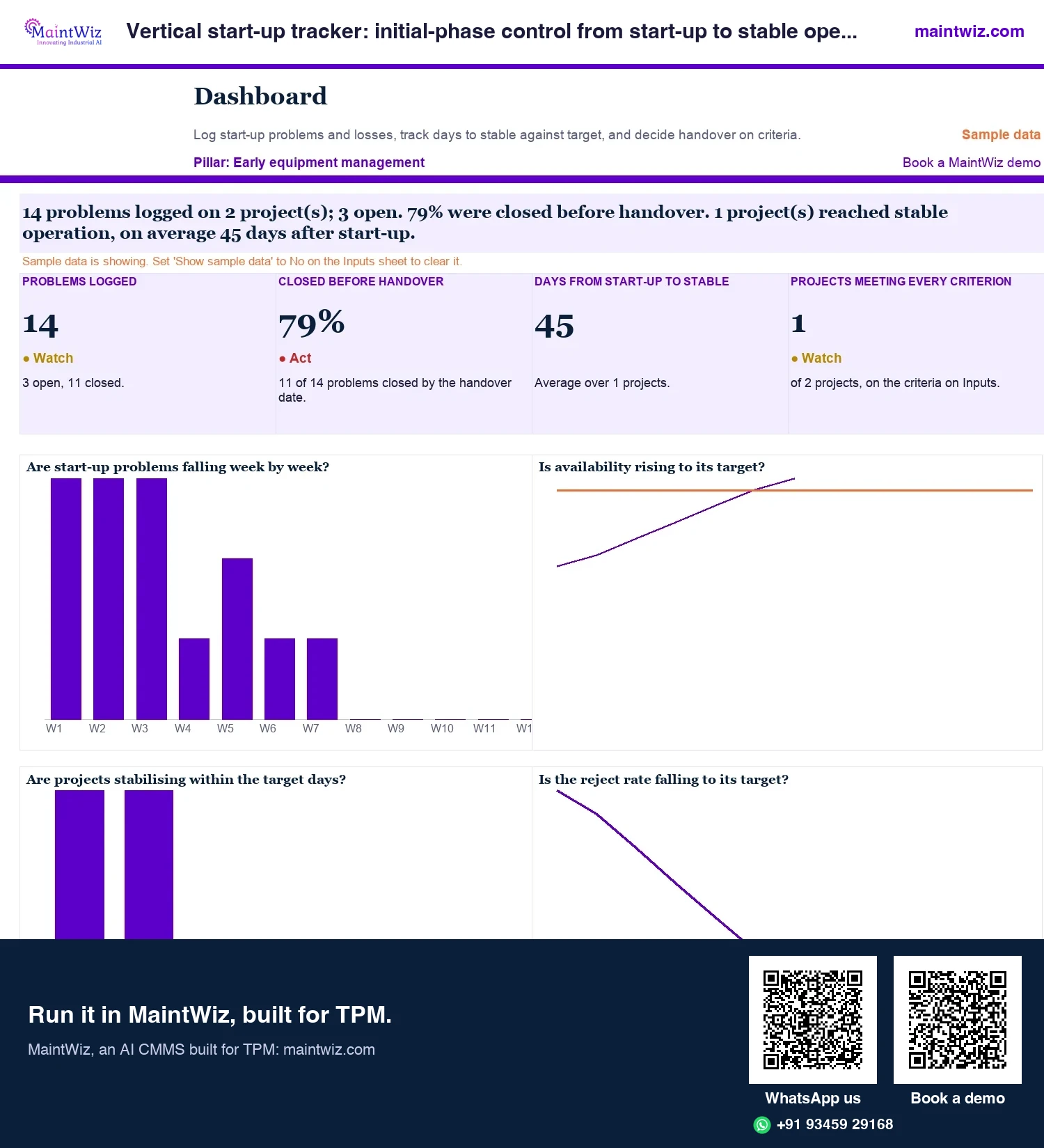
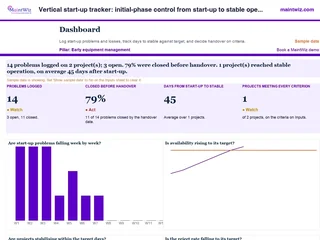 ExcelVertical start-up tracker: initial-phase control from start-up to stable operation
Track start-up problems and losses week by week, compare days to stable with your target
In MaintWiz: MP sheets and reports, with analytics by facility.
- Sheets
- Dashboard, Inputs, Projects, Problems, Start-up log, Stable check, Read me
- A4
- Version
- v1.1, 4 November 2026
MP sheet list
What does the MP sheet list show?
The list shows each sheet with its MP id, facility, equipment, status and creator. A list view gives a history of the lessons recorded for a plant. MP reports and a dashboard summarise the sheets (Figure 6).
Paper and spreadsheets versus a system for MP sheets
| Paper or spreadsheet | In the system | |
|---|---|---|
| Capture | Sheets in a folder or a spreadsheet row | A structured record with problem, cause, target and standardisation |
| Finding | Depends on who remembers | A list by facility and equipment with status |
| Reuse | Rarely checked when specifying new equipment | Listed for designers and project engineers |
| Deployment | Not tracked | Horizontal deployment recorded on the sheet |
| Output | Retyped for review meetings | PDF export of the sheet |
Move your MP sheet log into MaintWiz: bring the spreadsheet and we load it by Excel upload.
Set-up
Setting it up for your plant
Classifications, cause categories and form fields are set up with each plant. Many plants begin by converting a backlog of known lessons into MP sheets for one equipment family, then make the list part of the specification review for new projects (Figure 7).
Lessons from recurring abnormalities in the abnormality register and from finished Kaizen projects are written up as MP sheets and deployed horizontally, so each phase of early equipment management starts from lessons the plant has already paid for.
Who uses it
Who uses MP sheets?
| Role | What they do in the module |
|---|---|
| Maintenance technician or operator | Writes the lesson from experience on running equipment |
| Reliability or maintenance engineer | Reviews and classifies sheets |
| Design or project engineer | Opens the MP sheets when specifying and reviewing new equipment |
| Procurement | Includes the points in supplier specifications |
| Plant head | Sees MP reports and the dashboard |
Making MP sheets reach the design stage
- Add 'review the MP sheets for this equipment family' to the specification checklist.
- Make the standardisation field a real action: which standard or specification was changed?
- Use horizontal deployment to list other equipment with the same weakness.
- Invite design engineers to the MP review so they see the problems.
- Count sheets used in specifications, not just sheets written.
Make the MP sheet list a standing item in the specification review: the designer opens the sheets for the equipment family, the project engineer records which ones changed the specification, and the plant head reads the MP reports by facility to see where lessons are being written and where they are being used. Procurement carries the same points into supplier specifications, and the PDF export reaches suppliers and project teams who do not use the system.
Mistakes
Common mistakes with MP sheets
- Writing sheets that describe the problem but not the change needed.
- No link from the sheet to a specification, so the lesson is read once and lost.
- Classifications so detailed that nobody can use them.
- Leaving the sheet with the maintenance team and never showing it to designers.
- Counting sheets written as the measure, rather than sheets used in new projects.
The simplest test of an MP system: can a designer starting a specification find, in minutes, the lessons that apply to that equipment family? If not, simplify the classification before writing more sheets.
What do MP reports show?
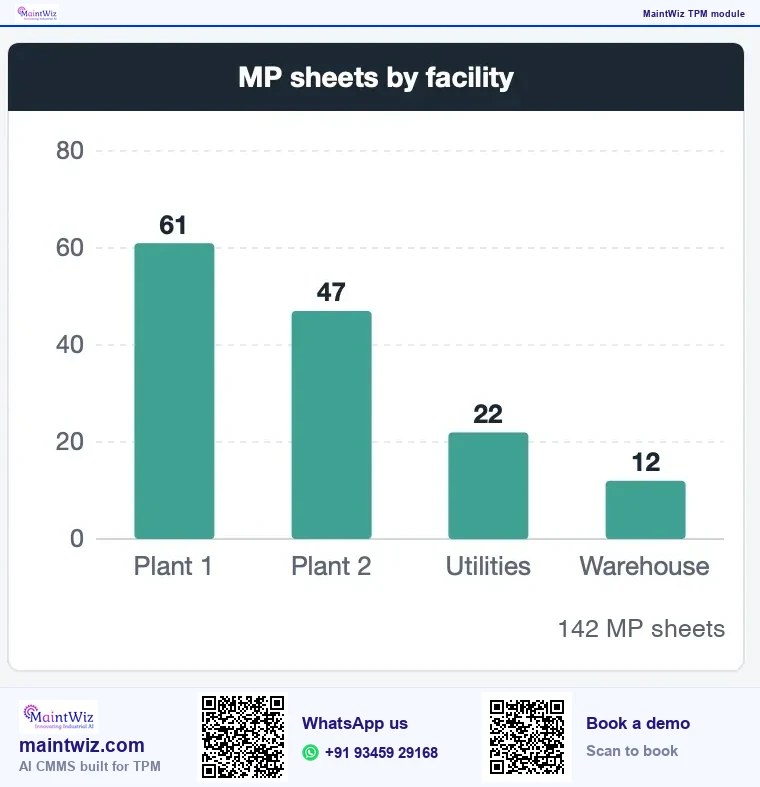
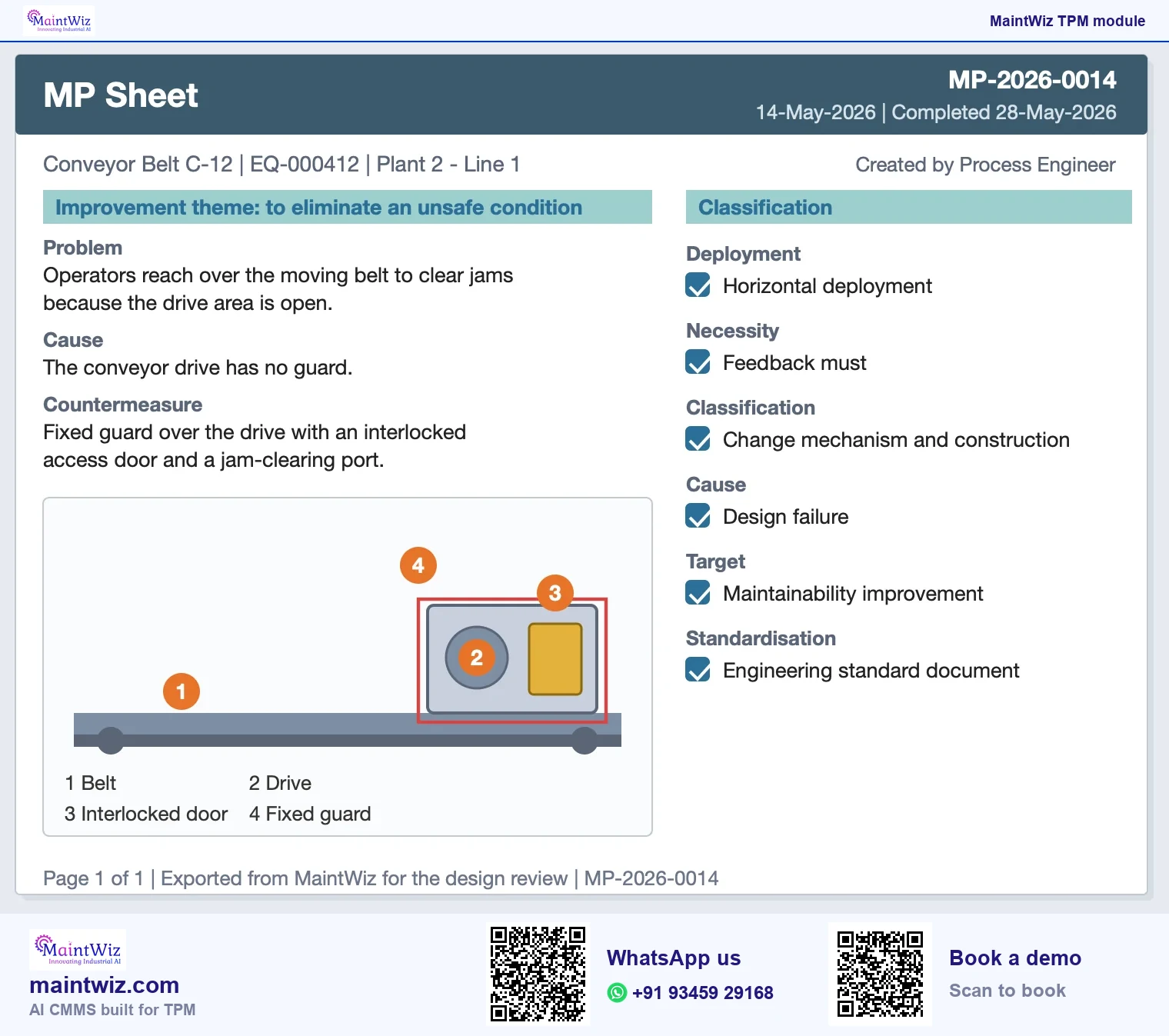
MP reports list sheets by facility, equipment and status, and the common functions dashboard counts MP sheets by facility, so the plant head sees where lessons are written. Each sheet exports as a one-page PDF for the project file.
Export, deployment and pricing
MP sheets can be exported as PDF, and data can be exported to XLS and PDF for design reviews and specification packs. MaintWiz runs as software as a service (SaaS), or on-premises on your own servers on request.
MaintWiz supports Unicode, so MP sheets and notes can be written in Hindi, Tamil or any other script; menus and labels are in English. Pricing is quoted for the modules and users you need. Get a quote or read how TPM software is priced.
FAQ
Frequently asked questions
What is early equipment management software?
Software for recording maintenance-prevention lessons from existing equipment and making them available when new equipment is specified and designed, so known weaknesses are not bought again.
What does an MP sheet record in MaintWiz?
Each MP sheet records a problem on existing equipment, its cause, why the change matters, the classification, the target, how it is standardised and where else it applies, and it exports as a PDF for design reviews.
How does MaintWiz run early equipment management?
In MaintWiz the early equipment management pillar runs on the MP sheet module: sheet entry, reports and a dashboard, with each sheet exported as a PDF for the design review of the next machine.
Can an MP sheet be exported?
Yes. A sheet can be exported as a PDF, which suits design reviews, specification packs and sharing with suppliers or project teams who do not use the system.
Who uses the MP sheets?
Maintenance and operations staff write them from experience on running equipment. Design and project engineers use them when specifying new equipment or reviewing designs, so the list is opened at those stages.
Can we start with a spreadsheet?
Yes. The free MP sheet format and lesson log, the EEM design review scorecard and the vertical start-up tracker let you start before moving to a system. Move when the log grows and designers need it by equipment family.
What is MP sheet software?
MP sheet software keeps maintenance-prevention sheets as records: theme, problem, cause, necessity, classification, target, standardisation and horizontal deployment, with a list, reports and a dashboard, so that lessons from running equipment reach new equipment design.
Which TPM pillar is early equipment management?
Shoki Kanri, early equipment management, is a TPM pillar that JIPM names Early Management for Product and Equipment Development. MaintWiz runs it on MP sheets with entry, reports and a dashboard, so lessons from running equipment reach the next specification.