
Key takeaways
- A tag converts to a work order when maintenance is needed, and operators raise it on a mobile device.
- One register for abnormalities across equipment, with status tabs for open, closed, completed, auditee work completed, cancelled and non-conformance records.
- Each record captures the equipment, nature of the issue, tag colour, category, cause, countermeasure, target date and documents.
- Dashboards show red and white tag records, cumulative and day-wise closure and sources of contamination.
- MaintWiz is an AI CMMS built for TPM: all eight pillars, 5S, OEE, Kaizen and one point lessons, a clickable dashboard per pillar, mobile capture, tags that convert to work orders and ePTW for safety, rolled out in 6 to 8 weeks.
Abnormalities
What counts as an abnormality?
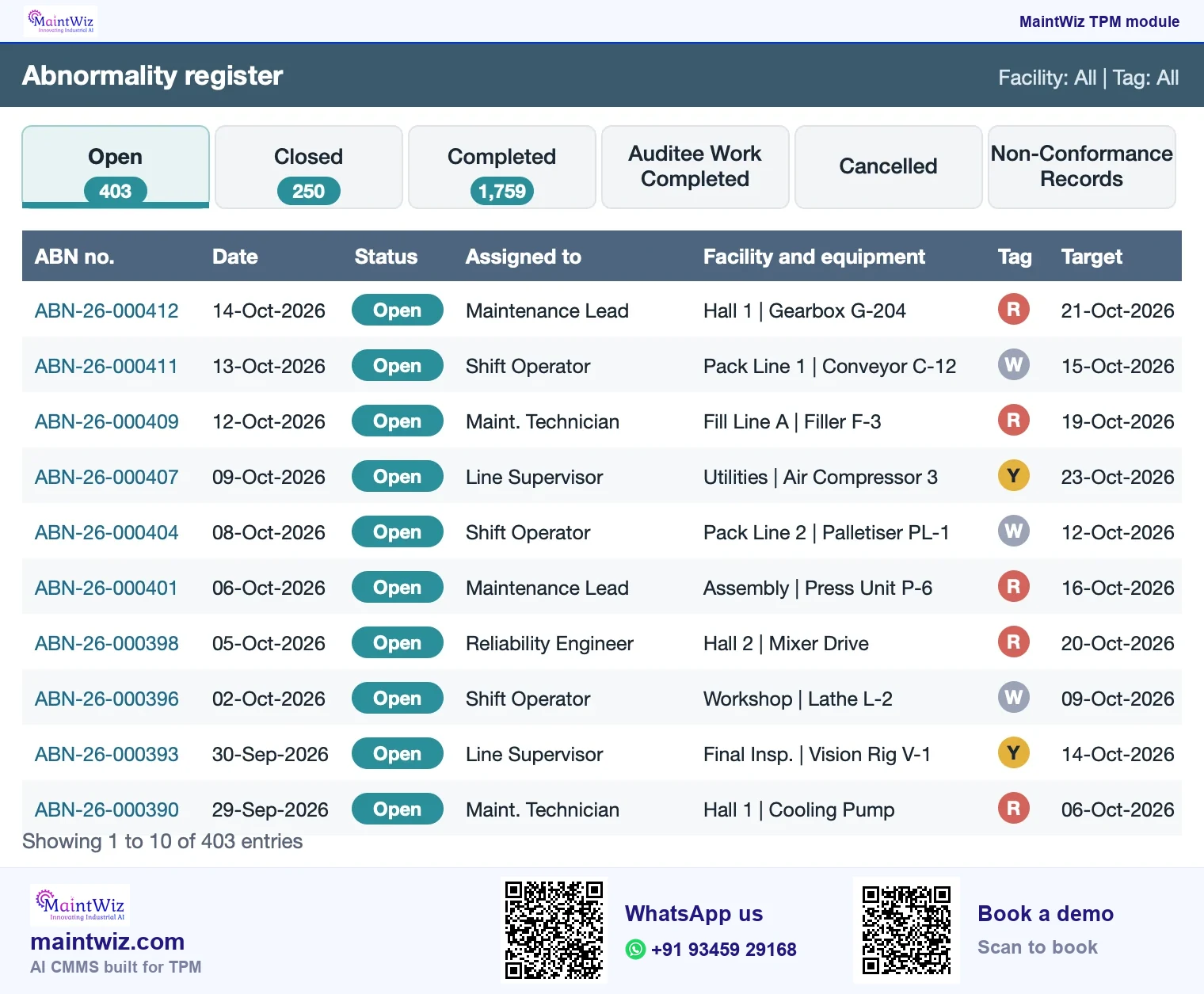
An abnormality is anything an operator or inspector finds that is not as it should be: a leak, a loose or missing fastener, contamination, damage, an unusual noise or temperature, a hard-to-reach inspection point. Some plants also log unsafe conditions and non-conformances in the same register. The point of logging is to give each finding an owner and a date, so a small problem is fixed before it becomes a failure (Figure 3).
The seven kinds of fuguai
What an operator or inspector tags in Jishu Hozen, with a plant example of each
1. Minor flaws
A loose bolt, a worn seal, a cracked cover
2. Unfulfilled basic conditions
Missing lubrication, a loose fastener, dirt left on a sensor
3. Hard-to-access places
A grease point behind a guard that blocks cleaning
4. Sources of contamination
Product dust or oil leaking from a seal
5. Sources of quality defects
A worn guide that scratches the product
6. Unnecessary items
Spare cartons and old tooling left at the machine
7. Unsafe places
An unguarded drive, a slippery floor
Each kind is a value in the Abnormality Type field
 maintwiz.comAI CMMS built for TPM
 WhatsApp us
 +91 93459 29168
 Book a demo
From fuguai tag to work order or operator fix
Who does what, and where the decision sits
Operator
Owner
Maintenance
IoT signal
maintwiz.comAI CMMS built for TPMWhatsApp us+91 93459 29168Book a demoThe abnormality life cycle in the system
A record moves from raised to closed through defined steps.
- Raise: the finder enters the abnormality against the equipment, with the nature of the issue and the tag colour.
- Assign: the record goes to the owner with a target date.
- Fix: the owner records cause, category and countermeasure and attaches documents or photos.
- Complete and verify: the work is marked complete and checked, including by the auditee where an audit raised it.
- Close: the record moves to closed; cancelled and non-conformance records are held separately.
JIPM, the Japan Institute of Plant Maintenance, lists autonomous maintenance, the pillar whose cleaning and inspection find abnormalities, among the four core pillars of TPM, the pillars it describes as directly related to reducing loss in the production process.
| Item | Detail |
|---|---|
| Japanese term | Fuguai tag, used in Jishu Hozen |
| English meaning | Abnormality tag: marks an abnormality found on equipment |
| What it controls | Which abnormalities are open, who owns them and when they are due |
| What MaintWiz records | Equipment, nature of issue, tag colour, category, cause, countermeasure, owner, target date and documents, with status tabs from open to closed |
Downloads
Start on paper, run it in MaintWiz: tag register and tag cards
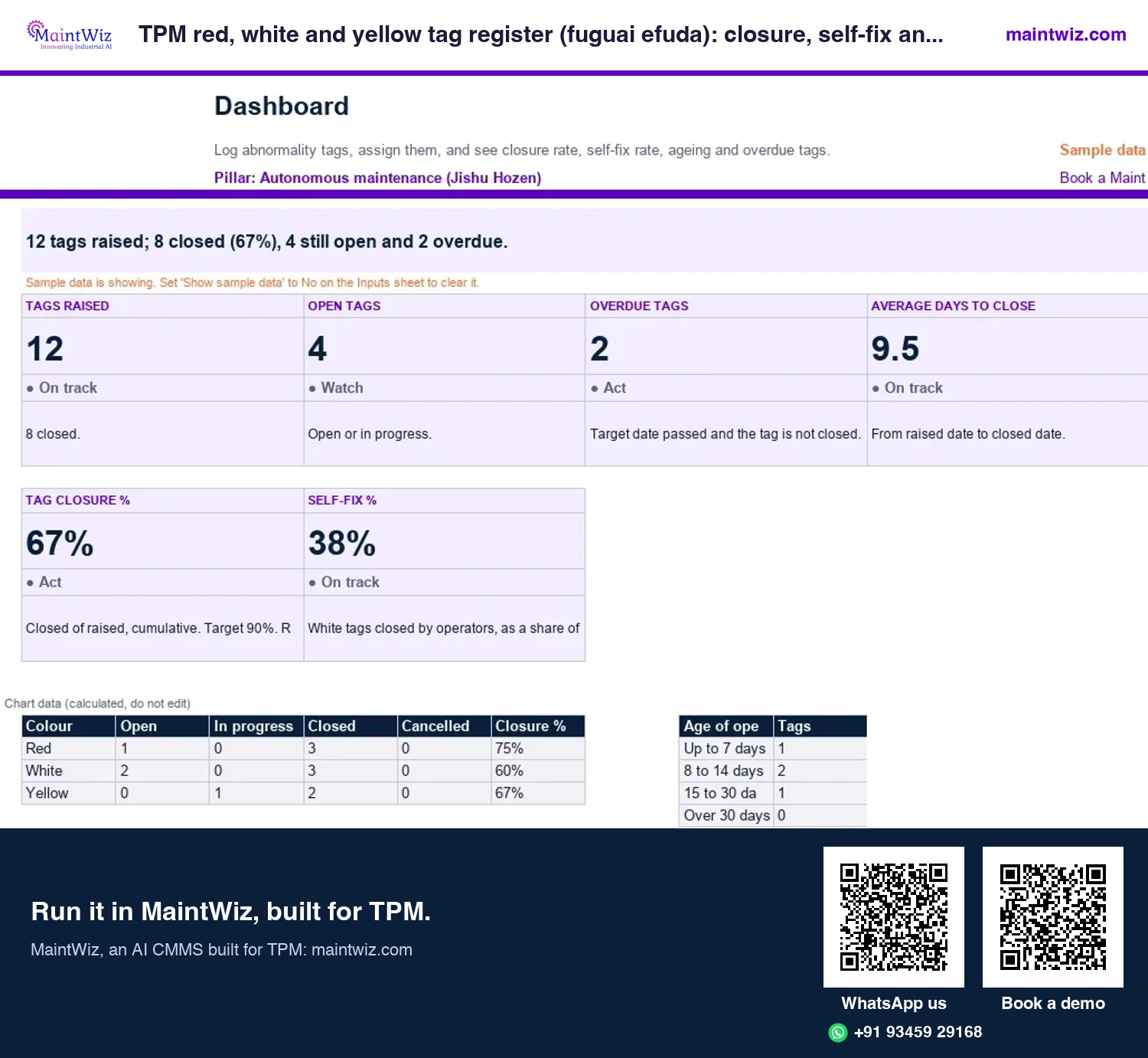
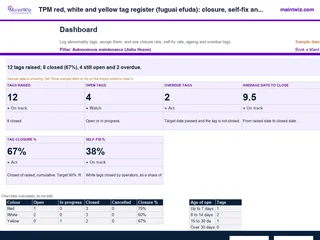 ExcelTPM red, white and yellow tag register (fuguai efuda): closure, self-fix and ageing
Log every abnormality tag, see closure rate and self-fix rate by colour, and find overdue tags before an audit does
In MaintWiz: A tag is registered against the equipment, assigned to an owner and tracked to closure; it can be converted to a work order.
- Sheets
- Dashboard, Inputs, Register, Read me
- A4
- Version
- v1.0, 2 November 2026
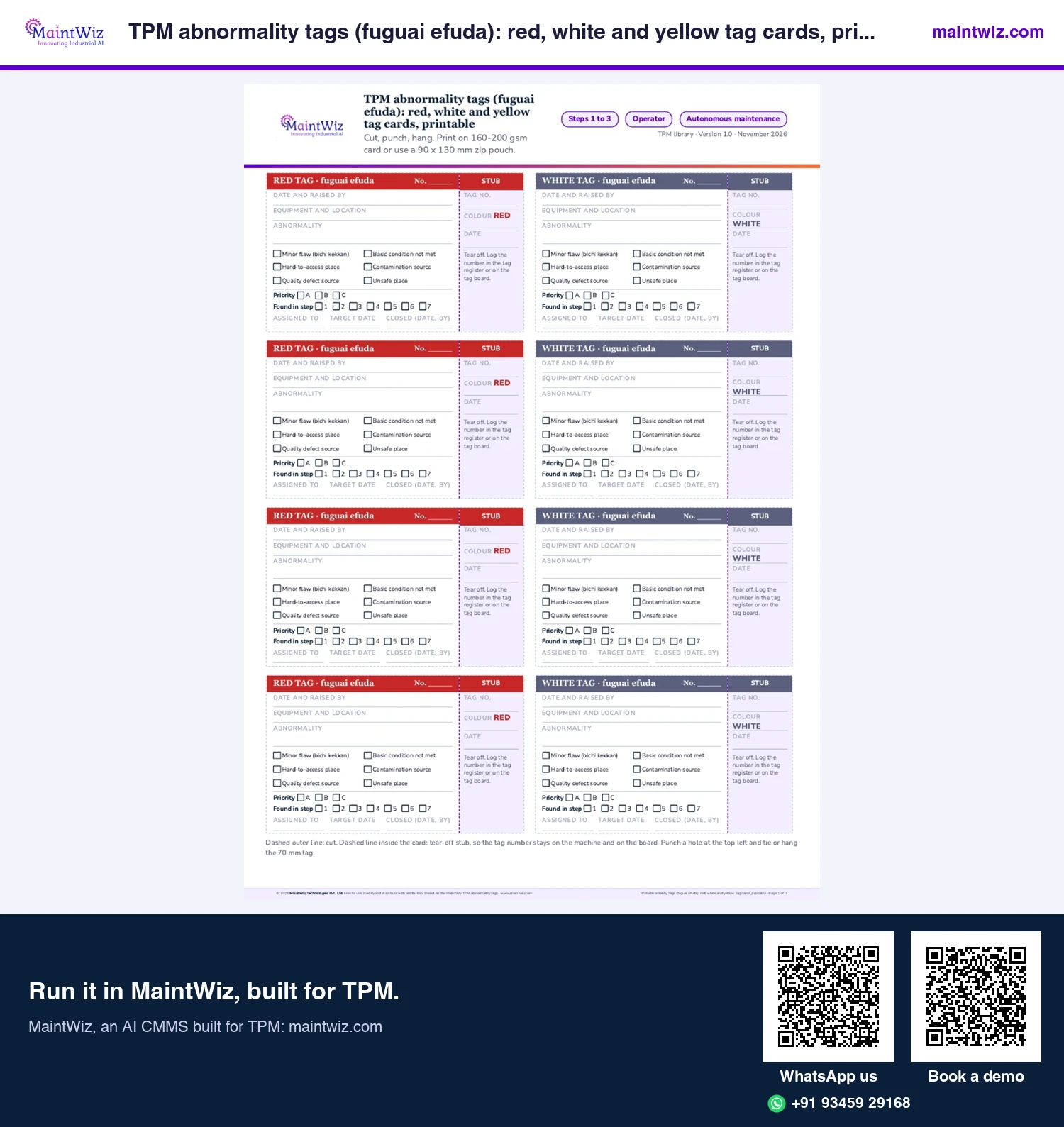
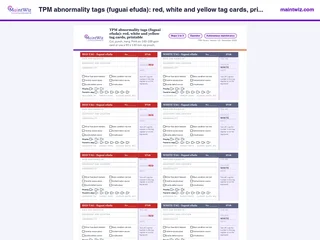 PDFTPM abnormality tags (fuguai efuda): red, white and yellow tag cards, printable
Print two-part red, white and yellow tags with a tear-off stub, priority and step boxes, eight per A4
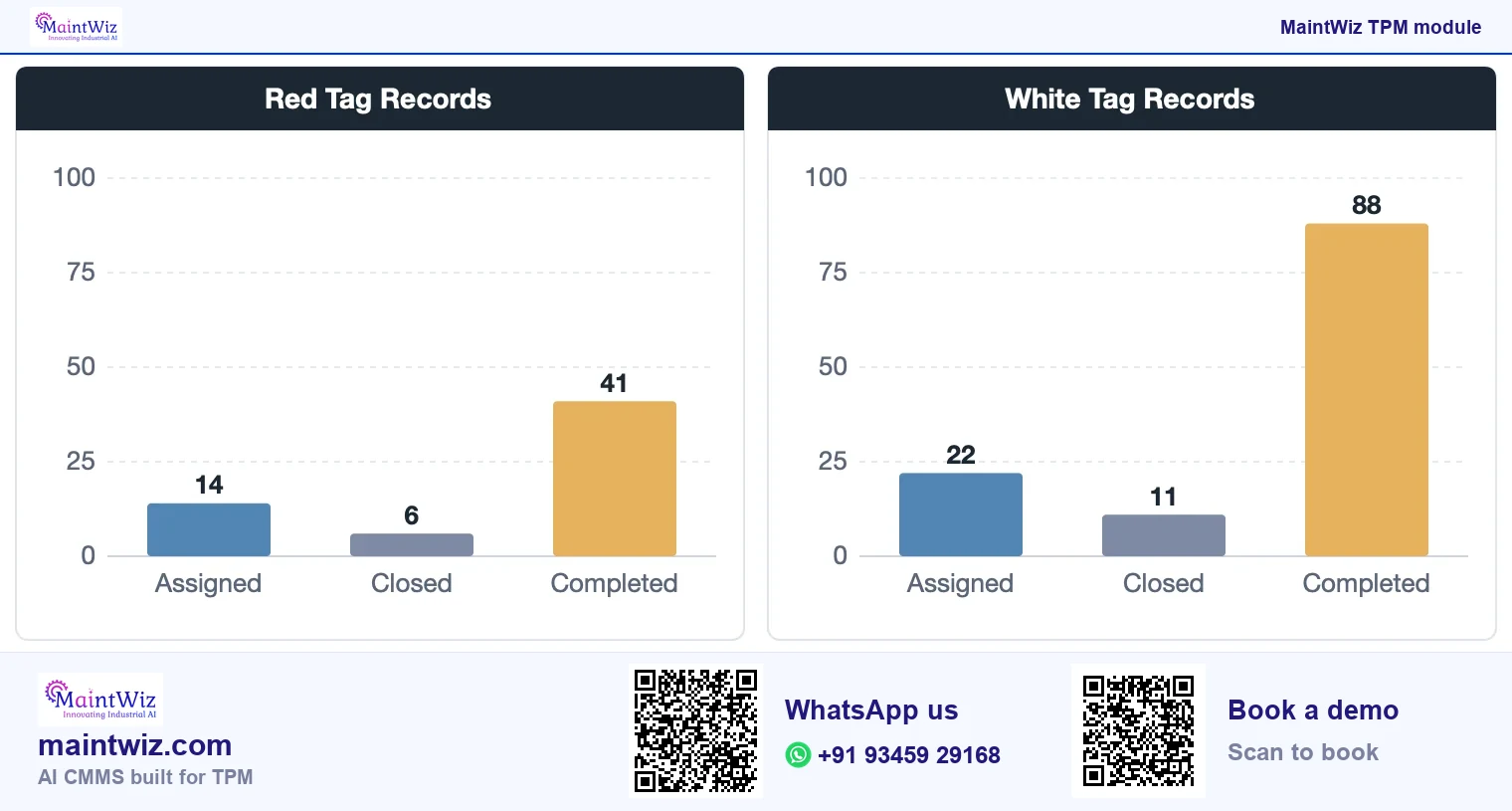
In MaintWiz: Tag records show on the Jishu Hozen dashboard by colour, assigned against completed.
- Pages
- 3
- A4
- Created
- 5 November 2026
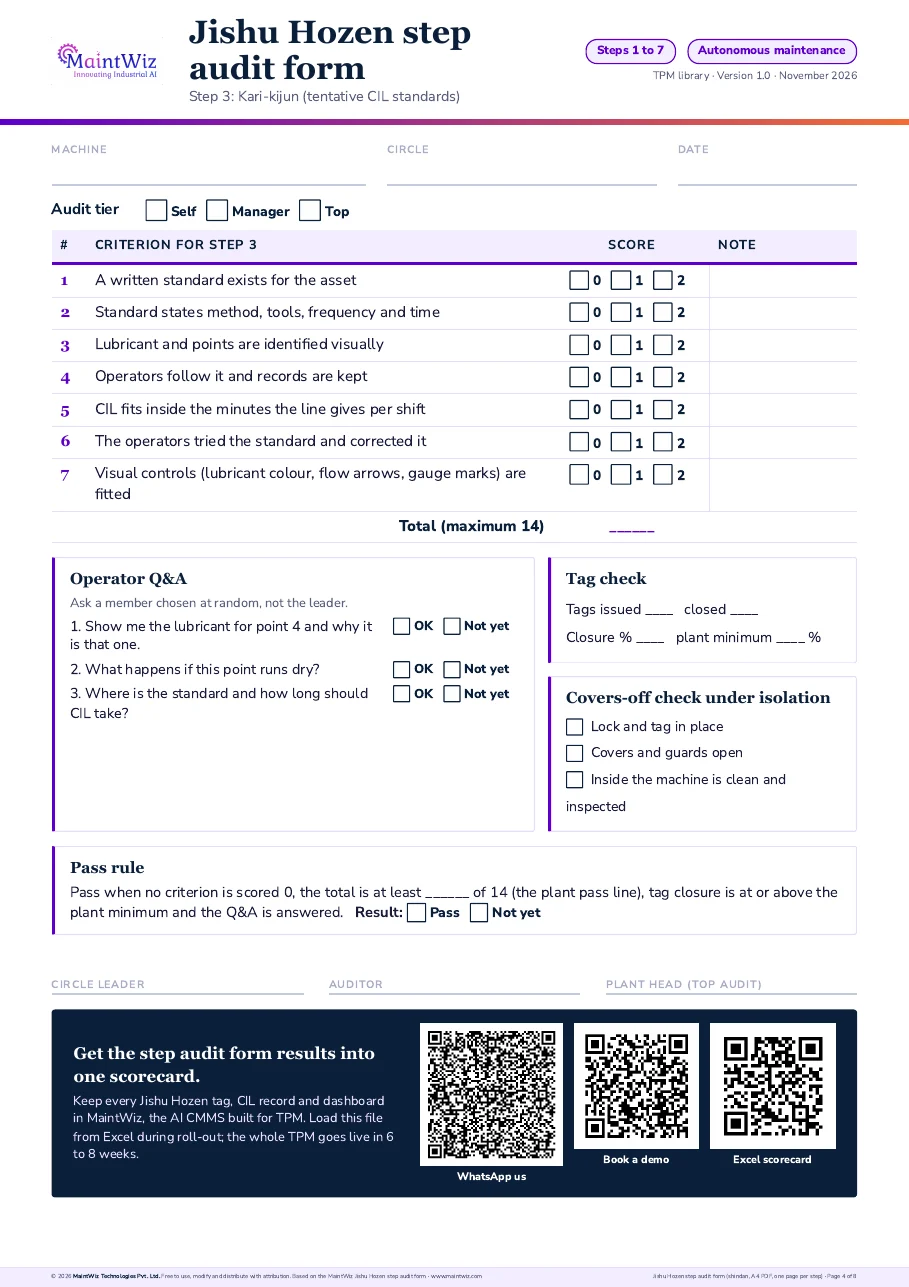
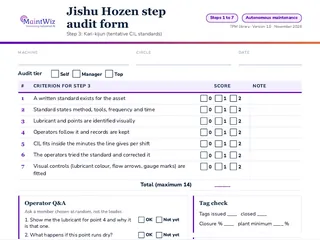 PDFJishu Hozen step audit form (shindan, PDF, one page per step)
Audit any machine with a one-page Jishu Hozen (autonomous maintenance) step audit form: scored criteria, operator questions, tag check and three-tier shindan sign-off.
Inside: One form per step, Step 1 Shoki Seiso (initial cleaning) to Step 7 Jishu Kanri (autonomous management) · Criteria scored 0, 1 or 2 with a pass rule · Three operator questions, a tag count and a covers-off check under isolation · Sign-off by circle self-audit, manager and top management
- Pages
- 8
- A4
- Created
- 5 November 2026
The register
What does the register show?
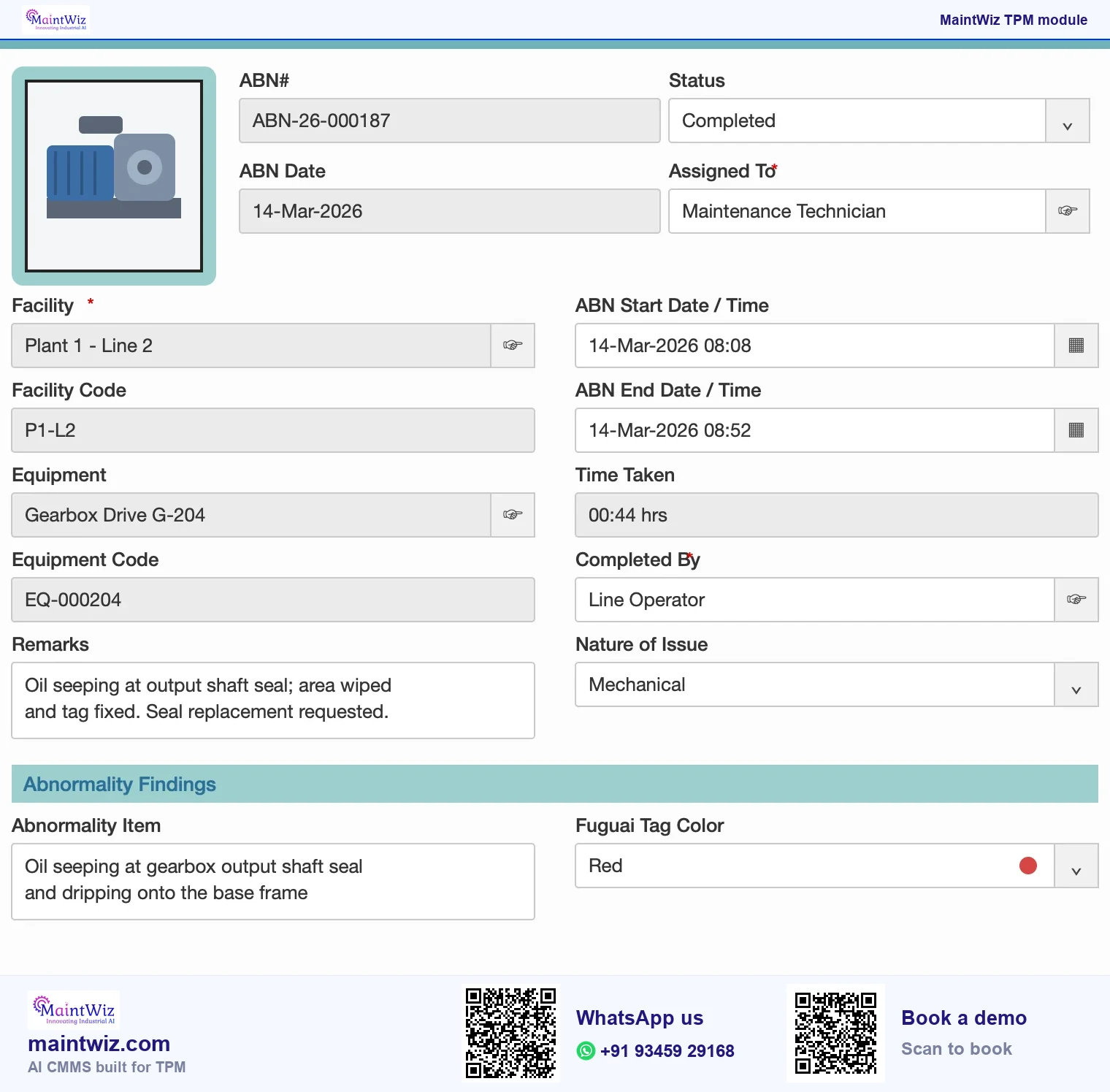
The register lists records on tabs for open, closed, completed, auditee work completed, cancelled and non-conformance records, so each person works from the list that applies to them (Figure 4).
| Field in the form | What it records |
|---|---|
| Abnormality number and date | Identity and when it was raised |
| Status and assigned to | Where it is and who owns it |
| Facility and equipment | Where it is |
| Start and end date-time, time taken | How long the work took |
| Completed by and remarks | Who closed it and notes |
| Nature of issue, abnormality item and type | What it is |
| Tag colour | Red, white or yellow |
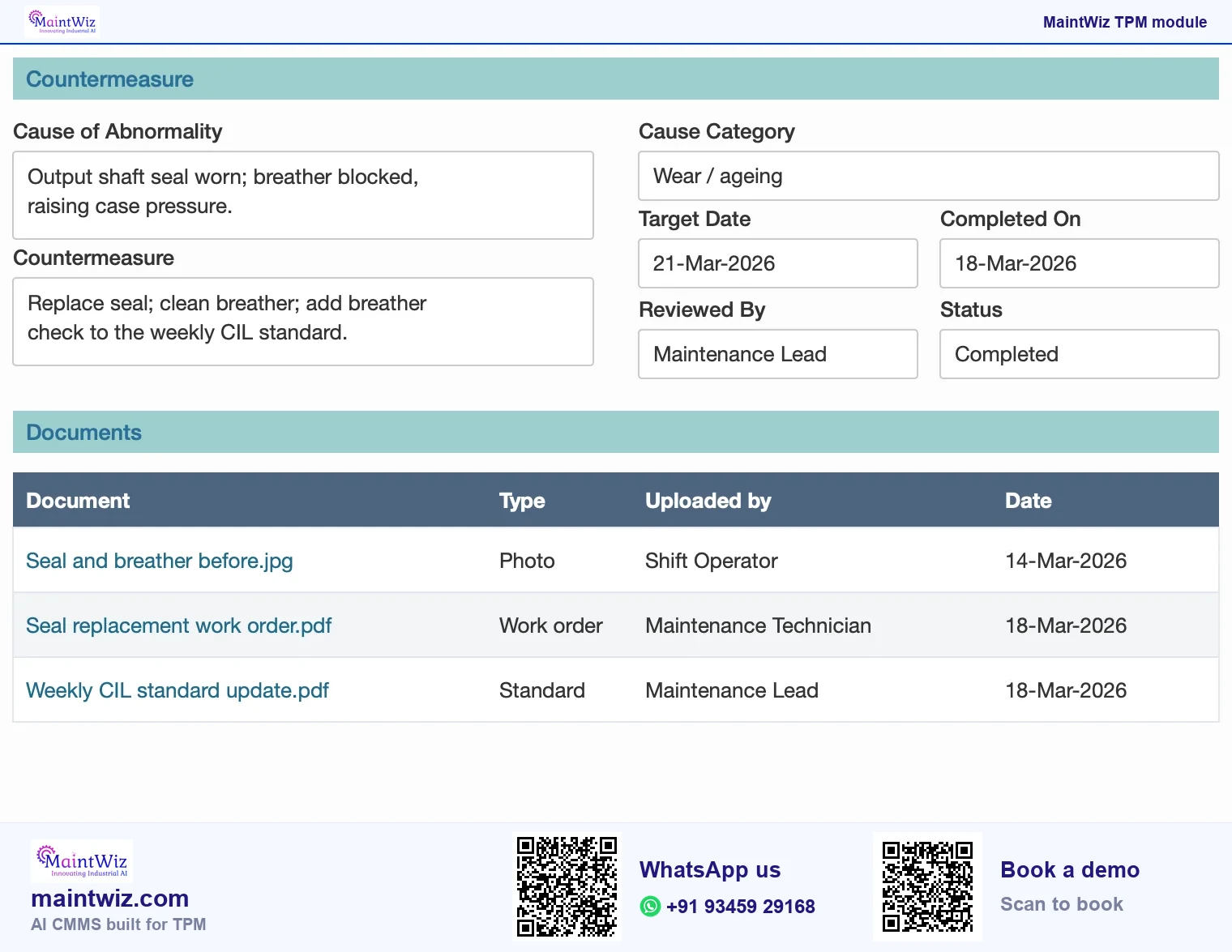
| Cause and countermeasure | Why and what was done |
| Target date and documents | Deadline and evidence |
Which dashboards track tags?
The Jishu Hozen dashboard summarises red and white tag records (assigned against completed), cumulative and day-wise closure, and the sources of contamination. The office TPM dashboard presents the same kind of tag records for administrative areas. Supervisors read them to see the age of open items and recurring sources; pillar owners use them in review meetings.
Book a demo and see a tag raised against your equipment, assigned to an owner with a target date and closed.
Operator and office tags
The register is not limited to the shop floor. Office TPM applies the same loop to administrative work: a delayed approval, a recurring error, a missing template can be registered, assigned and closed like an equipment abnormality. The shared register means one set of rules for tags, one place to look and one report for the pillar owners.
Mobile and work orders
Mobile capture, work orders and alerts
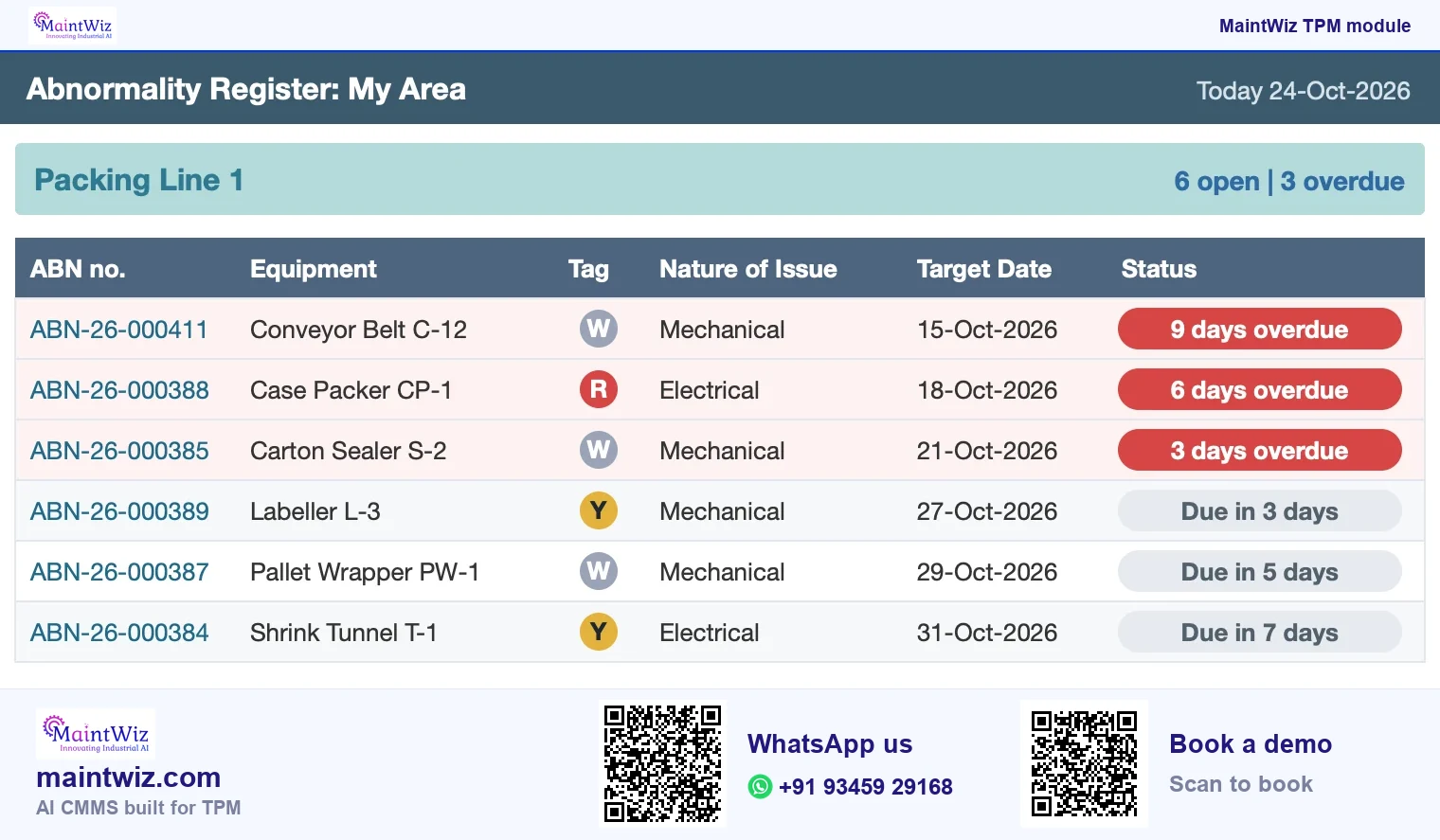
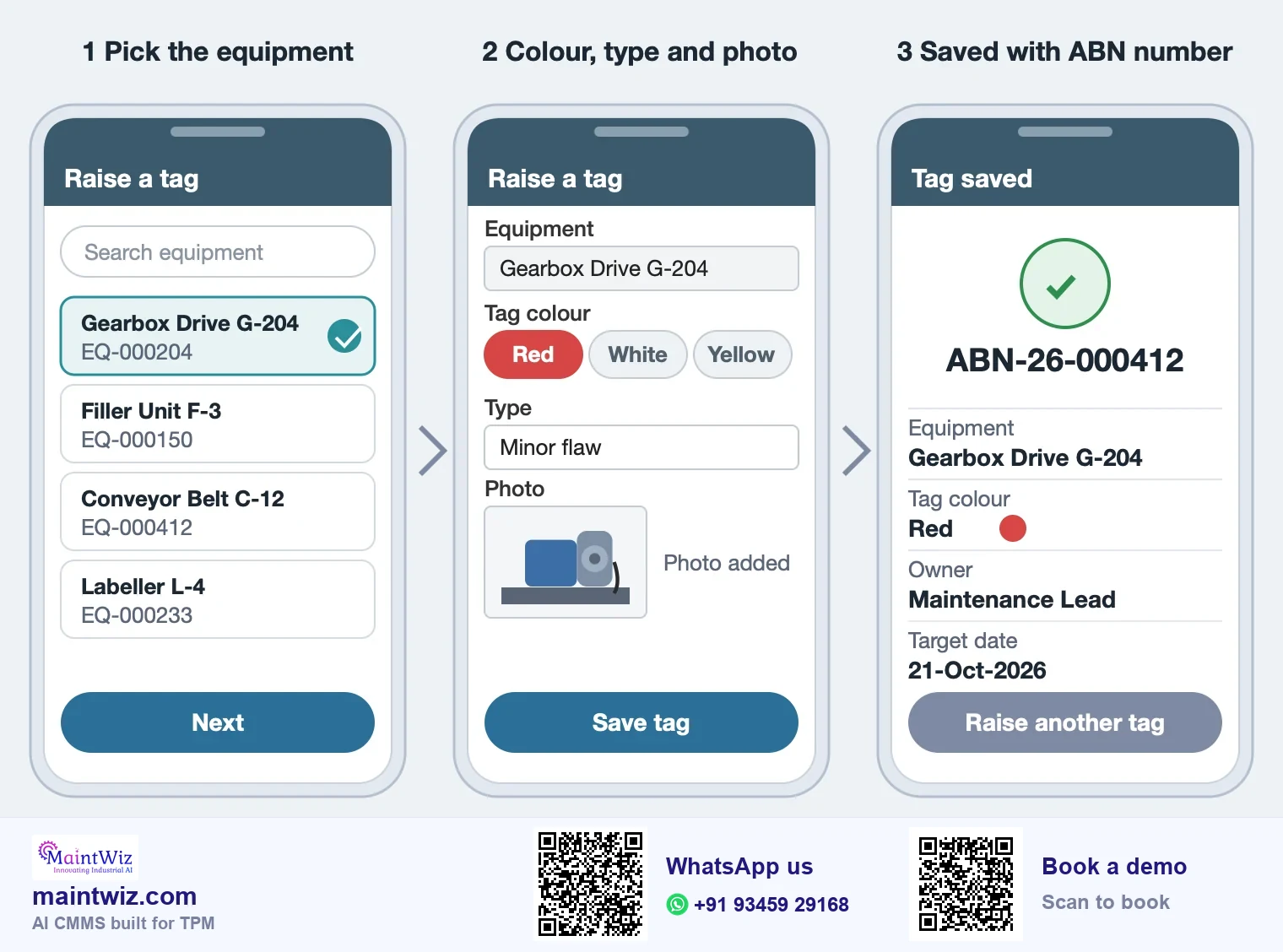
Operators raise tags at the machine on a phone or tablet (Figure 7) and see their own area's open items, and overdue alerts tell owners and supervisors what has passed its target date (Figure 6). A tag converts to a work order after manual review, so an abnormality that needs maintenance moves into planned work without being keyed again.
Because the tag becomes a work order on the same equipment record, the repair history keeps the abnormality that started it. Supervisors watch open and overdue items for their area, and pillar owners read closure and contamination sources on the dashboards.
MaintWiz runs as software as a service (SaaS), or on-premises on your own servers on request. Data can be exported to XLS and PDF. Pricing is quoted for the modules and users you need; read how TPM software is priced.
Digital tags
What do digital tags add over paper tags?
| Paper or spreadsheet | In the system | |
|---|---|---|
| Capture | A paper tag on the equipment and a line on a sheet | A register entry with equipment, nature of issue, category and tag colour |
| Routing | Verbal or by sheet to the supervisor | Assigned to a named owner with a target date |
| Closure tracking | Walk the area and count tags | Status tabs list open, completed and closed items |
| Audit trail | Initials and dates, if kept | Raiser, owner, dates and countermeasure recorded |
| Reporting | Counted by hand each month | Dashboards of tag records, closure and contamination sources |
| Evidence | Photos in a folder | Documents attached to the record |
The physical tag marks the spot; MaintWiz holds the record, the owner and the target date.
Setting it up for your plant
Tag colours, categories and form fields follow your plant's own legend. Roles decide who can raise, assign and close.
What connects to abnormality management?
- Autonomous maintenance: findings from cleaning and inspection arrive here.
- 5S audit: audit findings can be registered as actions.
- Quality defects: rejection actions can be tracked as countermeasures.
- Planned maintenance: abnormalities that need scheduled work become work orders.
- TPM software: the TPM dashboard shows planned maintenance, Jishu Hozen and safety together.
Who uses it
Who uses the register?
| Role | What they do in the module |
|---|---|
| Operator or inspector | Raises abnormalities and tags |
| Tag owner | Records cause, countermeasure and target date; closes the work |
| Supervisor | Watches open and overdue items for the area |
| Auditee and auditor | Record work completed for findings raised by an audit |
| Pillar owner and plant head | Read tag records, closure and contamination sources on the dashboards |
How to start with the register
- Write the tag legend: what red, white and yellow mean at your plant and who closes each.
- Agree the categories and keep the list short.
- Load the equipment and name tag owners.
- Run one pilot area for four weeks; review ageing of open items weekly.
- Add areas, and the office TPM view, once the rules work.
A free tag register has ageing and overdue flags for the first weeks.
What you will see in the demo
- A tag raised against your equipment, assigned and closed.
- The six status tabs: open, closed, completed, auditee work completed, cancelled and non-conformance records.
- Overdue alerts showing what has passed its target date.
- An audit finding raised in the register with an owner and a date.
- The register exported to XLS and PDF.
FAQ
Frequently asked questions
What is abnormality management software?
Software to register abnormalities found on equipment or in processes, tag them, assign owners and target dates, record countermeasures and track closure, with dashboards of tag records.
What do red, white and yellow tags mean in the system?
Red marks an abnormality that needs maintenance support, white one the operator can fix and yellow a hard-to-reach point or a safety item. The legend is set up with each plant.
What statuses does the register have?
The register has tabs for open, closed, completed, auditee work completed, cancelled and non-conformance records, so each person works from the list that applies to them.
Can it be used outside the shop floor?
Yes. An office TPM view applies the same register to administrative abnormalities such as recurring errors or delayed approvals, with its own dashboard of red and white tag records for those areas.
How do we get started?
Agree the tag legend and categories, load the equipment, name owners and run one pilot area. A free tag register template works for the first weeks.
Can we see the form?
Yes. Book a demo and we walk through the abnormality form: equipment, nature of the issue, tag colour, category, cause, countermeasure, target date and documents, then closing the record and the dashboards.
Is there red tag software for fuguai tags?
Yes. The abnormality register is red tag software with one record per tag: equipment, nature of the issue, colour, category, cause, countermeasure, owner, target date and documents. Operators raise a tag on a mobile device or terminal, and a physical tag still marks the spot on the equipment.
Can a tag become a work order?
Yes. A tag converts to a work order after manual review, so the repair stays linked to the same equipment record and nothing is keyed twice. Overdue alerts show what has passed its target date.
Who gets the overdue alerts?
Overdue alerts tell owners and supervisors what has passed its target date. Operators see their own area's open items, so the right person acts on the right tag and nothing waits on a paper sheet.
Is an F-tag the same as a red tag?
Not quite. An F-tag (fuguai tag) is any abnormality tag; red is one F-tag colour, usually for items that need maintenance. Each MaintWiz register entry records its tag colour and type, so every tag reaches an owner and a target date.